
EarthTrackers
Engaging Young People in Climate Action through Interactive Experiences
OVERVIEW
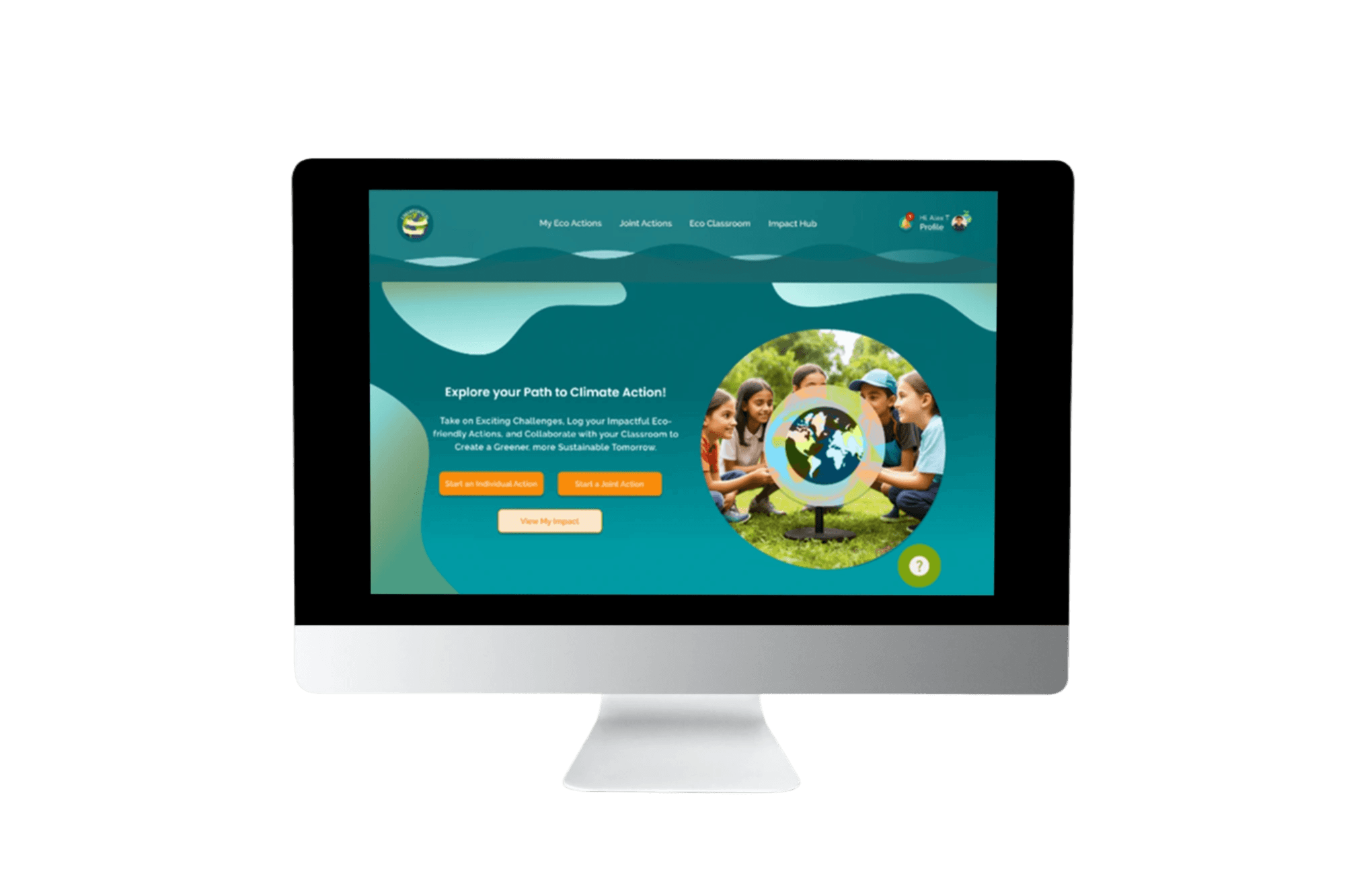
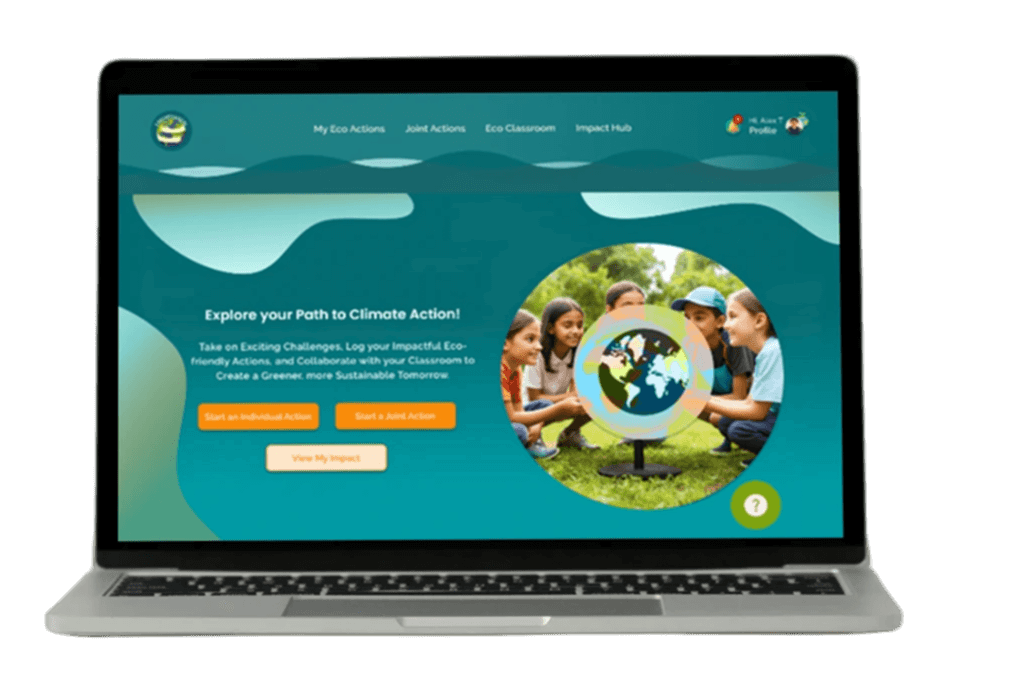
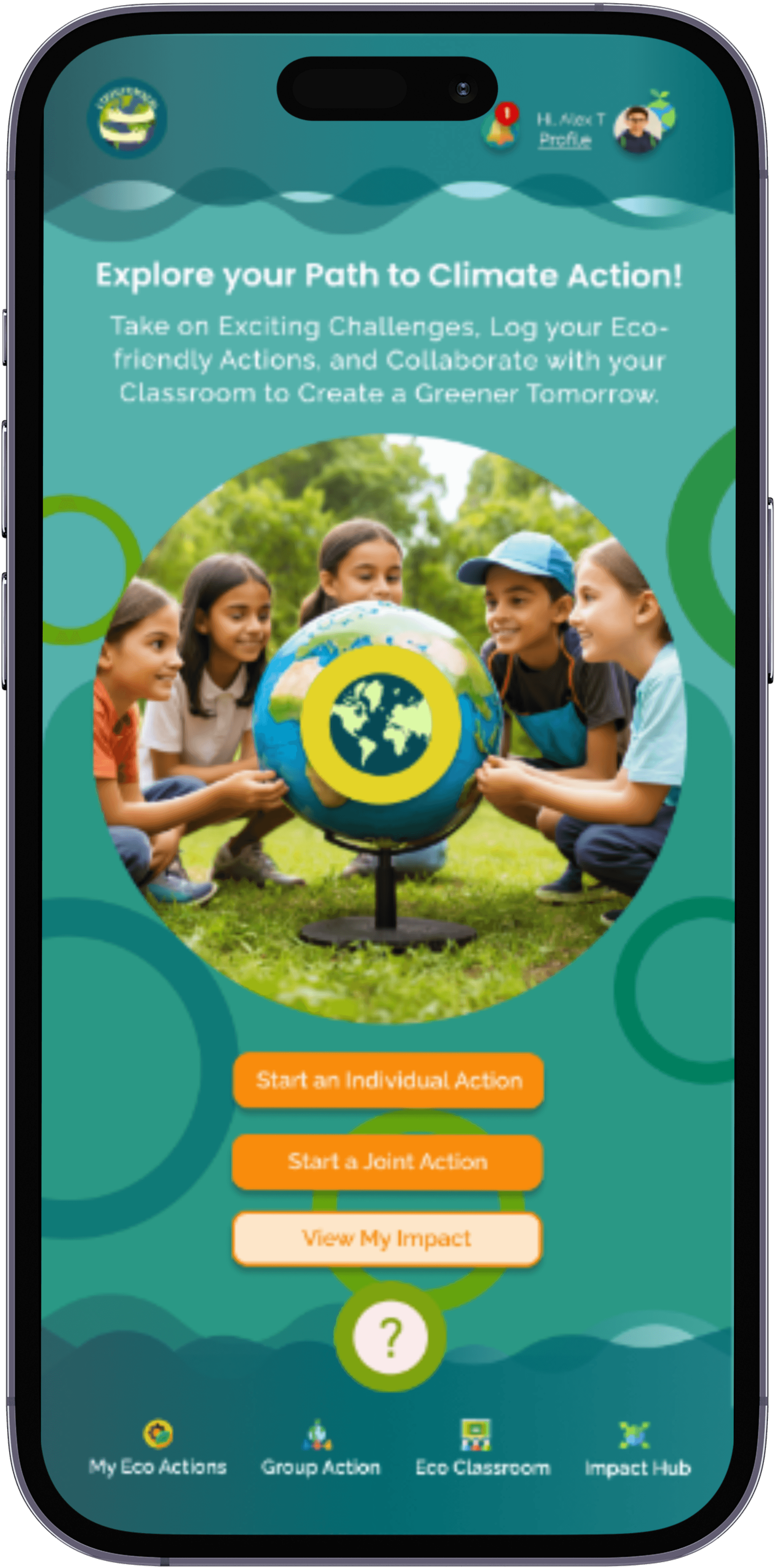
EarthTrackers is a platform, designed as part of my coursework, optimized for both mobile and desktop.
It engages young people aged 11-14 in eco-friendly activities such as emission reduction, recycling, and conservation. Middle school is a key stage for developing lasting sustainability habits, and research shows that interactive learning, gamification, and structured feedback effectively engage this age group (NEEF, 2024).
The platform transforms sustainability education into an interactive and action-driven experience. While it integrates with classroom activities, it also supports self-paced individual challenges and collaborative group initiatives, ensuring multiple pathways for engagement.
It bridges digital learning with real-world action, making sustainability education engaging, accessible, and impactful.

Outcome:
Placing teacher-guided actions under “Classroom” clarified their purpose, kept “My Actions” for independent tasks, and reduced confusion between the two.
Before Phase 1 Usability:
Individual actions (assigned by the platform and with teacher feedback) like Recycling Challenge were placed under ”My Actions”.
Users found this confusing, as they expected teacher-guided tasks to be under ”Classroom”.
After Phase 1 Usability:
The “My Actions” category keeps all individual actions (No Teacher Feedback and directly related to the platform) centralized.
After Phase 1 Usability:
Individual tasks with teacher feedback were moved to “Classroom” under a new subcategory, Classroom Individual Tasks, with tooltips for clarity.
Improve Category Labels 2 (Desktop & Mobile)
Before Phase 1 Usability:
Navigation labels like Group Actions lacked clarity and often overlapped with classroom-related tasks, causing confusion.
After Phase 1 Usability:
Labels were updated (Group Actions →
Joint Actions).
Outcome:
These updates reduced navigation errors and helped users differentiate between platform-driven and classroom-specific tasks.


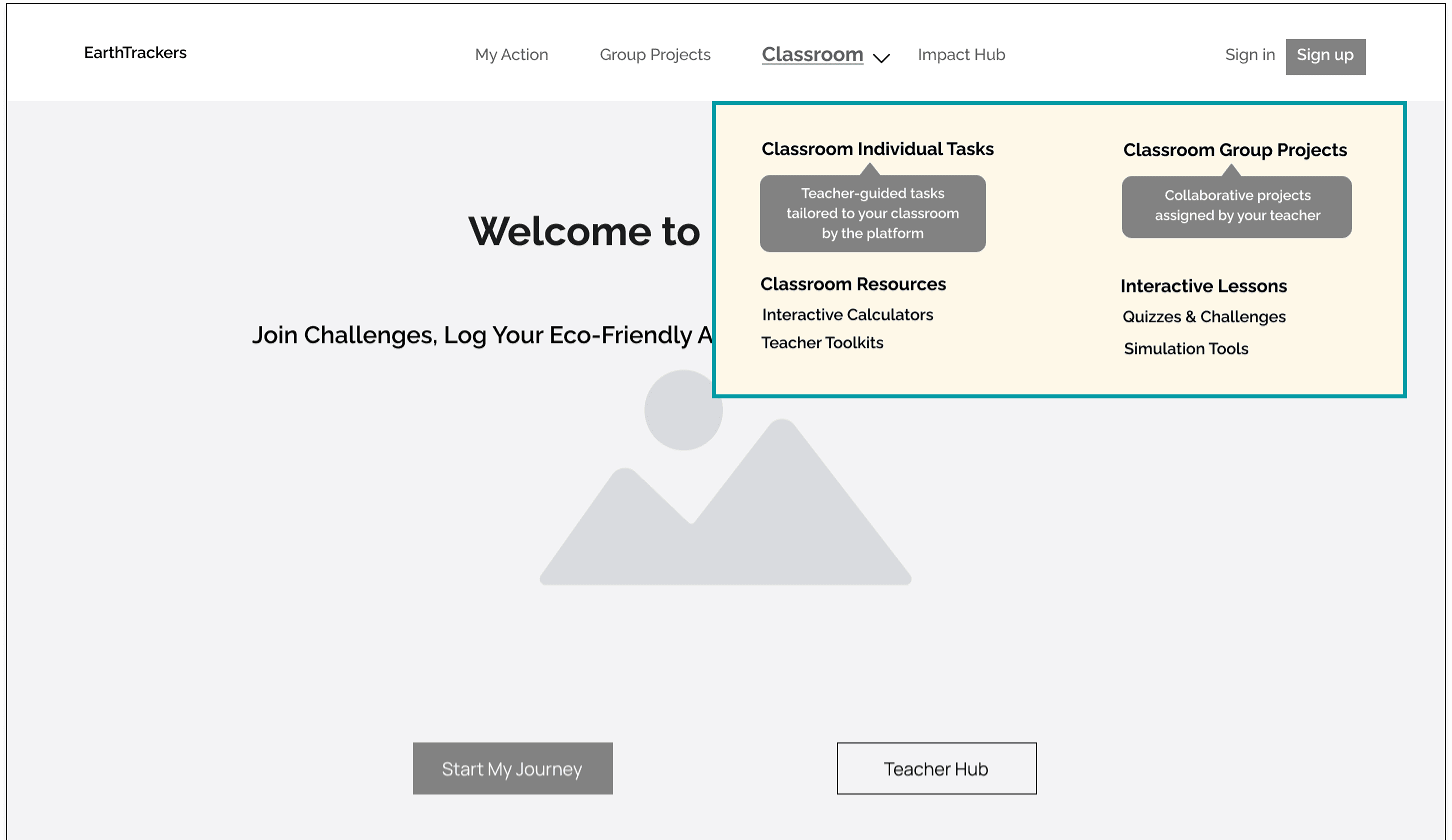


Improve Category Labels 1 (Desktop)
TESTIG NAVIGATION WITH WIREFRAMES
Students receive prompts or reminders to explore why the challenge matters, triggering initial engagement.
Collaboration & Sharing
Awareness & Motivation
Action & Documentation
Tracking & Reflection
Recognition & Growth
They complete tasks, track progress, and document actions through guided steps, reinforcing behavior.
AI insights, teacher guidance, and personalized feedback on the dashboard help students see their impact.
Teams discuss findings, collaborate, and share progress, reinforcing accountability and motivation.
Milestones and achievements appear on a personalized dashboard, turning eco-actions into lasting habits.

ENGAGEMENT JOURNEY: HOW STUDENTS PARTICIPATE IN CHALLENGES
Alex and Eva’s experiences show how students engage with EarthTrackers. The Engagement Journey builds on this, outlining key steps as they learn, act, and track their impact.

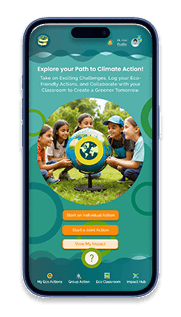
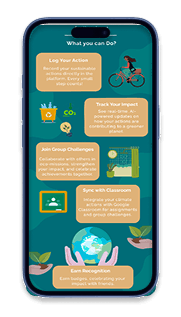
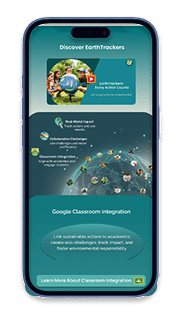
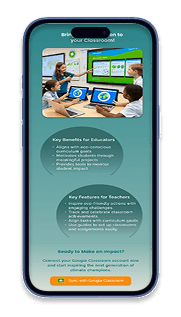
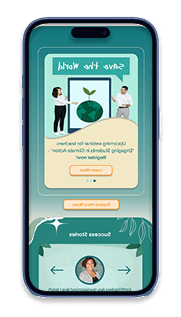



Landing Page
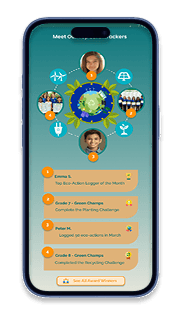
The Student’s Profile
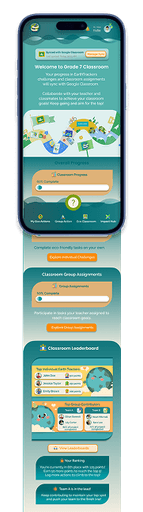
Classroom Landing Page
Classroom Individual Challenges


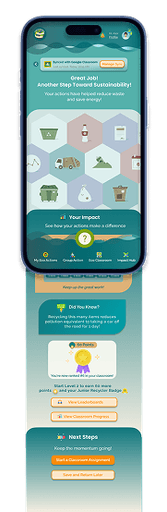

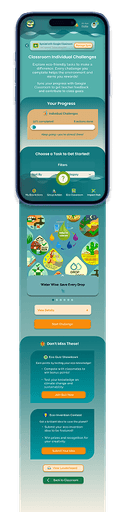
The Student’s Recycling Achievements
The Student’s Journey
in Completing the
Recycling Challenge
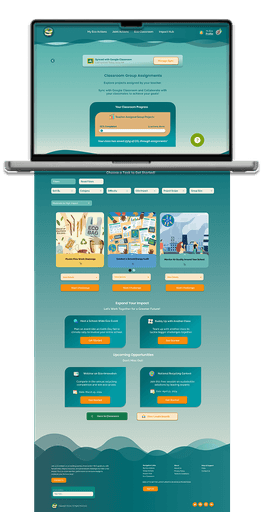



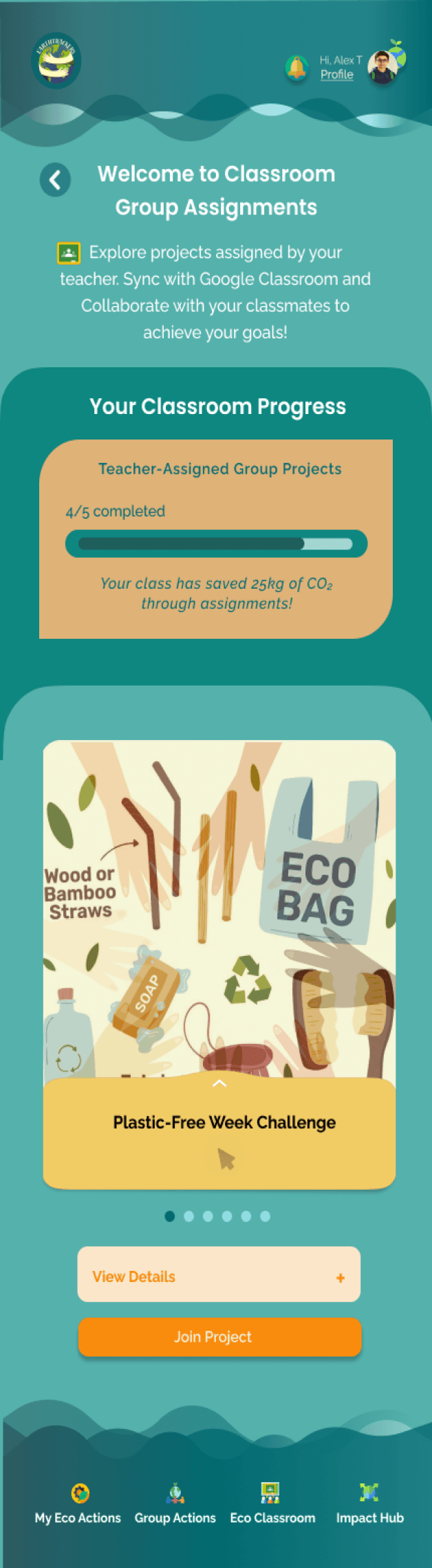
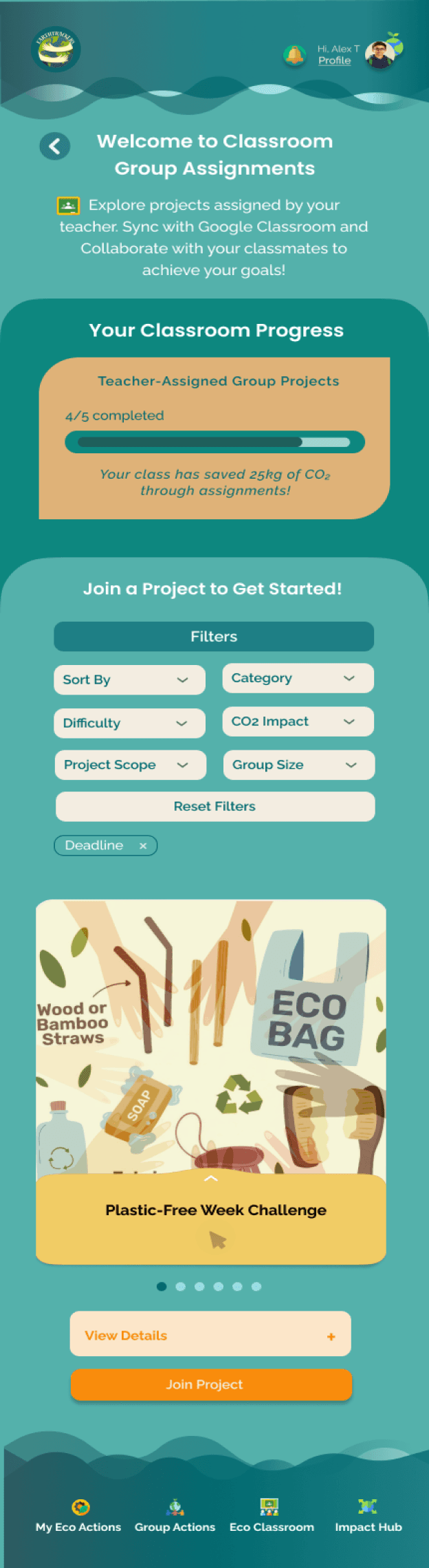
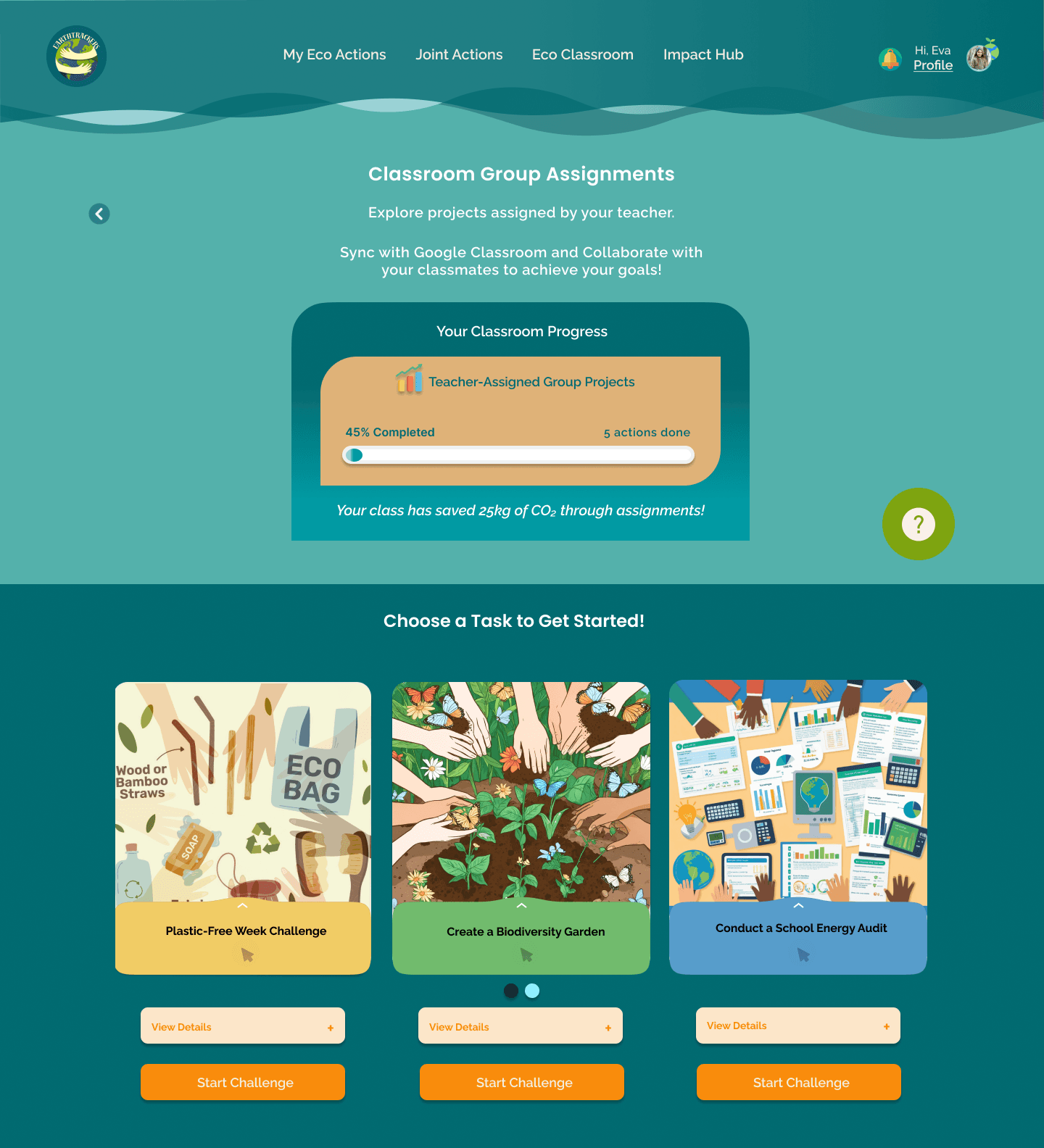
Classroom Group Assignments
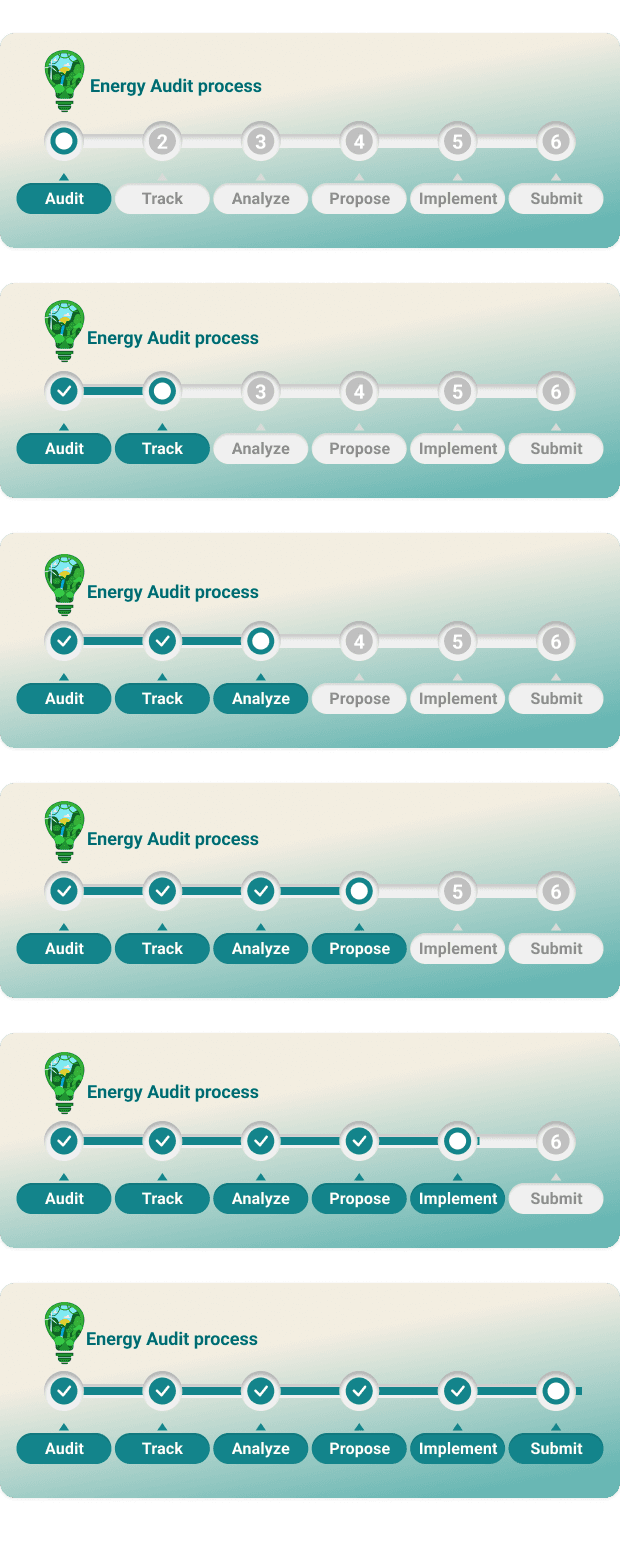
The Classroom Group Assignment: School Energy Audit
The School Energy Audit Achievements
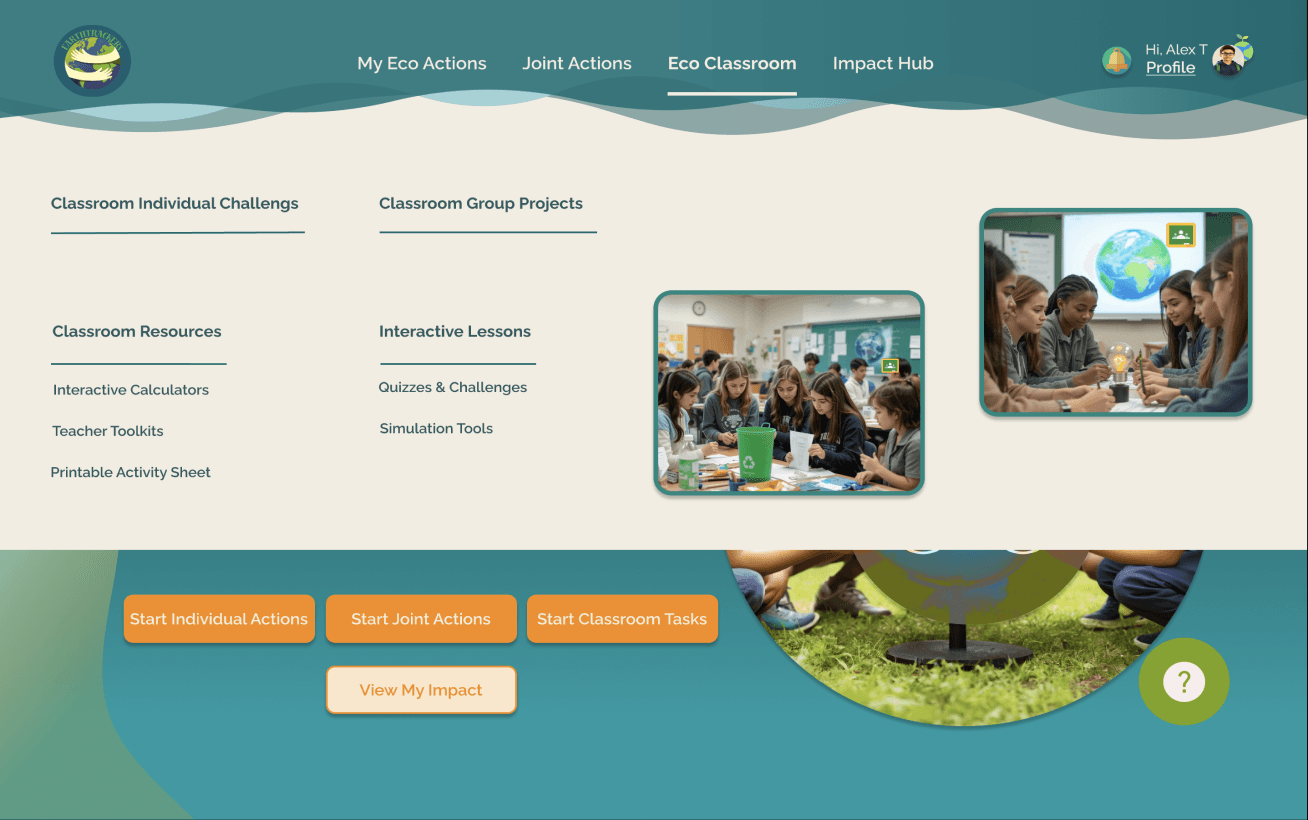
Eco Classroom
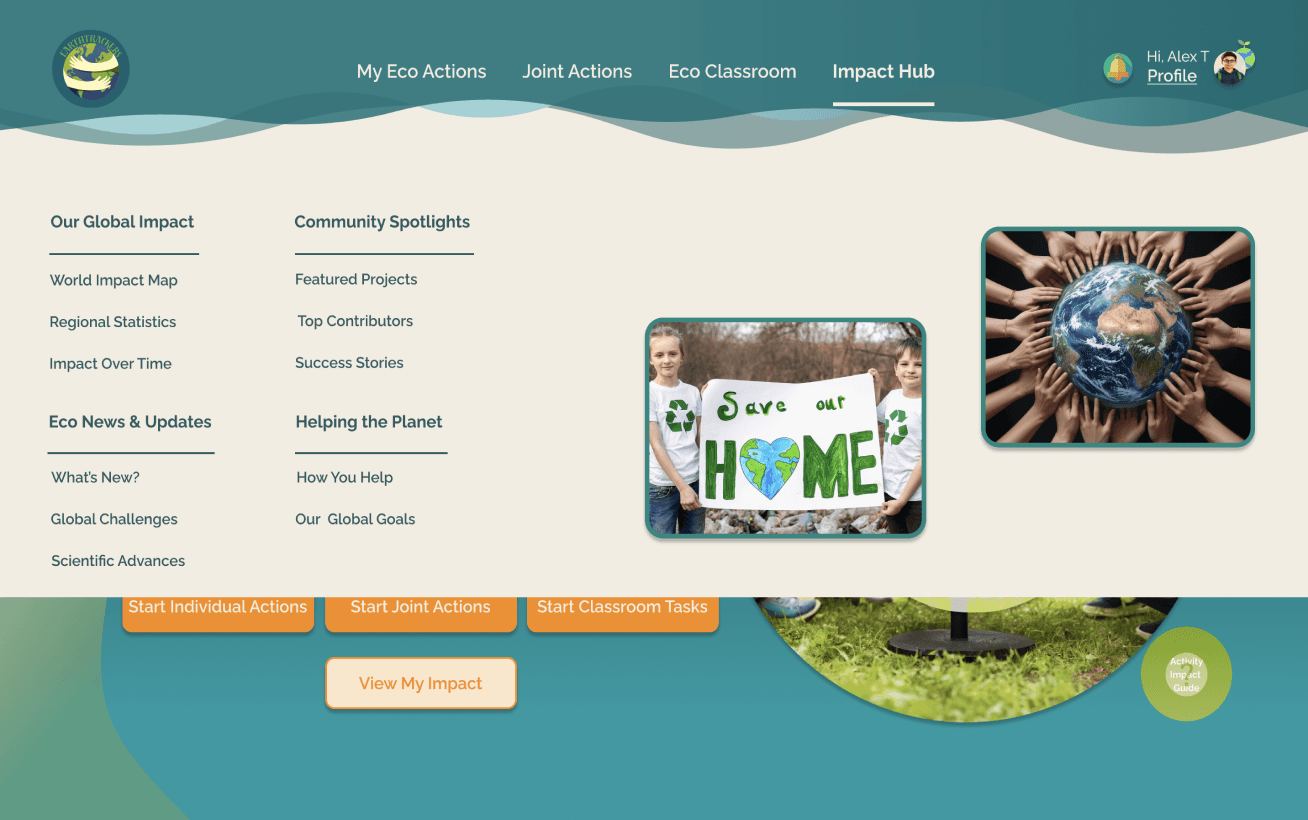
Impact Hub

Overlays
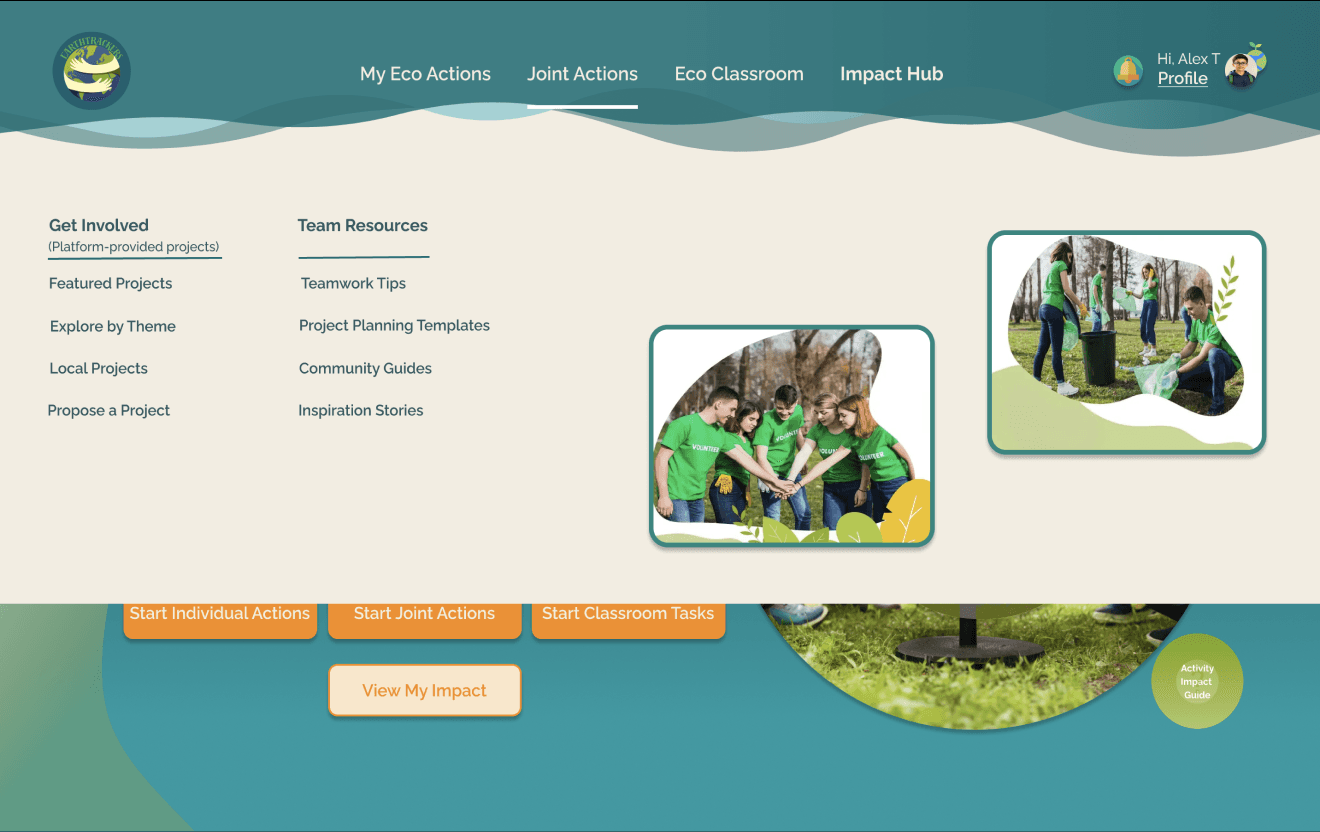
"Navigation Bar" Overlays
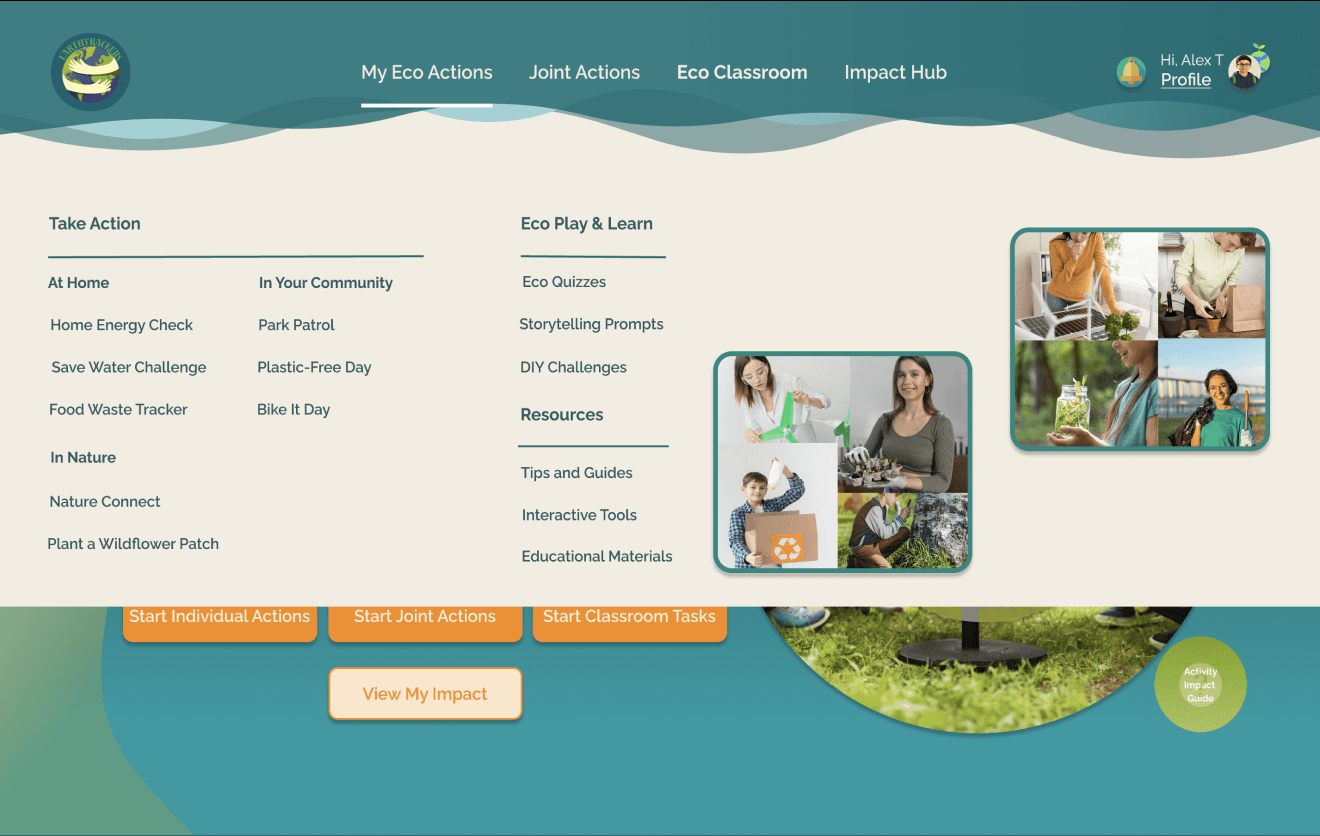
My Eco Actions
My Eco Actions
Eco Play & Learn
Take Action
Team Resources
Get Involved
Classroom Group Projects
Classroom Resources
Helping the Planet
Our Global Impact
Community Spotlights
Eco News & Updates
Interactive Lessons
Classroom Individual Tasks

Activity Impact
Guide
"Need Help?" Overlay
"Filtering" Options’ Overlays
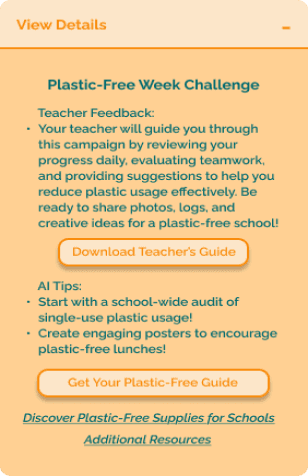
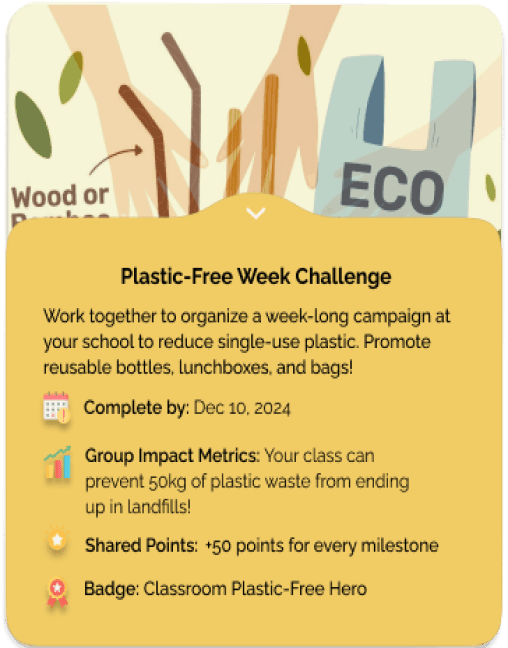
Eco Challenges’ "Key Information" Overlays
Eco Challenges’ More Details Overlays
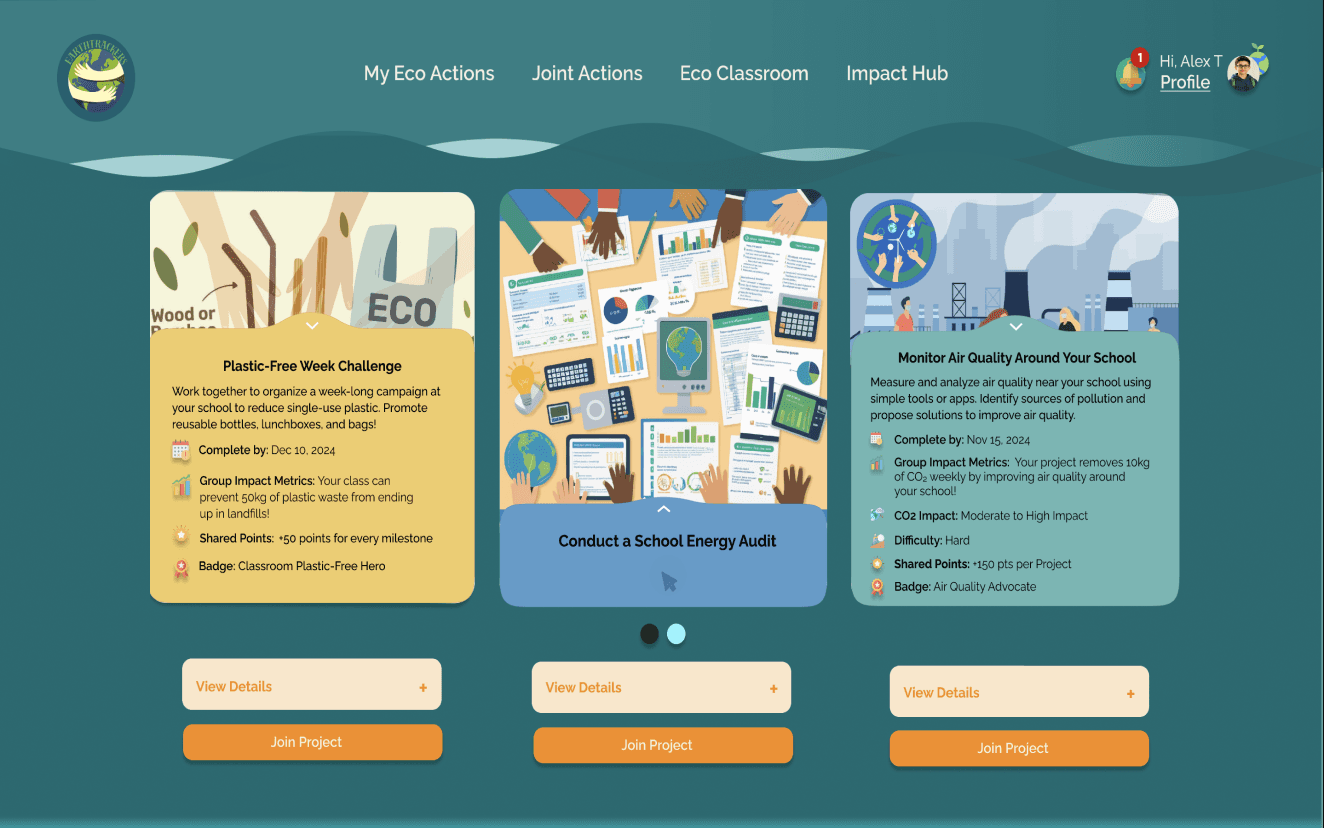
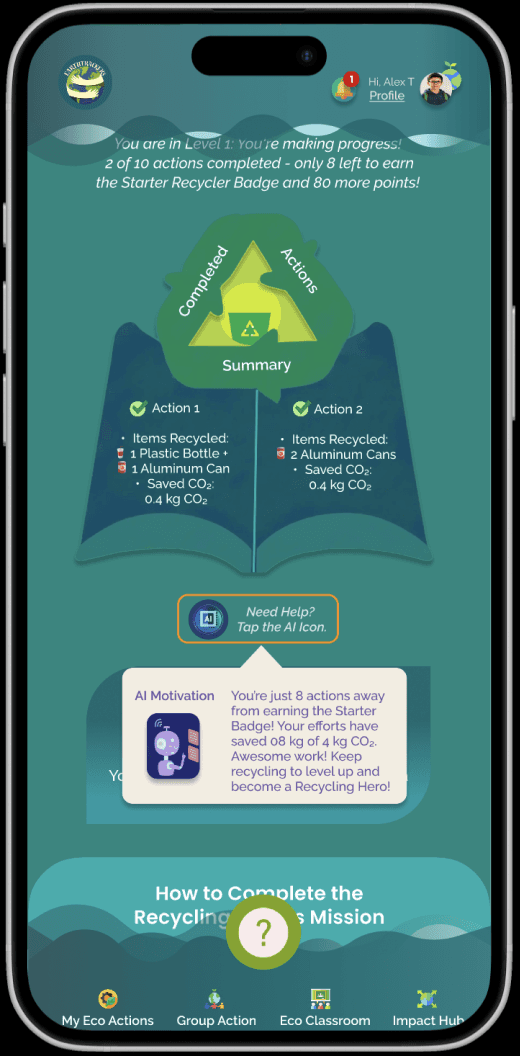
"AI Insights" Overlay

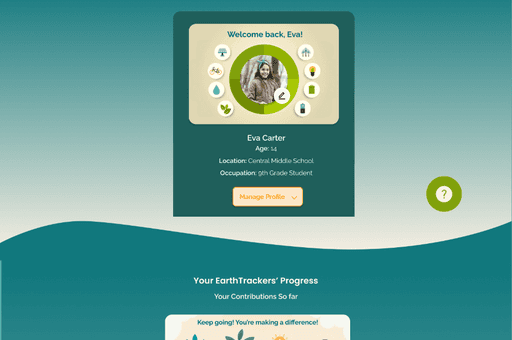
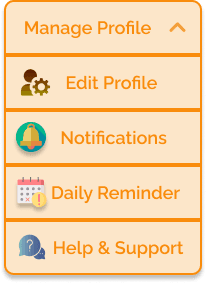

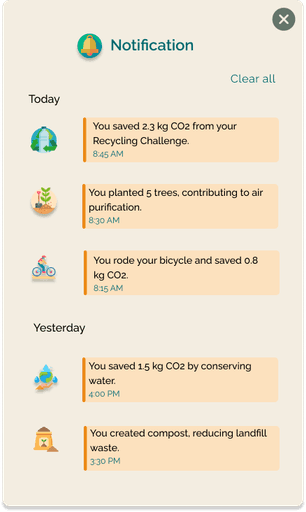


"Manage Profile's" Overlays
Teacher Feedback's Overlay
UNVEILING THE FINAL DESIGN
FEATURE SELECTION: SUPPORTING KEY USER ACTIONS
With the solution framework set, the next step was to define core features that support engagement and task completion. Rather than ranking by desirability, features were chosen based on their ability to drive action and build lasting habits.


AI-Driven Insights: Offers personalized recommendations.
Team Collaboration Chat: Facilitates discussions within projects.

Interactive Learning Resources: Provides educational content on sustainability.

Gamification & Badges: Rewards achievements to boost engagement.


Task Reminder System: Keeps students on track with deadlines.
Progress Tracking: Displays challenge progress, milestones, and habit consistency.

Footprint Tracking: Visualizes environmental impact ( CO₂ reduction and energy saved).

Submission & Feedback System: Allows report submission and teacher feedback.

Student Dashboard: Displays progress, tasks, and team activities.
Investment:
Effort builds long-term commitment through leaderboards and achievement-based profiles. A shrinking footprint reinforces the habit loop as users stay engaged.
Trigger:
External or internal cues prompting action (e.g., notifications reminding
students to log their sustainability actions or seeing peers engage in tasks).
Variable Reward:
Unpredictable reinforcement to sustain engagement (e.g., earning surprise badges, unlocking new challenge levels, or receiving personalized).
Action:
Simple behaviors anticipating a reward (e.g., submitting a sustainability challenge or recording a completed eco-tasks).

After conducting desk research and reviewing literature on habitual frameworks, we explored the Hook Model to assess its relevance in driving student participation in climate action.
This approach showed how habit formation boosts motivation and sustains long-term engagement. We validated its relevance through user research to ensure it supports lasting behavior change.
RESEARCHING THE PROBLEM SPACE
Building the foundations through behavioral design
RAPID SKETCHING (CRAZY 8)
With challenges and features in place, I used the Crazy 8s method to quickly sketch and explore creative solutions.
APPROACHING A SOLUTION
Empowering students through interactive, goal-driven sustainability challenges
User research revealed that students often struggle to connect daily actions with real impact, leading to disengagement. To address this, the solution must offer clear guidance, motivation, and measurable progress to make sustainability both engaging and achievable.
From this, we arrived at a solution that:
Encourages both individual and team-based challenges, supporting different learning styles
Provides visual tracking — footprint reduction, progress bars, and CO₂ stats — to reinforce habits
Integrates teacher guidance and AI-driven insights for personalized, structured feedback without overwhelm
Guided
Provide structured
support through AI insights, teacher feedback, and
team collaboration tools.

Impactful
Show students measurable outcomes of their actions, reinforcing the value of small eco-friendly habits.

Engaging
Make sustainability challenges interactive and rewarding, so students
remain excited to participate.
Design Goals
USER FLOW
With the structure set, it was time to focus on the user’s journey. The user flow maps the key steps students take, ensuring a smooth path toward meaningful action.
USABILITY & ITERATION (PHASE 2)
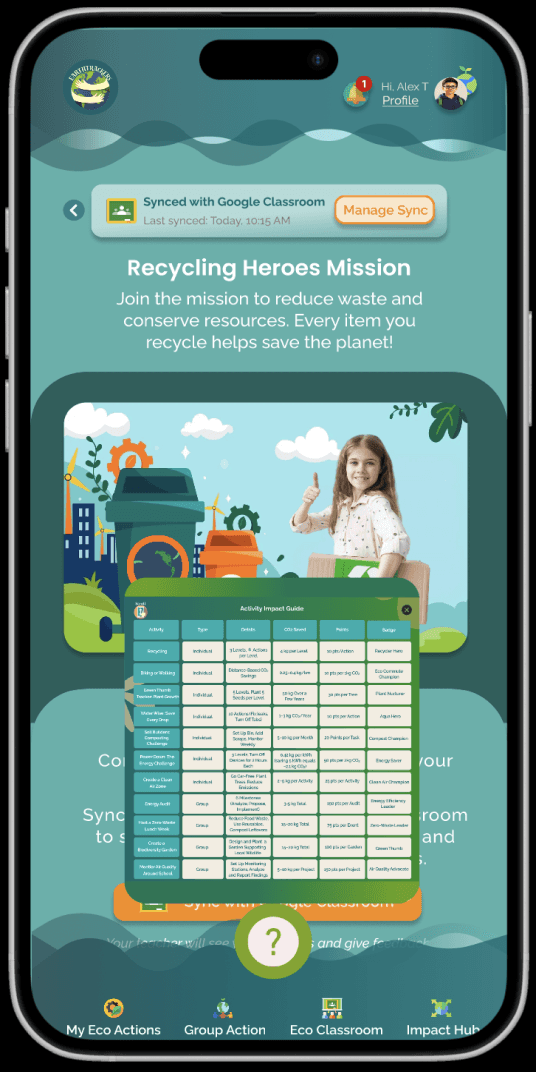
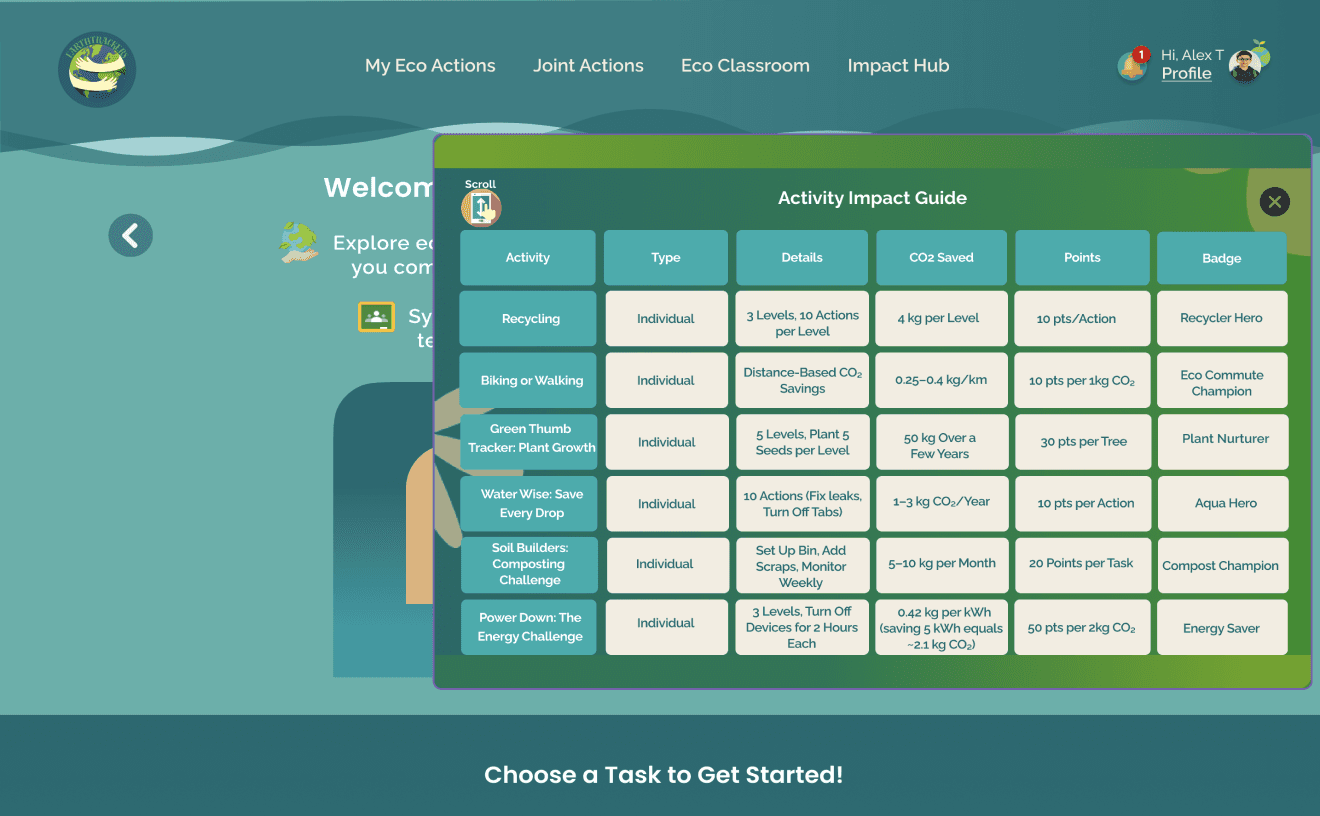
Adding Floating Question Button -Activity Impact Guide (Desktop & Mobile)
Tree testing insights helped clarify navigation and reduce confusion. The updated site map reflects these improvements.
SITE MAP

Outcome
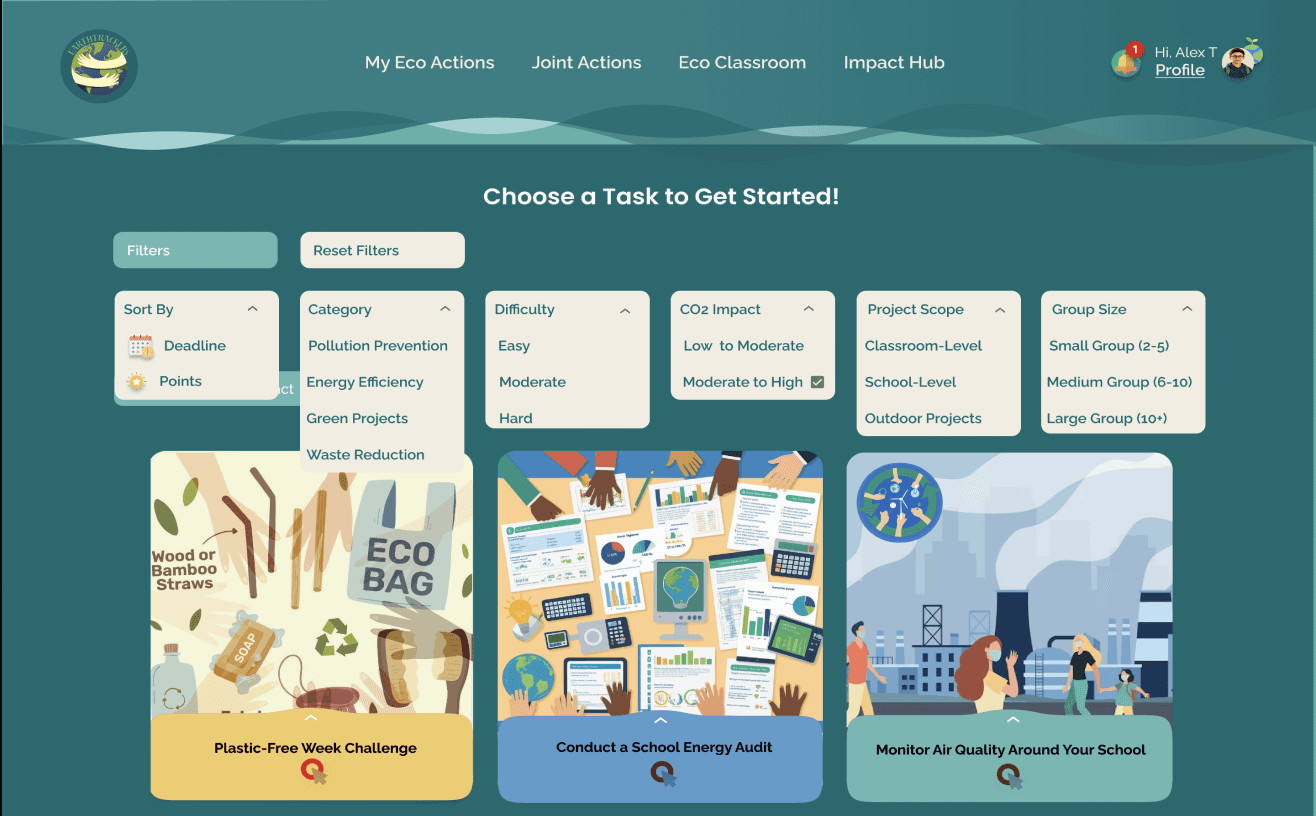
Personalized Experience: Filters helped users find relevant tasks quickly, improving decisions and boosting engagement.
Boosted Engagement: Simplified navigation reduced overwhelm and encouraged participation.
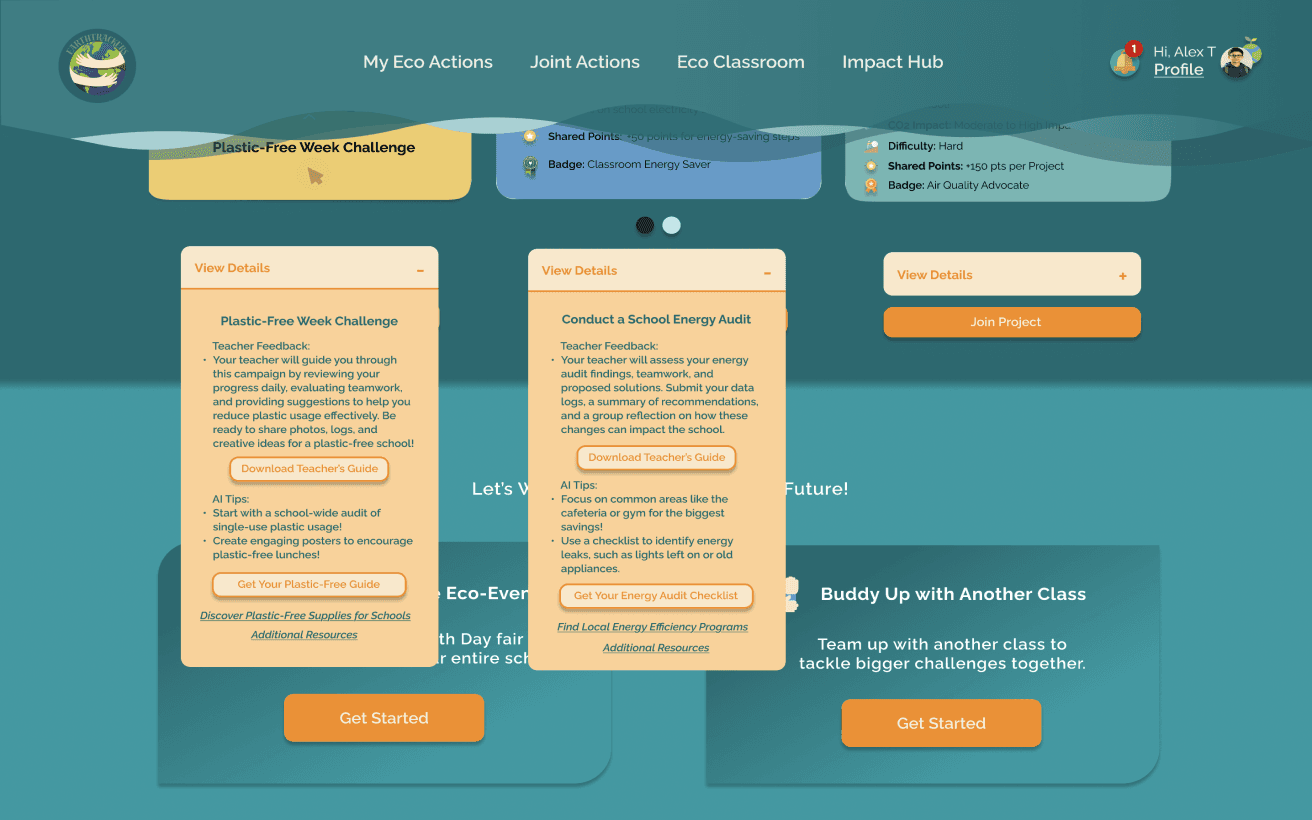
“It’s so frustrating trying to find what I need through multiple tasks and activities. The View Details screens are cluttered and overwhelming.”
Version 1

Version 2
“The filters are a game-changer. I can easily sort tasks by Difficulty Level, Impact Type, or Project Scope. It’s so much more organized now.”

Leaderboard Visibility
USABILITY & ITERATION (PHASE 3)
Usability testing showed users rarely visited the “Impact Hub” to view the leaderboard, likely reducing motivation to compete or collaborate.
Version 1
Version 2
Moved the leaderboard to the home screen and added notifications for points earned, ensuring users could easily see and track their progress.


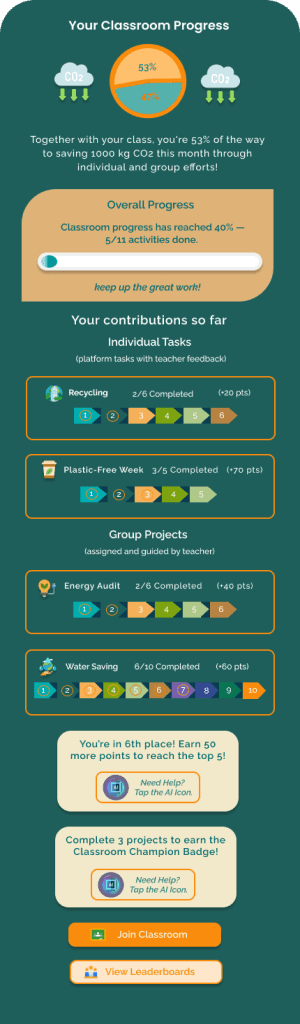
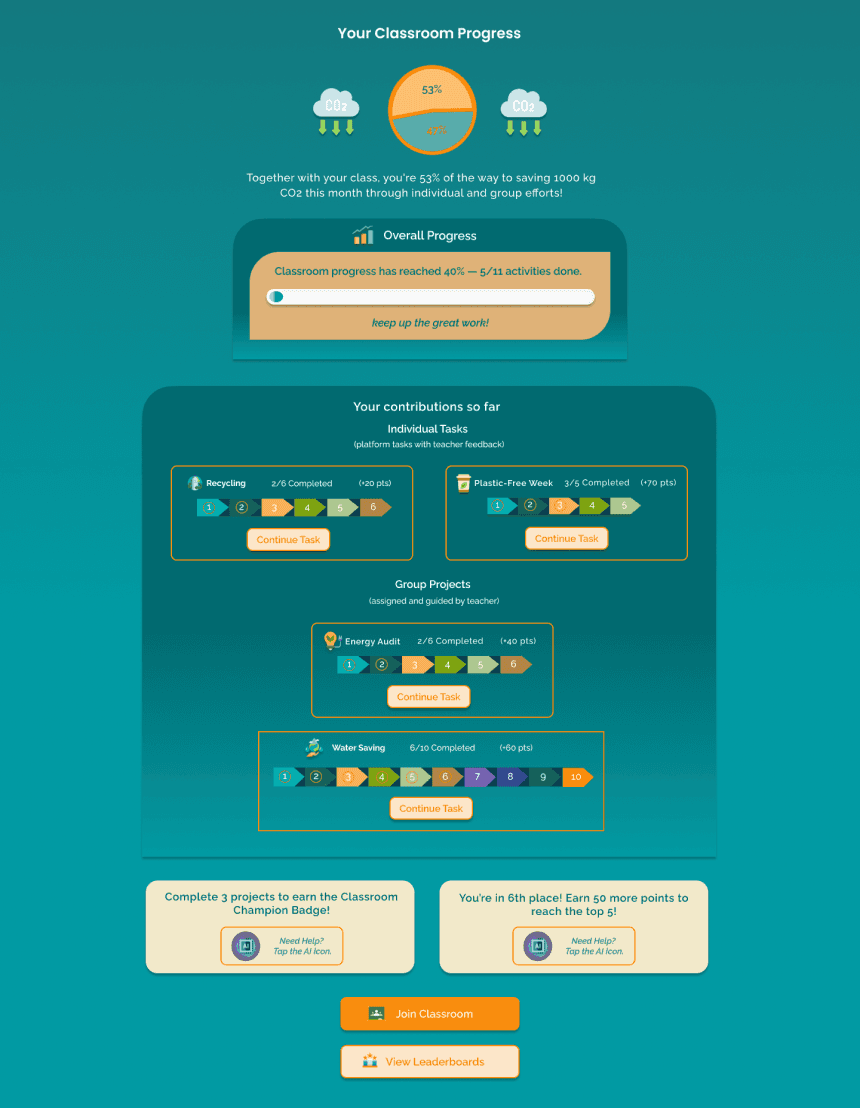
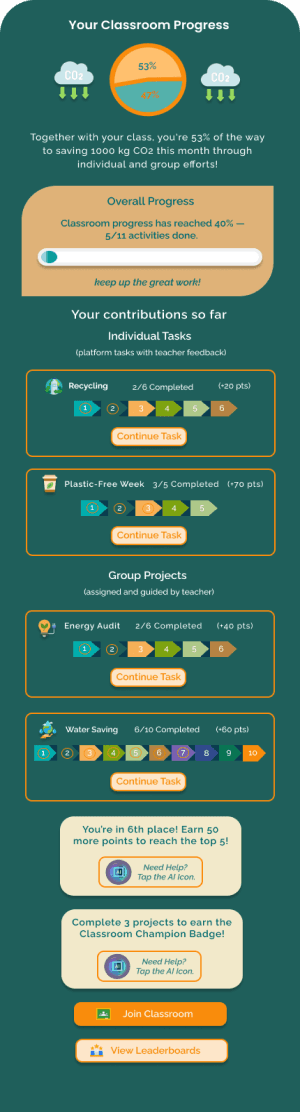
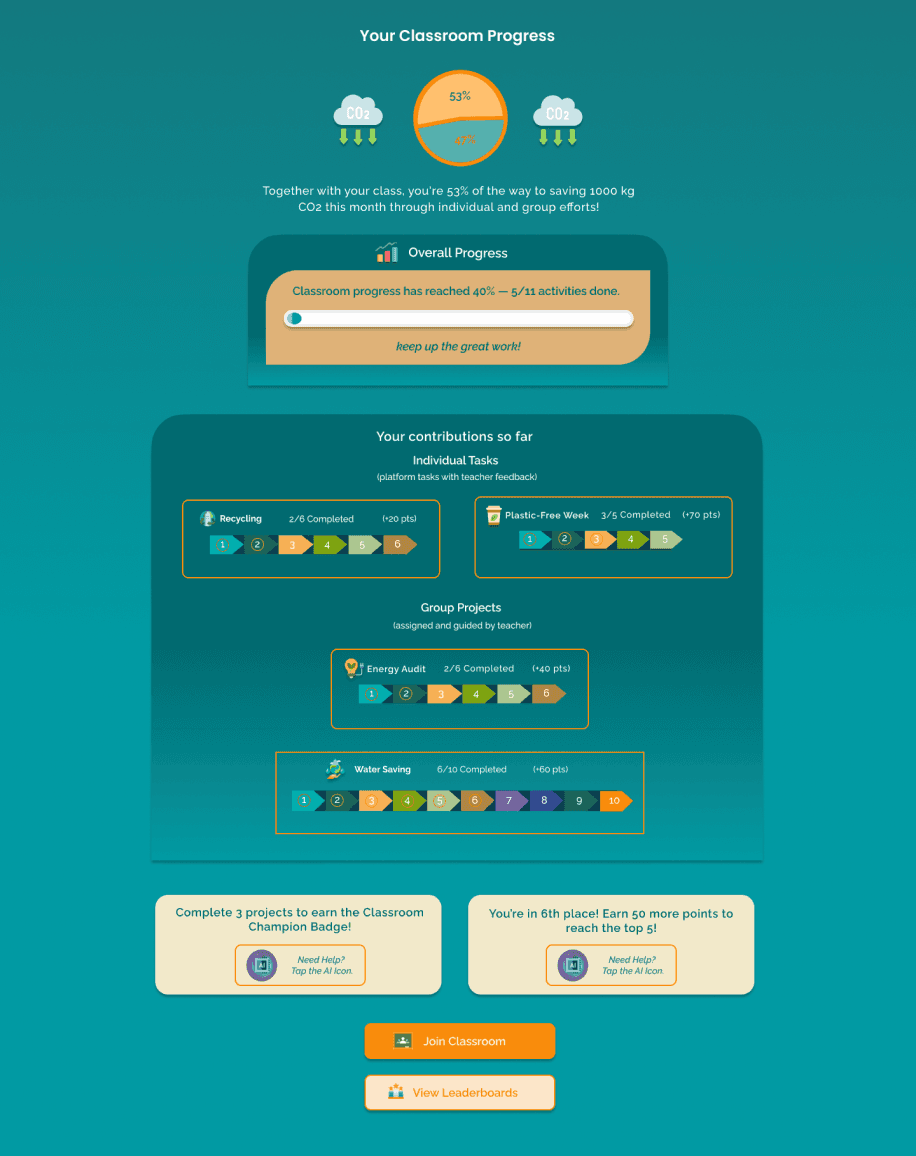
Adding Continue Task Button in Dashboard
This improvement made task completion more seamless and efficient, reducing friction and enhancing user engagement.
Outcome
Version 1
The dashboard showed overall progress, but users had to navigate elsewhere to resume incomplete tasks.
Version 2
Further evaluation revealed an opportunity to simplify task flow by adding a “Continue Task” button, letting users resume in-progress activities directly from the dashboard.
Google Classroom Sync Visibility


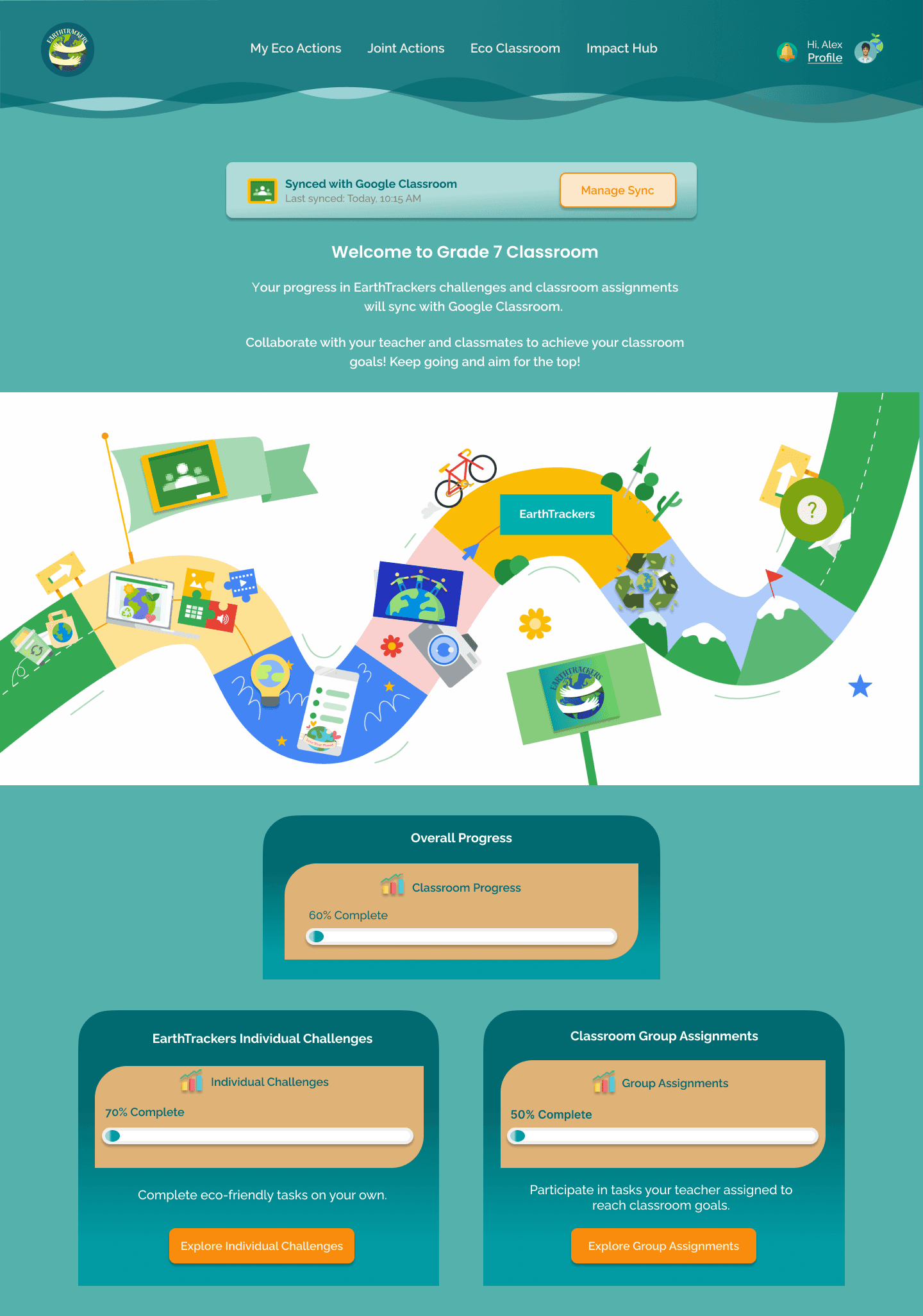

Outcome
This refinement improved usability and workflow, making it easier for users to check sync status and manage connections without extra steps.
Version 1
The Google Classroom sync feature existed but was not clearly visible, making it harder for users to track their sync status or manage connections efficiently.
Version 2
We refined the Google Classroom sync visibility by adding a persistent sync box at the top of relevant pages, showing "Last Synced" status and a "Manage Sync" button, ensuring quick access and better clarity.
REFLECTION
Key Takeaways
The EarthTrackers project began with research focused on user needs and pain points, but practical user feedback proved more valuable.
Contextual insights from interviews and testing helped refine navigation, feedback access, and engagement features.
Iterative testing ensured the platform remained user-centered and adaptable to real needs.
Bridging research with practical validation allowed the design to evolve effectively.
Balancing research depth with user feedback led to a solution that supports learning, motivation, and collaboration.
What's Next?
Conduct additional usability tests to refine the platform based on user feedback.
Prioritize accessibility by testing with diverse user groups.
Integrate features like voice guidance, adjustable font sizes, and clear visual indicators to enhance inclusivity.
Filtering for Individual Challenges and Group Actions (Desktop & Mobile)
"I wish I could easily see why these tasks matter. I always have to dig through different screens just to find useful information".
Version 1

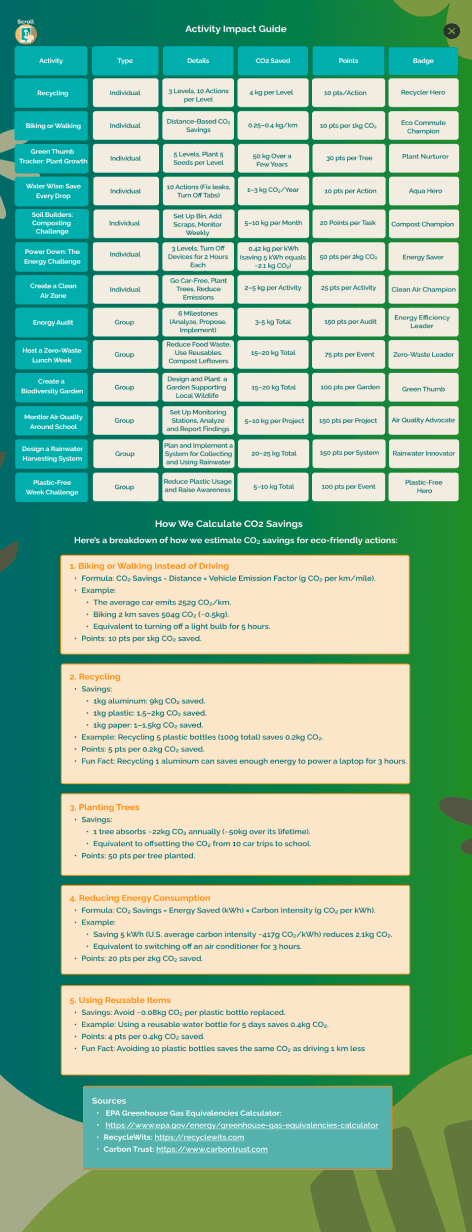


Version 2
“Now, I just click the Question Button, and it instantly shows me how my tasks make a difference. It’s so much easier!”
Activity Impact
Guide
Improving Feedback Visibility: Teacher Feedback Tab & Notifications (Desktop & Mobile)
Removal of Active and Completed Challenges Buttons (Mobile)


Version 1
During usability testing, students had trouble finding teacher feedback, causing confusion about their progress.
Version 2
Based on user insights, we added a teacher feedback tab and dashboard section with notifications.
Outcome
The new feedback tab and notifications helped students easily act on teacher comments, improving clarity and reducing confusion.
Version 2
Task statuses and progress bars
already showed progress, making buttons redundant.
Version 1
Two buttons, Active Challenges and Completed Challenges, were placed above the task list to categorize tasks
by status.

Outcome
Streamlined Workflow: Users could immediately view all tasks in one place, improving efficiency and reducing friction.

Raleway (Desktop & Mobile)
Body Text (Raleway Regular, Desktop - 18px / Mobile - 14-16px):
Sustainability starts with small actions / Sustainability starts with small actions
Button Text (Raleway Semibold, Desktop - 16px / Mobile - 14px):
Start Your Eco Journey / Start Your Eco Journey
Poppins (Desktop & Mobile)
Headings (Desktop):
Heading 1 (Semibold, 28px)
Heading 2 (Semibold, 24px)
Heading 3 (Semibold, 20px)
Headings (Mobile):
Heading 1(Semibold, 20px)
Heading 2 (Medium, 18px)
Heading 3 (Regular, 16px)
Typography
Raleway offers clean, readable text with a friendly tone, while Poppins adds bold, playful contrast in headings. Together, they balance clarity, accessibility, and youthful energy.
Color
The color palette supports the environmental theme and appeals to young users: greens reflect nature, orange adds energy, and together they balance education, action, and inspiration.
#0E5A74
#1E7F85
#00AEAD
#F98C0C
#F3EDE1



Sync with Google Classroom


Synced with Google Classroom
Sync with Google Classroom
Back to Classroom

Back to Classroom
View Leaderboards

View Leaderboards
Sort By

Sort By
Deadline
Points

Deadline
Deadline
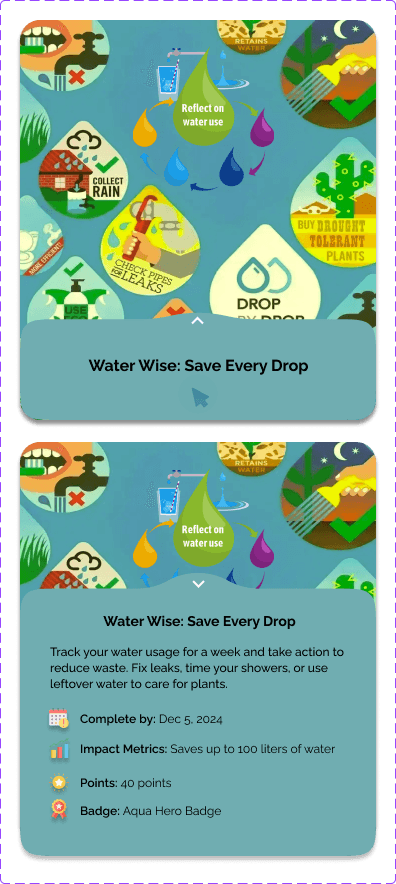
Save Water Challenge
Save Water Challenge
0%
80%
20%












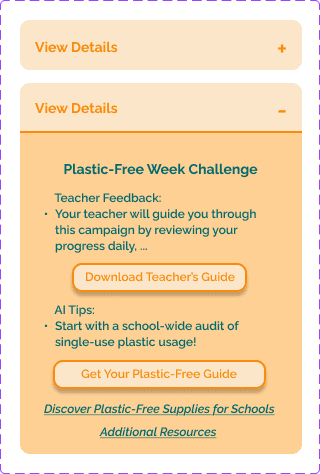
Activity Impact
Guide
Start Your Eco Journey
Start Your Eco Journey



BRINGING THE VISION TO LIFE
To engage young users, I used colors, type, and UI that reflect sustainability, energy, and a friendly tone.
Version 1
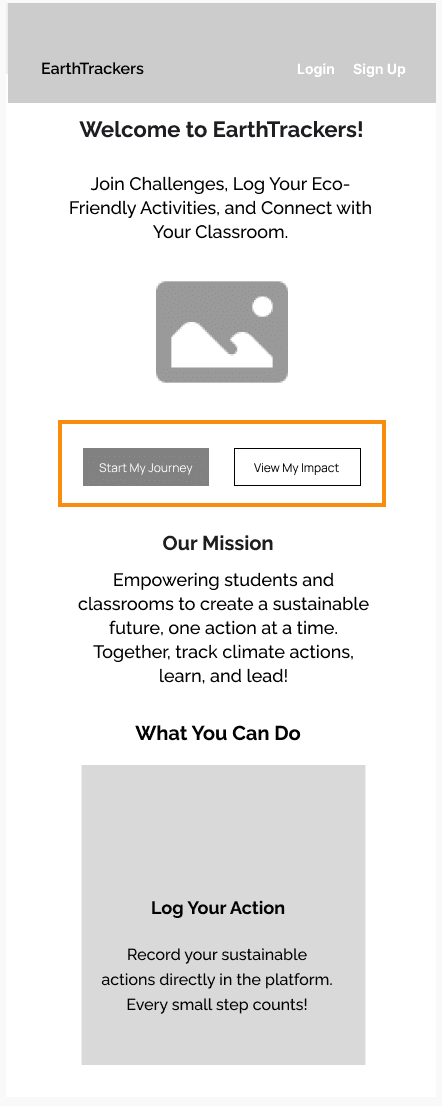
The hero section had a single button, Start Your Eco Journey, which lacked clarity about its purpose and destination.
Version 2
Replaced Start Your Eco Journey with three primary buttons (Start Individual Actions and Start Joint Actions) and a secondary button (Track My Impact).
Outcome:
Users gained clarity and easy access to tasks, improving engagement and streamlining navigation.



USABILITY & ITERATIN (PHASE 1)
Improving Hero Section Navigation (Desktop & Mobile)
Student Logs in
End Action/
Log Out
Yes
No
Choose Assignment Type
Proceed to Dashboard?
Review Dashboard
Group Assignment
Individual Assignment
Follow Task Instructions
View Classroom
Welcome Back /
Log Action
Access Dashboard
View Assignments Overview
Join or Create
a Group
Work on Project
Submission / Confirmation
Complete the Task
Upload Proof
Request
Teacher Feedback?
Yes
No
Receive AI Feedback
Request Sent
Receive AI Feedback
Individual Progress Summary
Earn Badge/
Track Progress
Upload Findings & Evidence
Submission / Confirmation
Request
Teacher Feedback?
No
Receive AI Feedback
Yes
Request Sent
Receive AI Feedback
Team Progress Report
Earn Group Achievement Recognition
Read Project Brief & Guidelines
WHAT IS THE PROBLEM?
In classrooms, students hear about climate change, deforestation, and pollution. They understand the facts but don’t feel connected to them. Lessons end, and they move on without taking any real action. No excitement. No urgency. No personal connection.
Meanwhile, teachers lack the tools to track real-world student engagement and provide personalized encouragement. Integrating sustainability into the curriculum is unstructured and existing tools fail to provide interactivity, makin-g ecofriendly behaviors feel abstract rather than engaging.
Students disengage from climate education as it feels passive and impersonal, while teachers struggle to track and encourage participation.

What works:
Provides recognition and incentives, which can motivate students.
Rich educational resources inspire action.
Where it falls short:
Feels passive without interactivity or gamification.
Minimal classroom integration, making it difficult for teachers to incorporate into lessons.
What works:
Connects student activities to local environmental impact.
Supports school-wide participation with a clear framework.
Where it falls short:
Lacks interactivity and gamification.
Limited personalization for classroom settings, making it less adaptable to different teaching approaches.
What works:
Emphasis on teamwork, leadership, and shared responsibility.
Encourages long-term engagement through community-driven projects.
Where it falls short:
Focuses on large projects, which may not suit students with individual goals.
Lacks personal tracking, reducing motivation.


What works:
Schools track environmental impact, fostering accountability.
Encourages student participation and leadership in sustainability initiatives.
Where it falls short:
Emphasizes institutional change over individual progress.
Lacks gamification and habit-tracking to support daily action.
Key Insights from Comparative Analysis
Most platforms lack gamification, making it hard to sustain engagement.
Students can’t track their impact due to limited feedback tools.
Teachers need flexible tools that don’t add to their workload.
These gaps informed our user research and shaped interview questions around habit-building challenges.
UNDERSTANDING THE LANDSCAPE: WHERE EARTHTRACKERS FITS IN
Before gathering user insights, we reviewed existing sustainability platforms to spot gaps and opportunities. How are students engaging with climate education today, and are current tools building lasting habits?
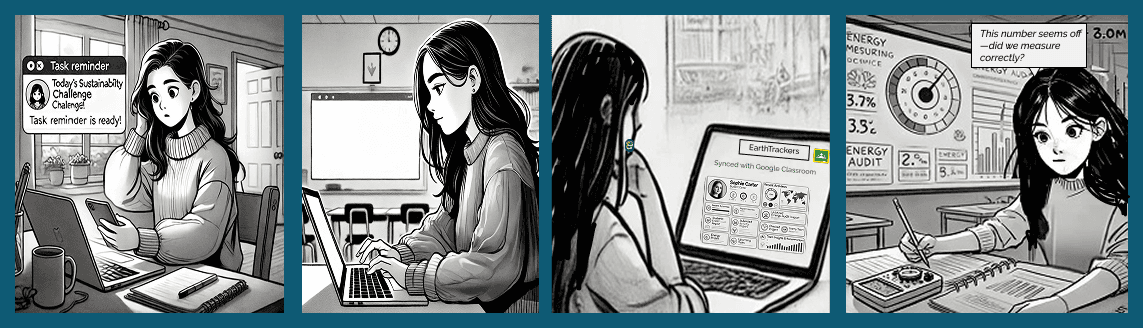
Eva gets a task reminder
before leaving for school.
She logs into the platform, ready to begin her sustainability project.
She reviews her dashboard, checking tasks and team progress.
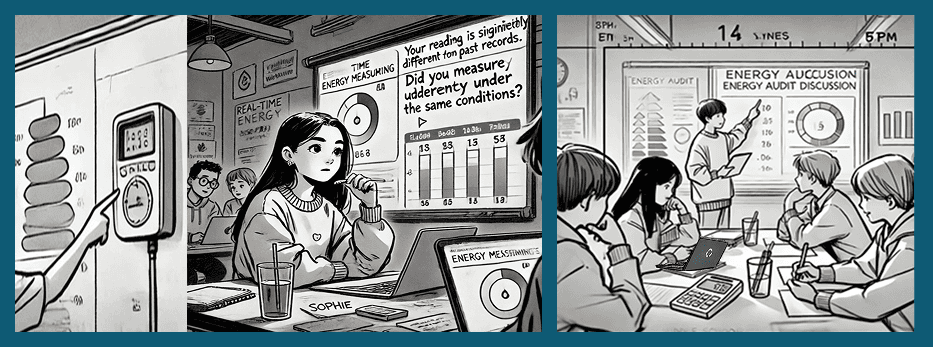
She reports the team’s audit data, records real-time measurements, and checks for inconsistencies in past records.
The platform flags the unusual reading, suggesting causes and resources. She reviews the chart, discusses it with her team, and resolves the issue before submission.
They work together, comparing findings and organizing results.
The team discusses energy data, brainstorming
insights and addressing challenges like inconsistent patterns and potential solutions.
Eva inputs reflections, summarizing key insights from the audit.
She discusses results with a teammate, analyzing patterns.
Eva submits the final report, ensuring accuracy.
After submitting the report, she feels accomplished and proud of the team's effort, knowing their work contributes to a sustainable impact.
The platform confirms completion, and her classmates celebrate celebrating their successful project.
Storyboard 2


Navigation Links
Call-to-Action
Help & Support
Terms & Conditions
Social Media
Links
Privacy Policy
About Us
Take Action
Home Activities
Nature Activities
Eco Play & Learn
Eco Quizzes
Storytelling Prompts
DIY Challenges
Resources
Tips & Guides
Interactive Tools
Educational Materials
Your Community Activities
The User’s Dashboard
Navigation Bar
Suggested Activities
Welcome Banner
Mission Statement
Quick Access Links & Buttons
Classroom Integration
Top Challenges
Testimonials
Leaderboard
Tree testing insights helped refine the navigation, addressing user confusion and improving clarity. The updated site map below reflects these changes."
Footer
Key Features for Students/Teachers
Landing Page
My Eco Actions
Joint Actions
Eco Classroom
Impact Hub
Profile
Our Global Impacts
Regional Statistics
Impact Over Time
Community Spotlights
Featured Projects
Success Stories
Eco News & Updates
Global Challenges
World Impact Map
What’s New?
Scientific Advances
Helping the Planet
Our Global Goals
Top Contributors
How You Help
Classroom Individual Tasks (Teacher-guided)
Classroom Group Projects (Teacher-guided)
Classroom Resources
Interactive Calculators
Teacher Toolkits
Printable Activity Sheets
Interactive Lessons
Quizzes & Challenges
Simulation Tools
Propose a Project
Team Resources
Teamwork Tips
Project Planning Templates
Community Guides
Inspiration Stories
Get Involved
(Platform-provided projects)
Featured Projects
Explore by Theme
Local Projects
Storyboard 1


Alex hears his teacher talk about recycling and feels inspired but unsure how to make a difference at home.
Alex logs in, checks his dashboard, syncs with Google Classroom, and reviews the challenge details.
He browses sustainability tasks, deciding on one
that fits his goals.
Alex feels unsure where to start. He sees a trash bin full of mixed waste and notices there’s no clear sorting system.
Alex uses the platform’s guide to learn recycling categories and confidently sorts items correctly.
Feeling accomplished, he completes the task and logs it in the platform.
The system updates his progress, showing teacher feedback and an AI tip to improve his efforts.
Alex checks the leaderboard, proud of his badge and CO₂ reduction, knowing he helped the planet.
He sets a new goal, excited for his next sustainability challenge.
Satisfied, he logs out, feeling motivated to continue his efforts.

In the kitchen, he gathers and sorts plastic containers for recycling, taking a photo of his collected recyclables.
With a clear understanding of student engagement, key challenges were reframed as How Might We (HMW) questions to uncover opportunities for boosting motivation, collaboration, and long-term impact.
IDENTIFYING KEY CHALLENGES


HMW make climate education more than just a lesson — transforming it into an interactive challenge where students see real-time impact through AI insights?
How Might We …
HMW reward small eco-actions, like recycling or saving energy, in a way that feels meaningful and motivating?

HMW allow students to collaborate on eco-projects beyond the classroom while tracking their collective progress?
HMW help teachers track
student engagement in a structured way — without adding to their workload?
TREE TESTING
After sketching ideas, I ran a Tree Test to check if users could easily find key features, then refined the navigation based on their feedback.
Participants
10 students aged 11–14.


Navigate to My Eco Actions > Select individual tasks (teacher feedback) > Locate the Recycling Challenge > Complete actions and submit the reflection
Expected Path
Expected Path
Navigate to Classroom > Select Group Projects > Locate the Energy Audit task > Complete the group project activities
Successful Attempts: 25 seconds.
Failed Attempts: 40 seconds due to navigation confusion
Average Time
Navigating to My Actions: 30% mistakenly searched here.
Searching Other Categories: 10% checked unrelated sections.
Overlooking in Classroom: Some missed tasks due to unclear labels.
Common Missteps
Task 2: Complete the Energy Audit Project as a Group
Success Rate
75%
Average Time
Successful Attempts: 18 seconds.
Failed Attempts: 30 seconds due to navigation confusion
Common Missteps
Group Actions: Some participants mistook Group Actions for the correct path.
Classroom Overlap: A few explored Classroom due to unclear distinctions between categories.
Success Rate
60%
Task 1: Complete and submit a reflection for the individual task, Recycling Challenge
Task 1 (Recycling Challenge):
Participants found Individual Platform-Assigned Tasks somewhat intuitive but often confused it with My Actions.
Task 2 (Energy Audit Project):
Most found Group Teacher-Assigned Projects clear, but some mistook Group Actions due to overlapping labels.
Solutions:
Improve labels:
Classroom Individual Tasks (formerly Individual Platform-Assigned Tasks)
Classroom Group Projects (formerly Group Teacher-Assigned Projects)
Joint Actions (formerly Group Actions) for platform-driven collaborations.
Enhance navigation:
Add tooltips for Classroom and Joint Actions to improve usability.

Navigation Structure
Landing Page
My Eco Actions
Individual Challenges
Recycling Challenge
Save Water Challenge
Action Tracker
Eco Tips & Resources
Submit Your Actions
Group Actions
Join a Project
Beach Cleanup
Team Collaboration Tools
Project Gallery
Group Challenges
Eco Classroom
Classroom Group Projects
Energy Audit
Resources
Teacher Toolkit
Interactive Calculators
Impact Hub
Global Impact Map
Regional Impact Visualization
Community Spotlights
Eco News & Updates
Inter-School Challenges
Profile
User Dashboard
Achievements & Badges
Account Settings
Progress Summary
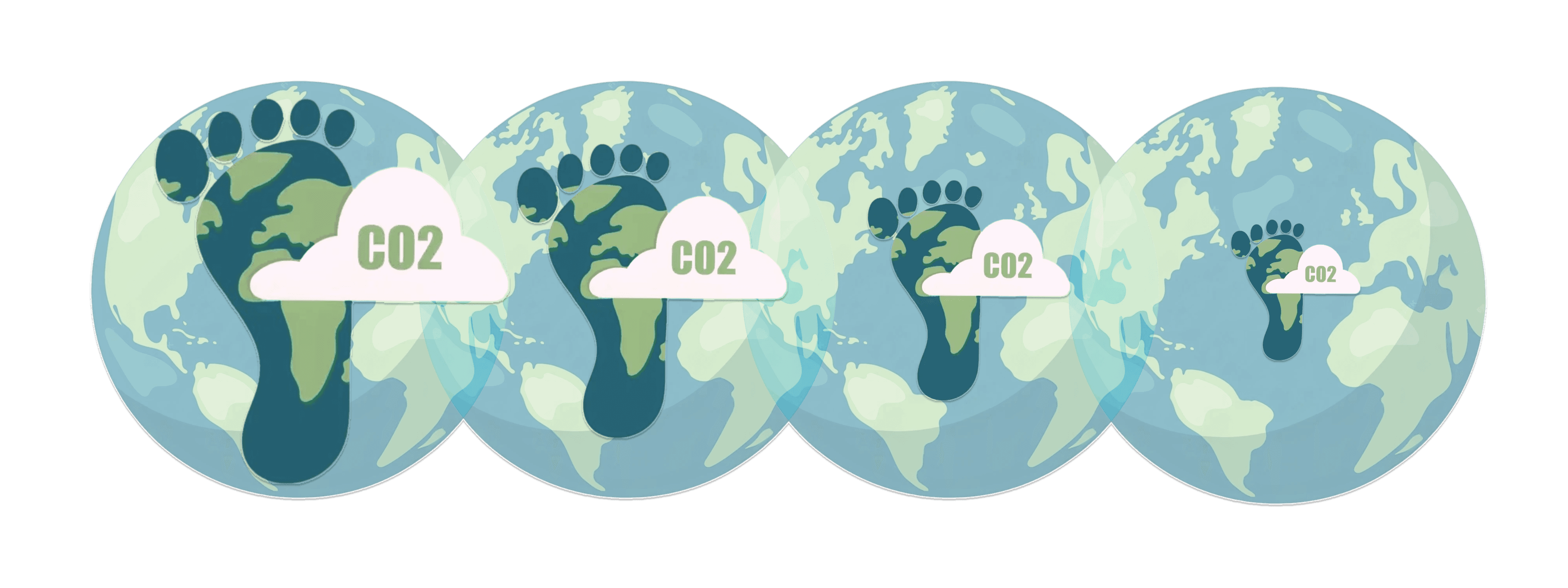
Small Habits Shrink Your Footprint.
The more we act, the lighter our impact.
USER STORYBOARD
Placing the persona in a real-world context allows us to define the essential interactions needed for an effective learning experience.
At this stage, our goal is to identify key design requirements that shape the platform's core experience, ensuring
it supports meaningful engagement and actionable insights. These requirements will inform our next phase of ideation and refinement.


Why do students struggle to engage in climate action, even when they care about the environment? To find out, we interviewed 12 students (ages 11-14) and 6 teachers, uncovering barriers to sustained participation and meaningful impact.
Student Pain Points: A Disconnect between Leaning and Action
"I want to include sustainability, but time constraints and lack of resources make it challenging." — Teacher Grade 10

"We need structured ways to track student participation—otherwise, it’s difficult to measure progress." — Teacher Grade 7

"It’s hard to keep students engaged when they don’t see how their actions contribute to real-world change." — Teacher Grade 8

"Sometimes, climate education is interesting, but it feels passive. I forget about it afterward, so it's hard to apply what we learn in real life." — Michelle, 14
"I care about the environment, but I don’t think my small actions really make a difference." — Sarah, 12
"We learn about climate change, but we don’t actually do anything about it."
— Henry, 13

UNDERSTANDING USERS CORE NEEDS
Teacher Pain Points: Challenges in Engagement & Curriculum Integration

❌📚 Lack of Actionable Learning
Students feel that climate education is passive, making it difficult to apply what they learn in real life.
Many students want to see the results of their eco-friendly efforts but lack the tools to measure their contributions.
🔍🌎 No Clear Impact Tracking
Initial enthusiasm for sustainability projects fades due to a lack of continuous motivation and reinforcement.
⏳⚡Short-Term Engagement
Teachers struggle to integrate sustainability into their curriculum without adding extra workload.
🏫📋 Difficulty in Integration
Educators lack structured tools to track student participation and provide real-time feedback.
📉📝 Limited Support & Feedback
Some students feel less engaged with sustainability when teamwork is missing.
👥🌱 Lack of Collaborative Projects
Identifying the Key Insights

Preference for Interactive & Gamified Learning: Features like progress tracking, challenges, and rewards increased engagement.
65%
74%
Desire for Classroom & Peer Integration: Students were more engaged when actions connected to school and group challenges.
INSIGHTS FROM SURVEY
To complement our interviews, we conducted a survey to quantify engagement challenges and validate insights.
Teacher Survey
Survey Methodology
We surveyed 40+ students (ages 11–14) and 12 teachers to explore motivation, barriers, and engagement preferences.
Students: Interest in climate action, participation barriers, and preferred engagement styles
Teachers: Challenges in teaching sustainability, student engagement, and desired classroom tools
Student Survey
58%
Lack of Motivation & Relevance: Students found climate education passive and struggled to see how their actions made an impact.
High Interest, Low Engagement: Many students cared about climate action but rarely took part in activities.
72%
Teachers found it difficult to engage students in sustainability beyond discussions.
82%
Many reported no clear way to measure student participation in sustainability activities.
61%
Teachers struggled to fit sustainability education into their lesson plans.
69%
Many wanted a platform that links sustainability learning with class activities and tracking.
67%
65%
Progress Tracking & Recognition: Students wanted to measure their impact and get feedback on their efforts.
Teacher Survey

EarthTrackers centers on student engagement while also supporting teachers who assign tasks and provide feedback. Alex and Eva serve as primary personas, with a teacher persona included in a supporting role.
DEFINING USER PERSONAS
Frustrations:
Solo tasks don’t match personal pace
Hard to track individual impact
Lack of rewards feels unmotivating
Progress isn’t clear
Jobs-To-Be-Done:
When learning, I want solo challenges
to go at my own pace.
When tracking impact, I want feedback
to see my impact.
When finishing a challenge, I want
badges to stay motivated.
Alex Reed, a curious and active 7th grader, has a growing interest in the environment and now prefers tracking his individual impact over teamwork.
Independent Climate Actor
Eva Carter, an outgoing 9th grader, enjoys team-based projects but struggles to keep them organized. She wants a platform that supports lasting habits and keeps her team aligned.

Collaborative Climate Learner
Frustrations:
Hard to manage group tasks in one place
No clear way to track who did what
Difficult to share ideas and collaborate easily
Jobs-To-Be-Done:
I want tools to coordinate teams and stay organized.
I want to track group impact to stay
motivated.
I want a space to share ideas
and collaborate.

Ms. Isabella Rivera, a teacher with 10+ years of experience, leads classroom environmental projects but struggles to manage them without effective tools for planning and feedback.
Needs:
Tools don’t fit the curriculum or Google Classroom
Task tracking feels complicated
Feedback is hard to give on time
Jobs-To-Be-Done:
I want to track project progress to save time
I want to give quick feedback to motivate students
I want to add sustainability without disrupting lessons
Supportive
Climate Educator
Consolidating key insights, we defined two goal-oriented personas to guid design decisions: one focused on individual challenges, the other on collaboration.
Methods
Role
7 weeks
UX researcher /
Visual designer
Goals
2 UX/UI designers
Team
Duration
Hook model
Competitive analysis
User interviews & Surveys
Persona & Storyboarding
Tree testing
Ideation & Prioritization
Crazy 8s, Wireframing &
UI prototyping
Usability testing
Encourage young people to
adopt sustainable habits
Seamlessly integrate the platform
into classroom settings
Foster long-term motivation
and eco-awareness using
gamification and personalized
progress tracking.