Poppins Examples (Desktop)
HEADING 1 (Poppins SemiBold, 30px) Heading 2 (Poppins SemiBold, 26px) Heading 3 (Poppins SemiBold, 22px)
Poppins Examples (Mobile)
Heading 1 (Poppins SemiBold, 22px)
Heading 2 (Poppins SemiBold, 20px)
Heading 3 (Poppins SemiBold, 18px)
Raleway Examples (Desktop)
Body Text Example (Raleway Regular, 18px): Sustainability starts with small actions.
Button Text Example (Raleway SemiBold, 16px): Start Your Eco Journey
Raleway Examples (Mobile)
Body Text Example (Raleway Regular, 14-16px): Sustainability starts with small actions.
Button Text Example (Raleway SemiBold, 14px): Start Your Eco Journey
Raleway’s clean, modern design ensures readability for body text and buttons, offering a friendly tone for young audiences. Poppins’ bold, geometric shapes create striking contrast in headings, blending playfulness with professionalism.
Together, these fonts support the platform’s focus on environmental education, balancing clarity, accessibility, and youthful energy to inspire sustainability.
Typography
UI Kit
Sync with Google Classroom


Synced with Google Classroom
Sync with Google Classroom
Back to Classroom

Back to Classroom
View Leaderboards
View Leaderboards
Sort By

Sort By
Deadline
Points

Deadline
Deadline
Save Water Challenge
Save Water Challenge
0%
80%
20%








Activity Impact
Guide
Start Your Eco Journey
Start Your Eco Journey
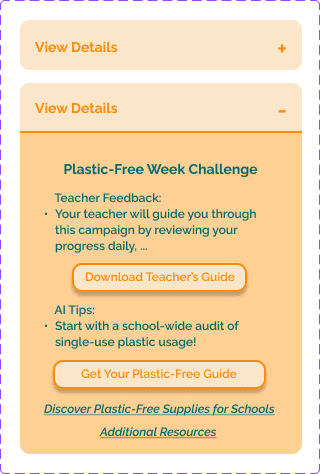
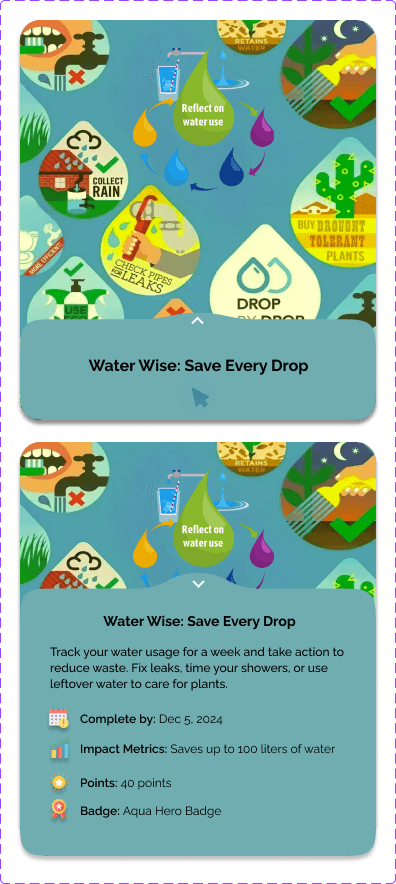



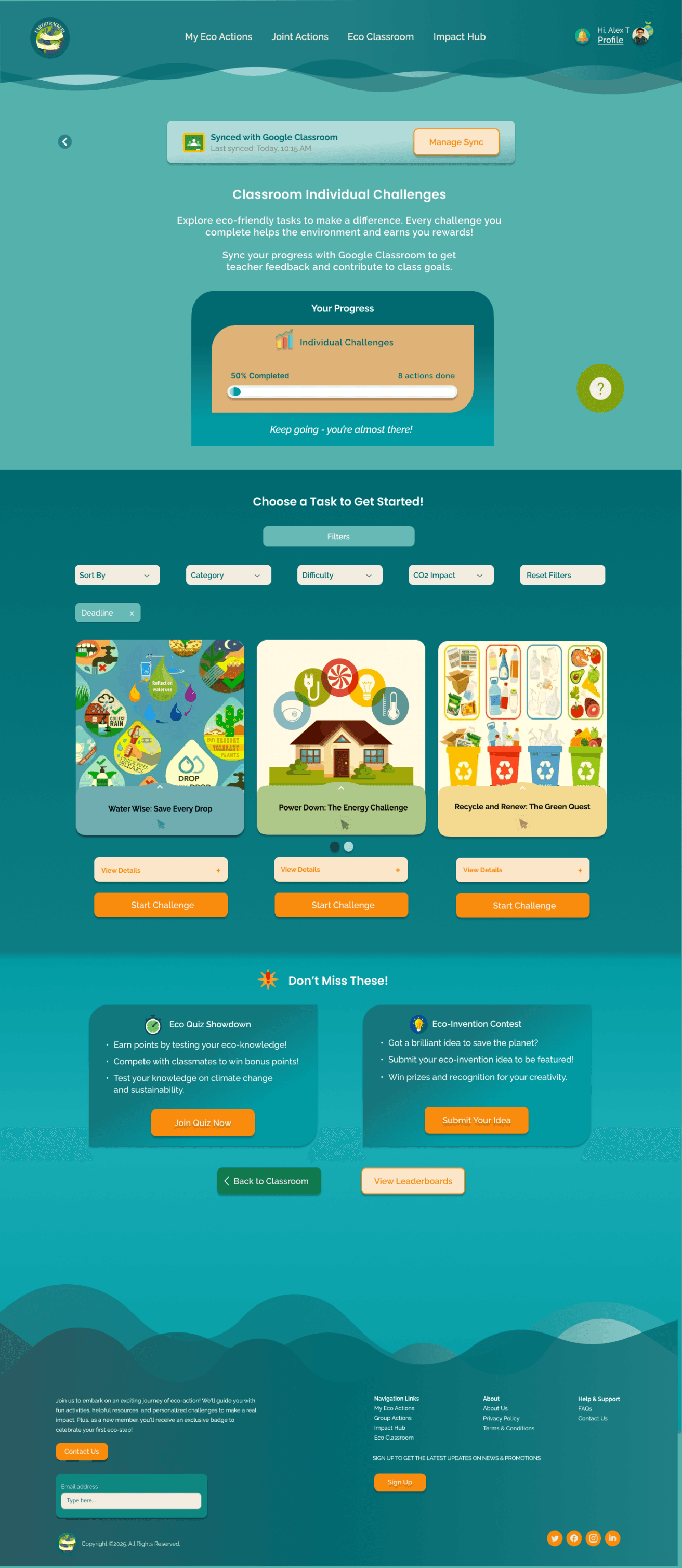
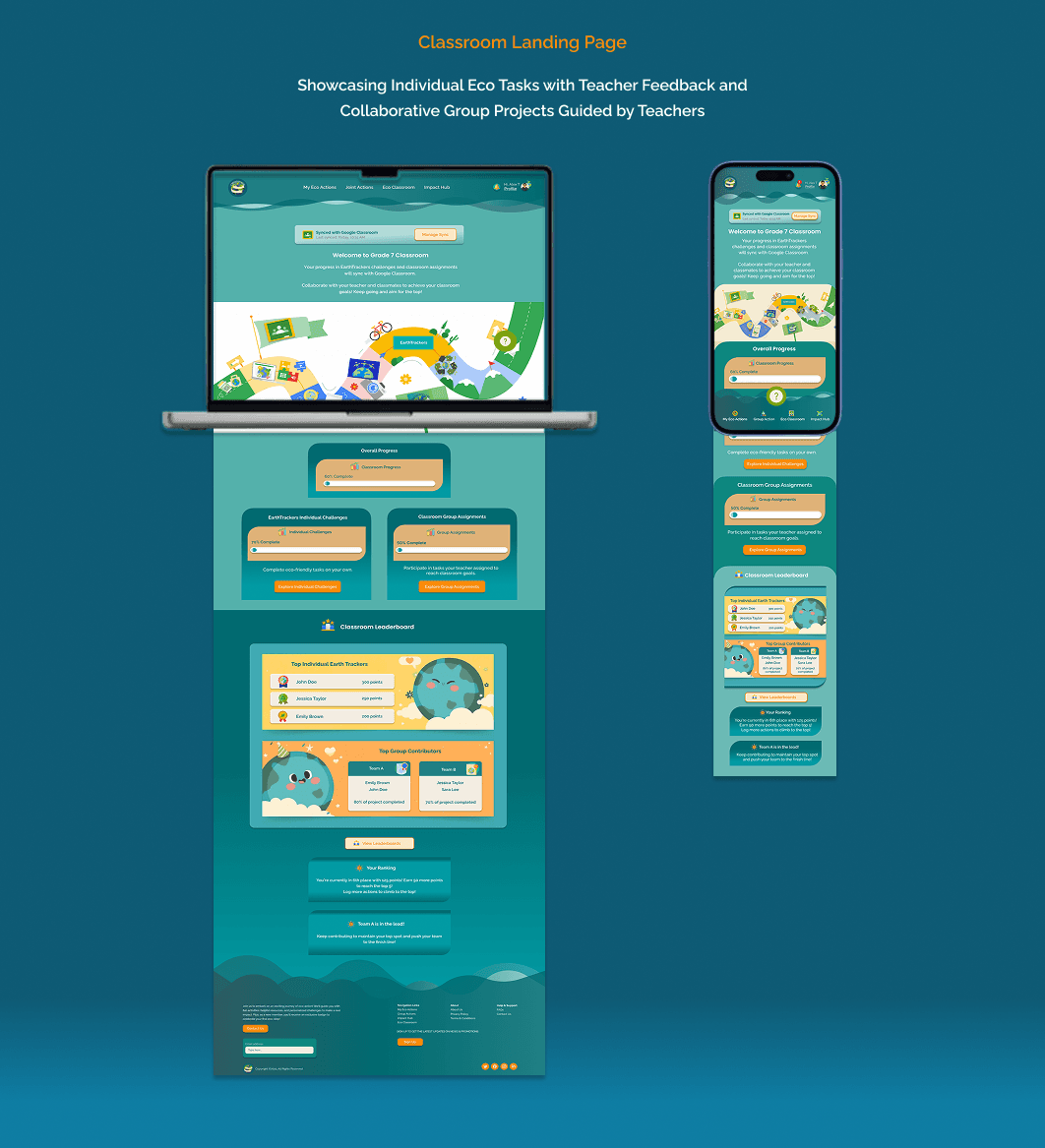
Classroom Individual Challenges: Guided Actions with Teacher Feedback


The Classroom Individual Challenge: Recycling
The Student’s Journey in Completing the Recycling Challenge

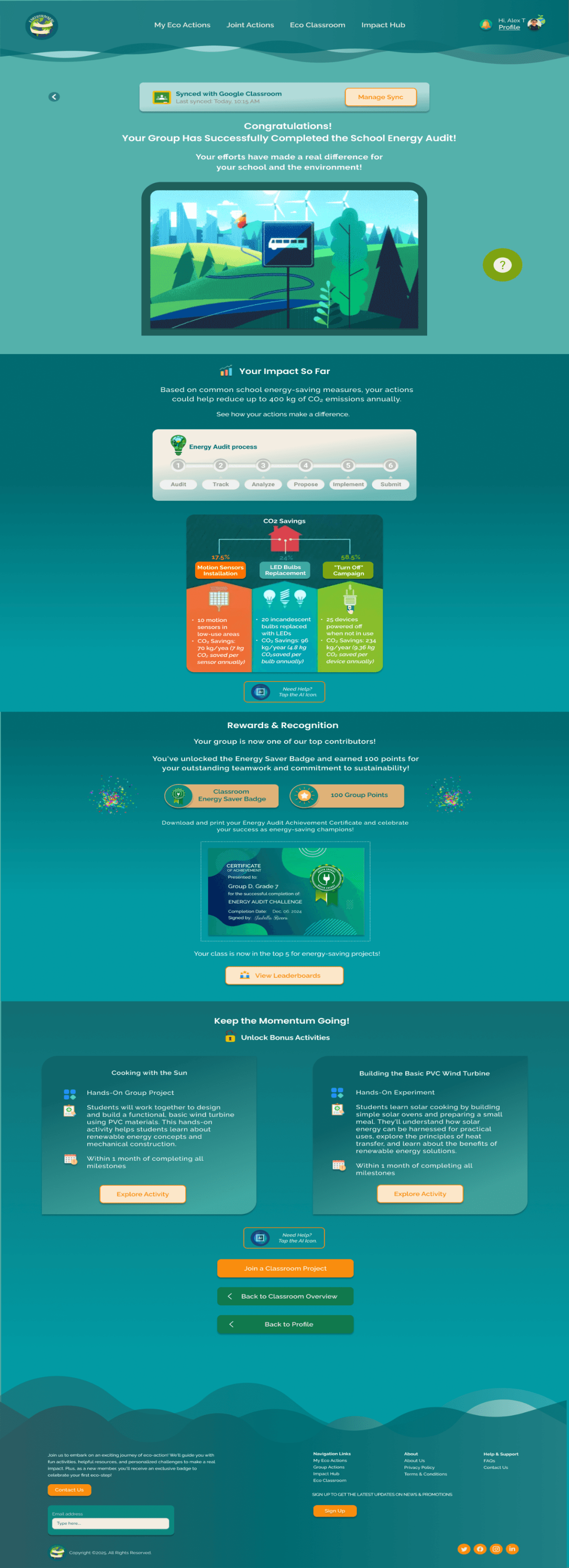
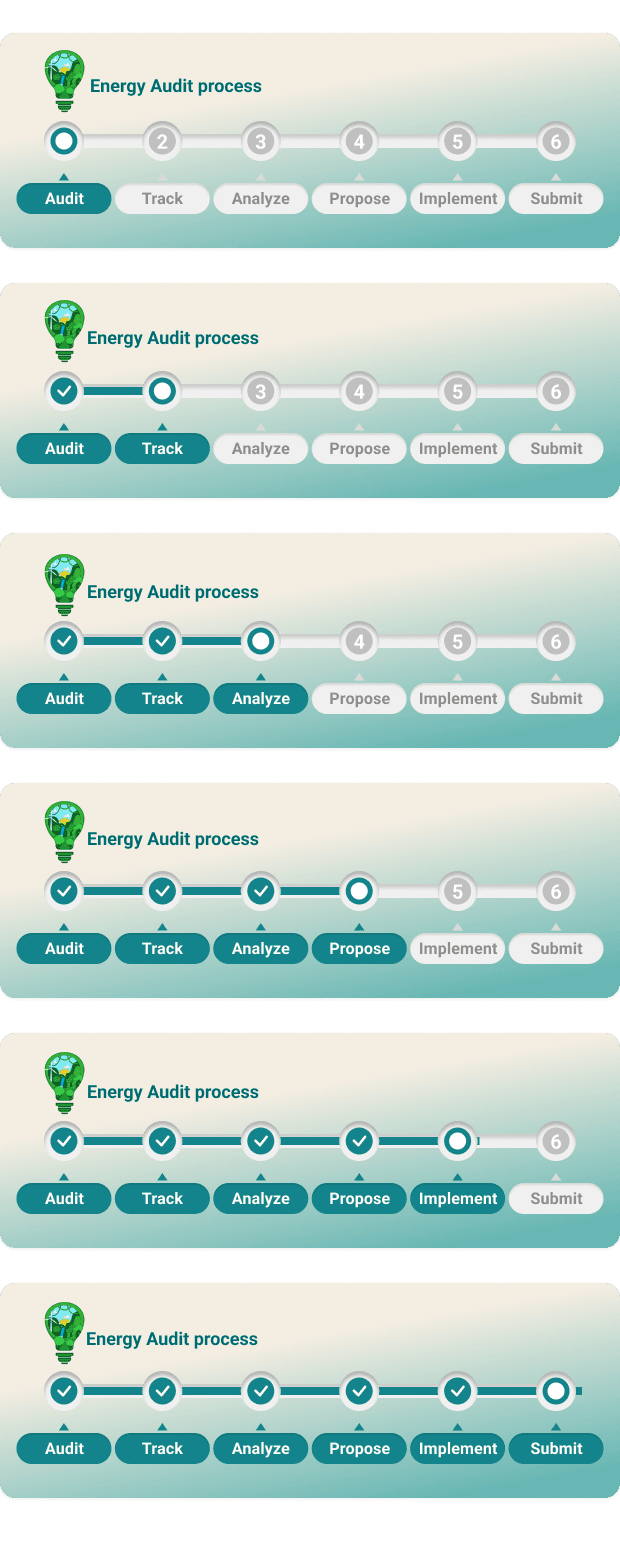
The School Energy Audit Achievements
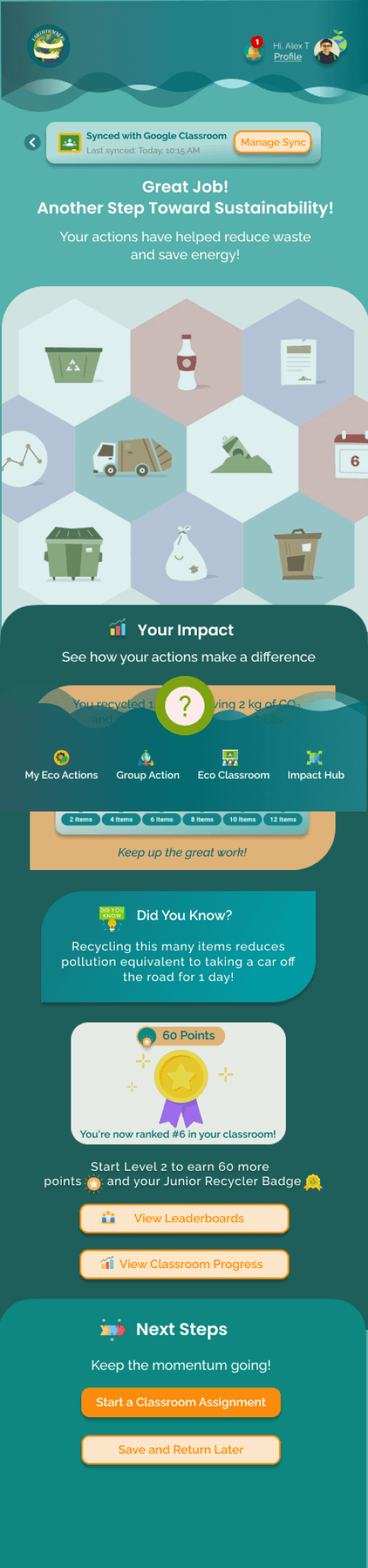
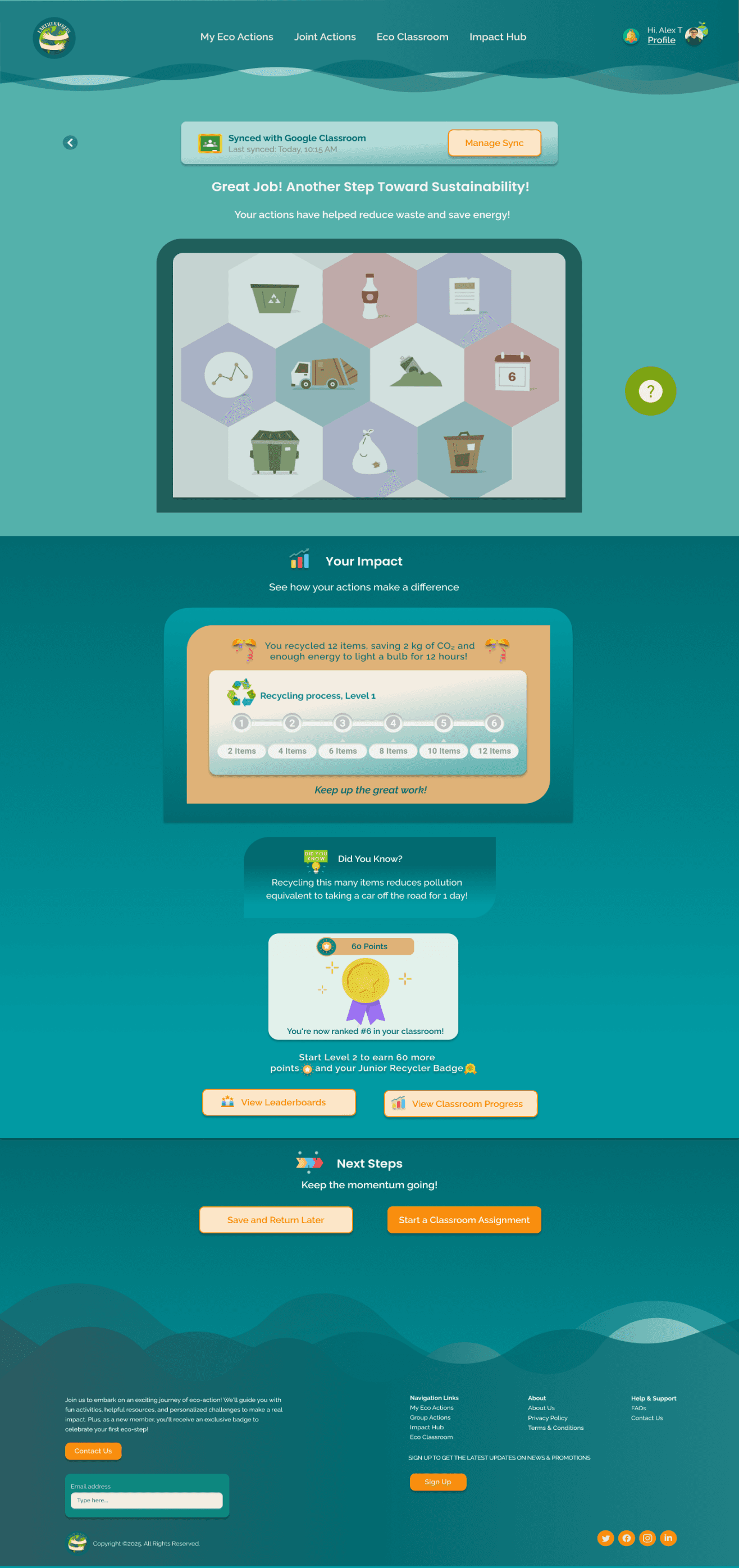
The Student’s Recycling Achievements
Color
Pro
Try Behance Pro
Advanced analytics, your own customized
portfolio website, and
more features
to grow your
creative career.
Start your 7 day free trial
Built For Creatives
Try Behance Pro
Find Inspiration
Get Hired
Sell Creative Assets
Sell Freelance Services
Find Talent
Post a Job
Graphic Designers
Photographers
Video Editors
Web Designers
Illustrators
Behance
About Behance
Adobe Portfolio
Download the App
Blog
Careers
Help Center
Contact Us
Social
Jump to Main Content
© 2024 Adobe Inc. All rights reserved.
English
TOU
Privacy
Community
Cookie preferences
Do not sell or share my personal information

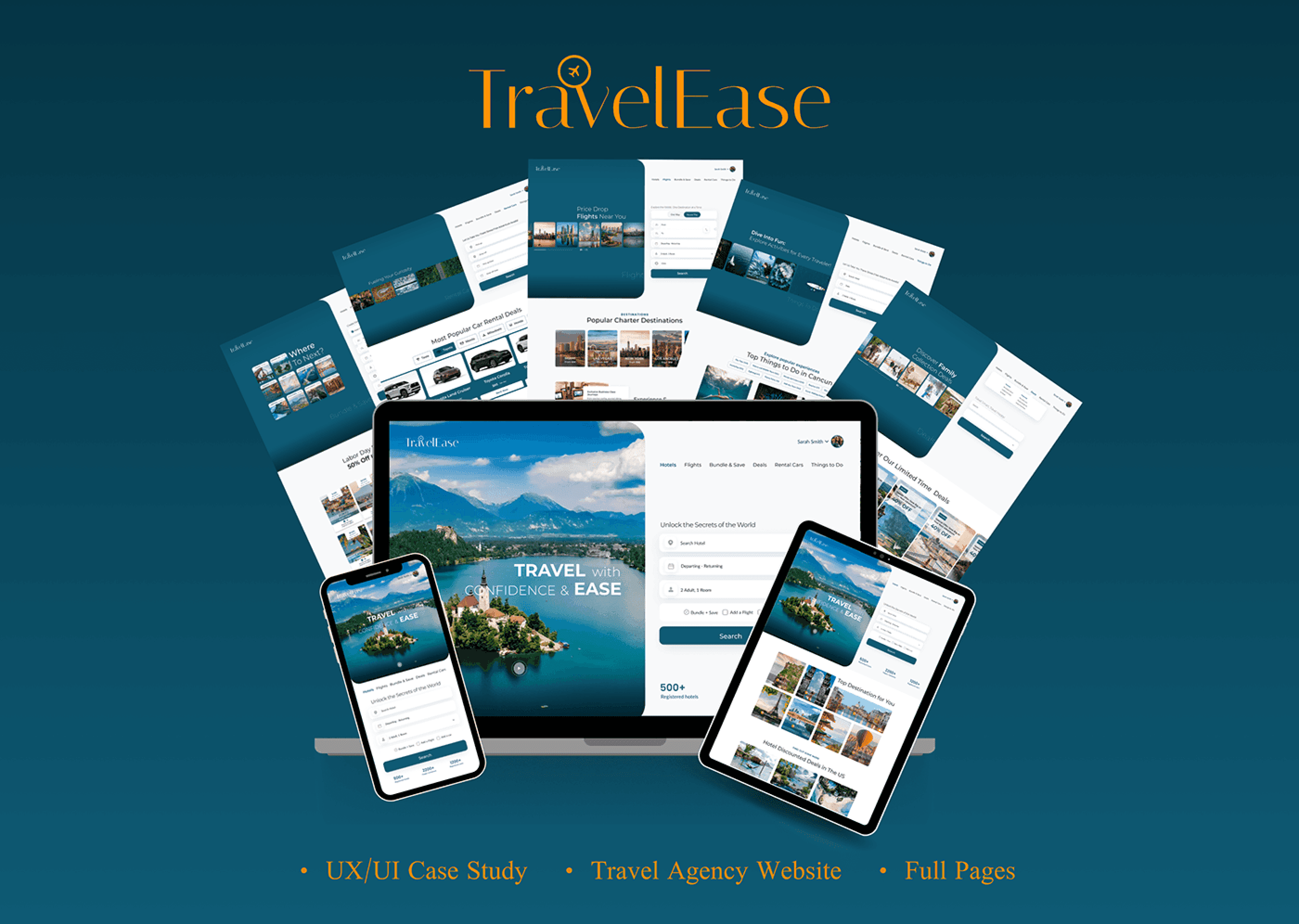
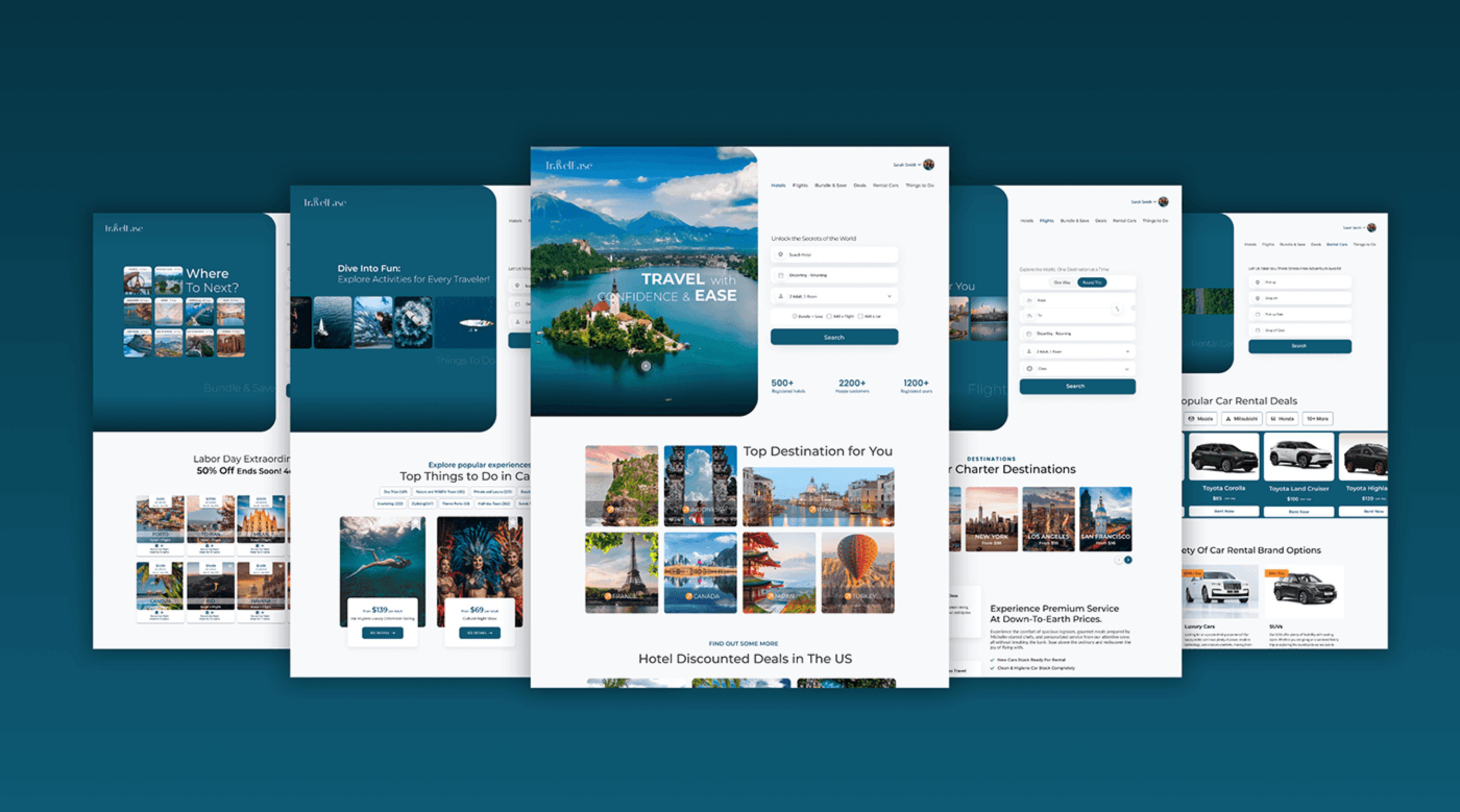
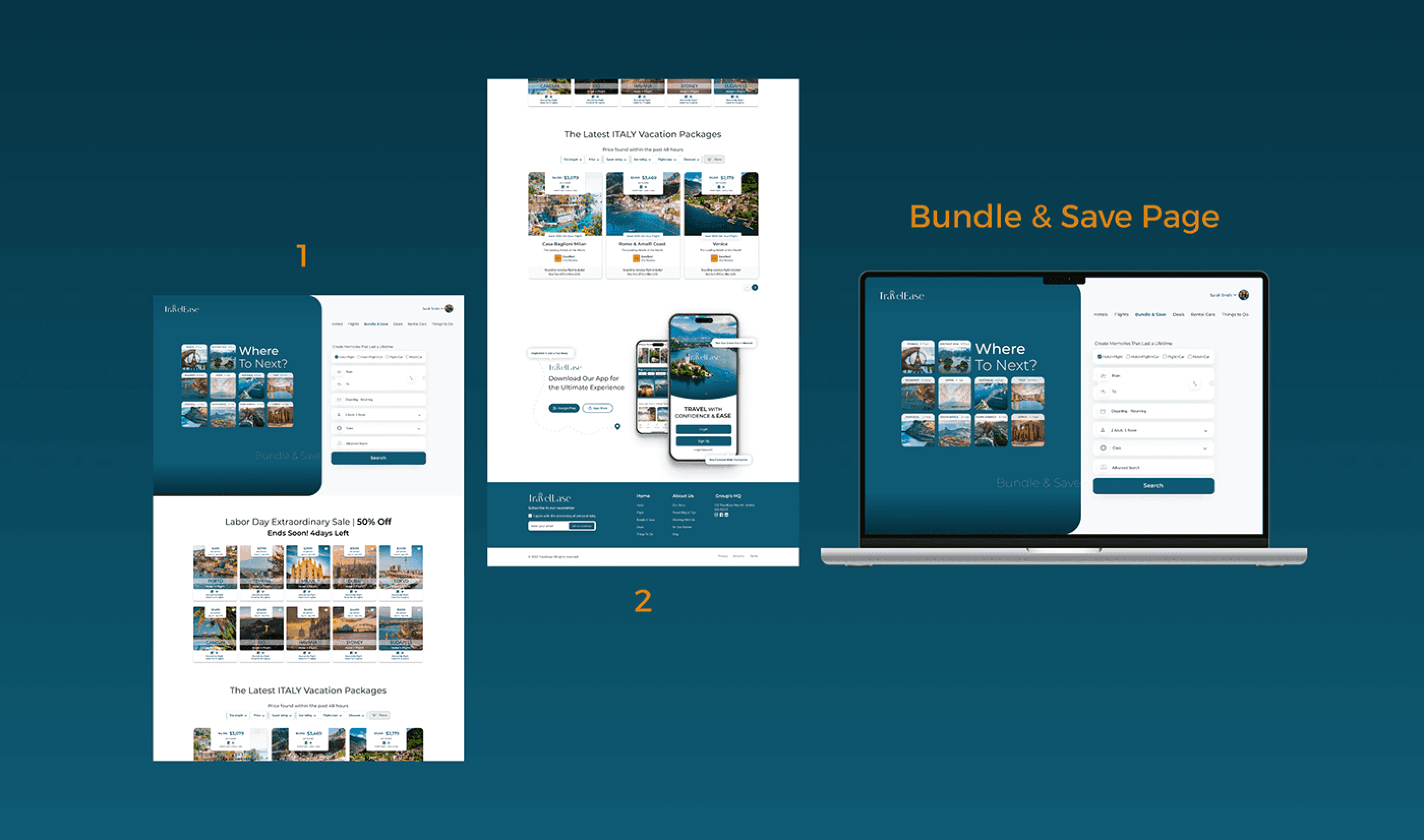
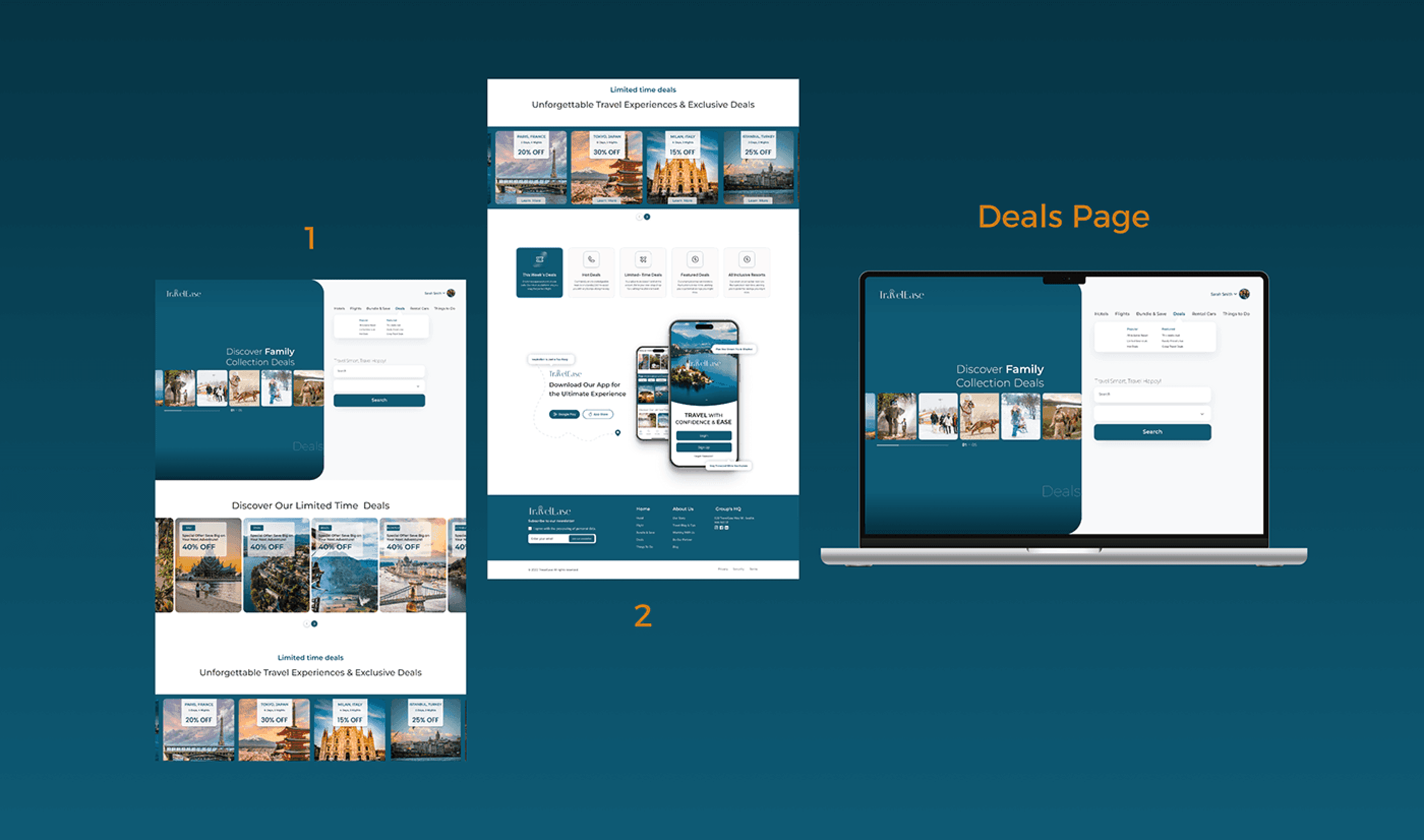
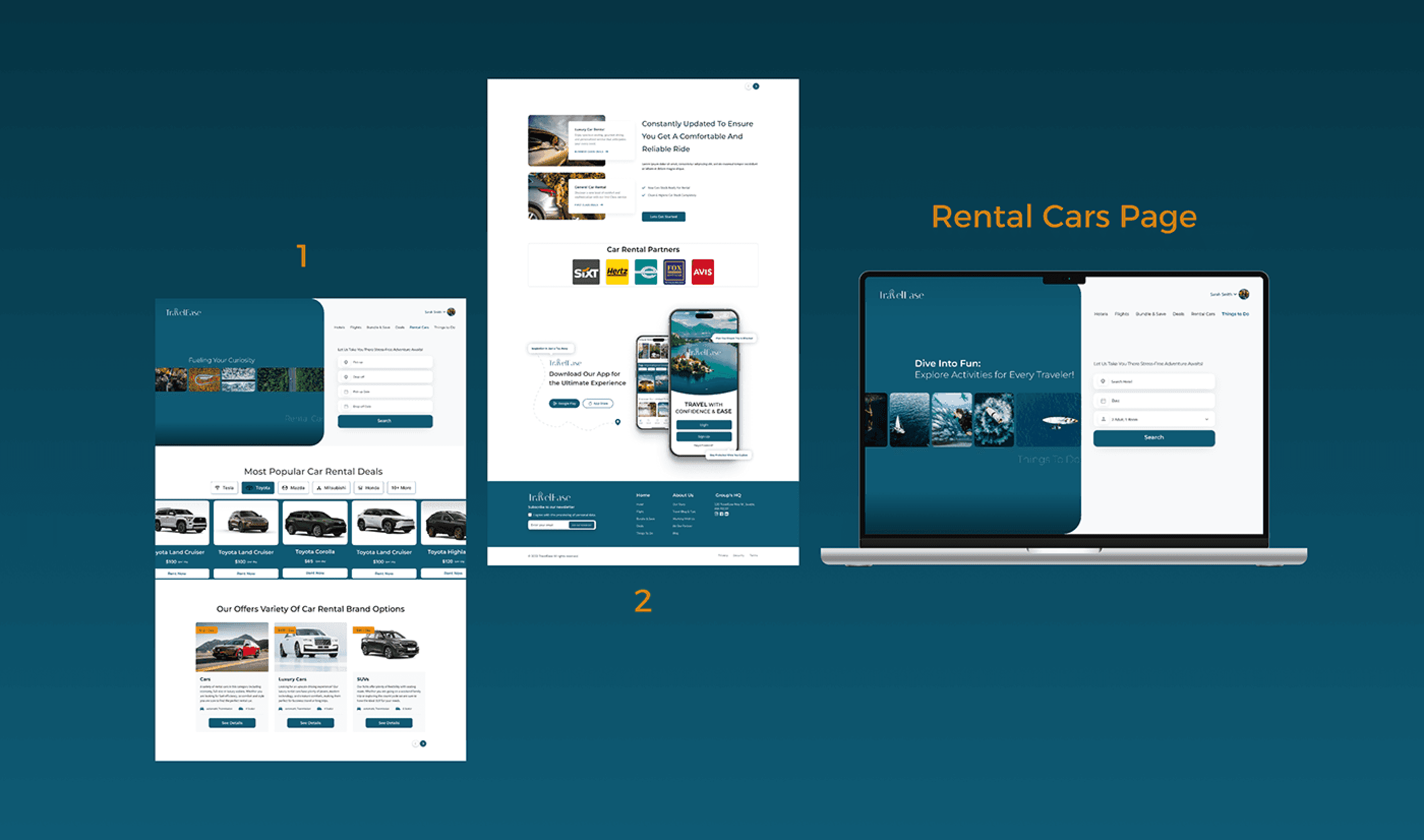
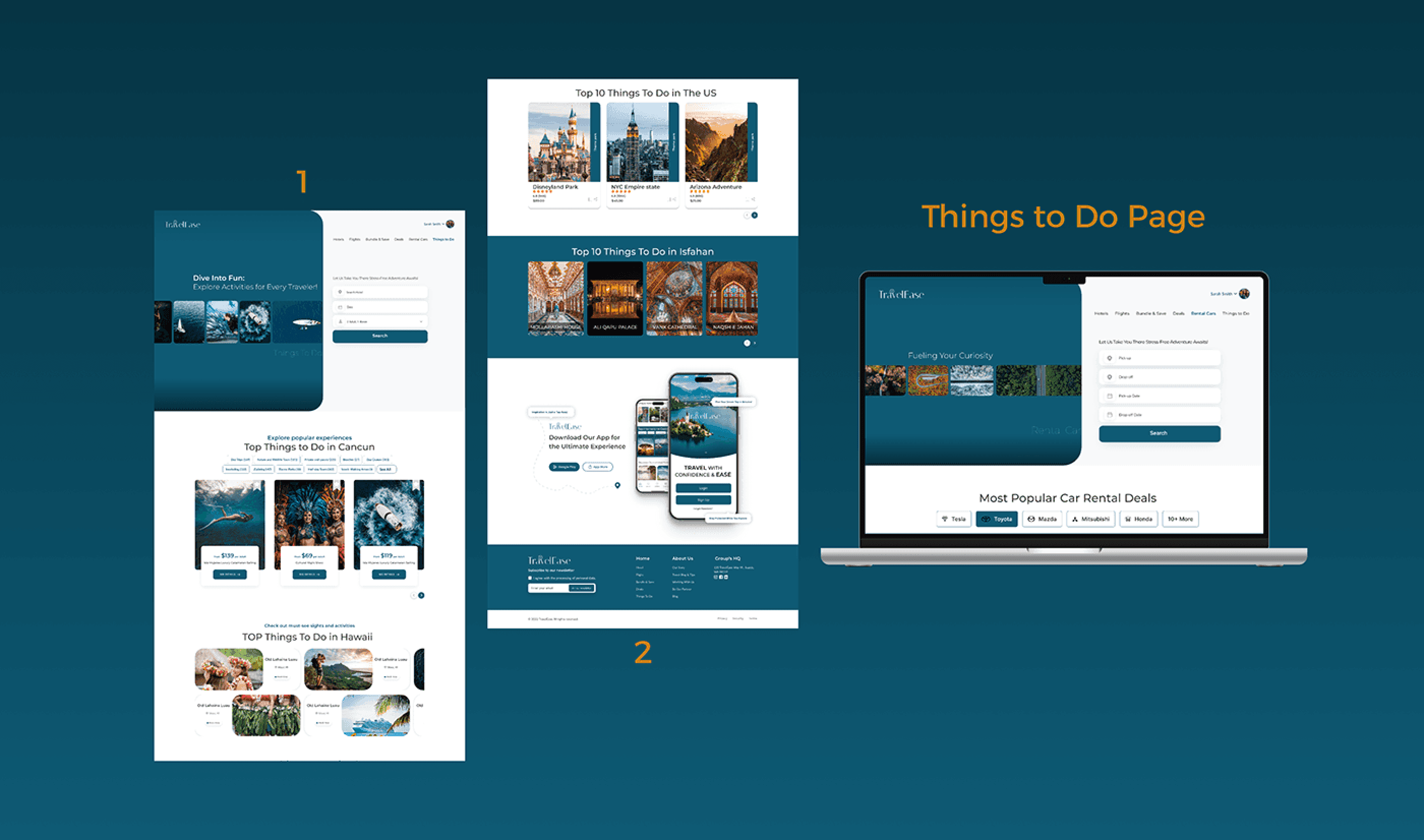
Travel Agency Website UX/UI Design (Full Pages)
Maryam Rezaierad
•
Follow
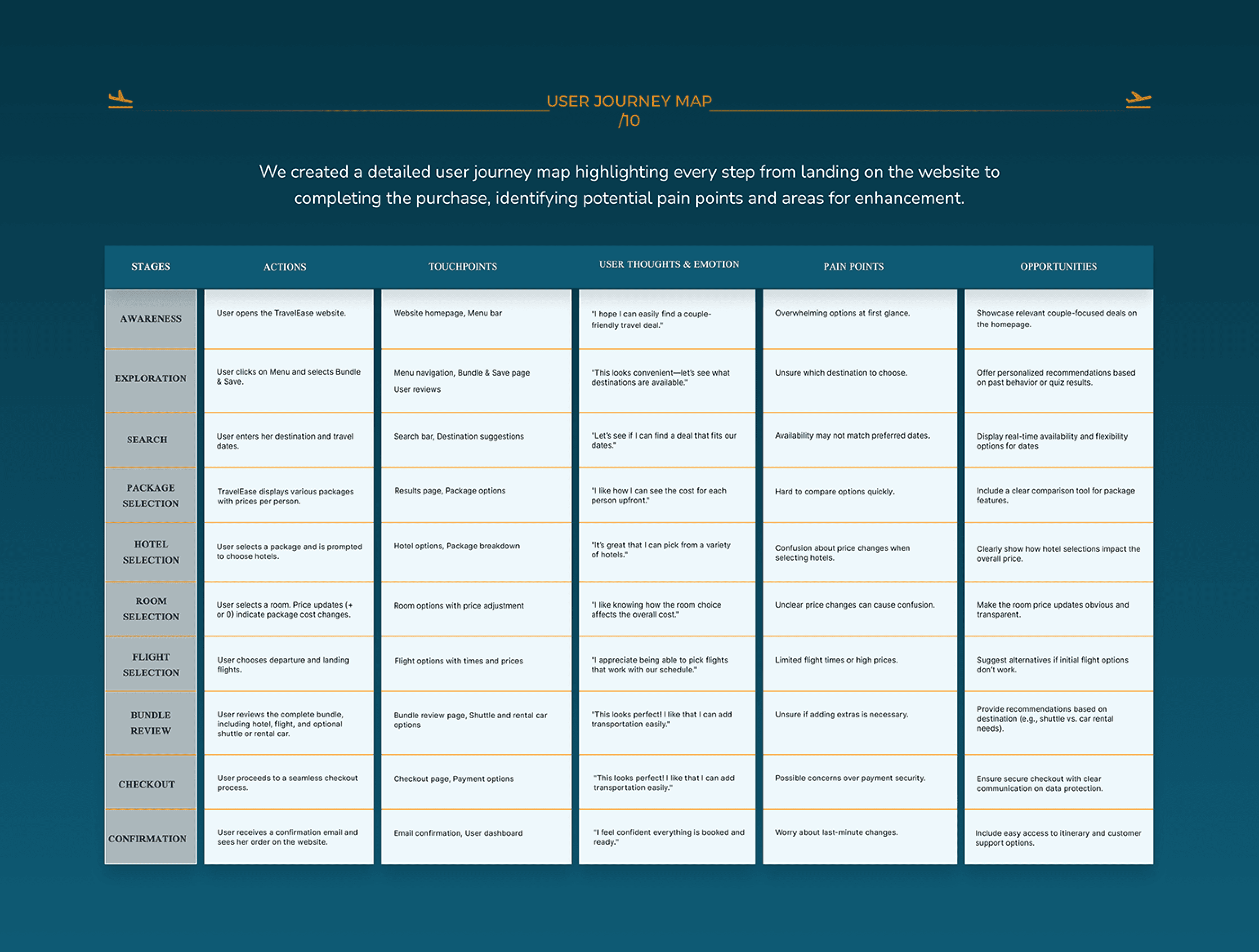
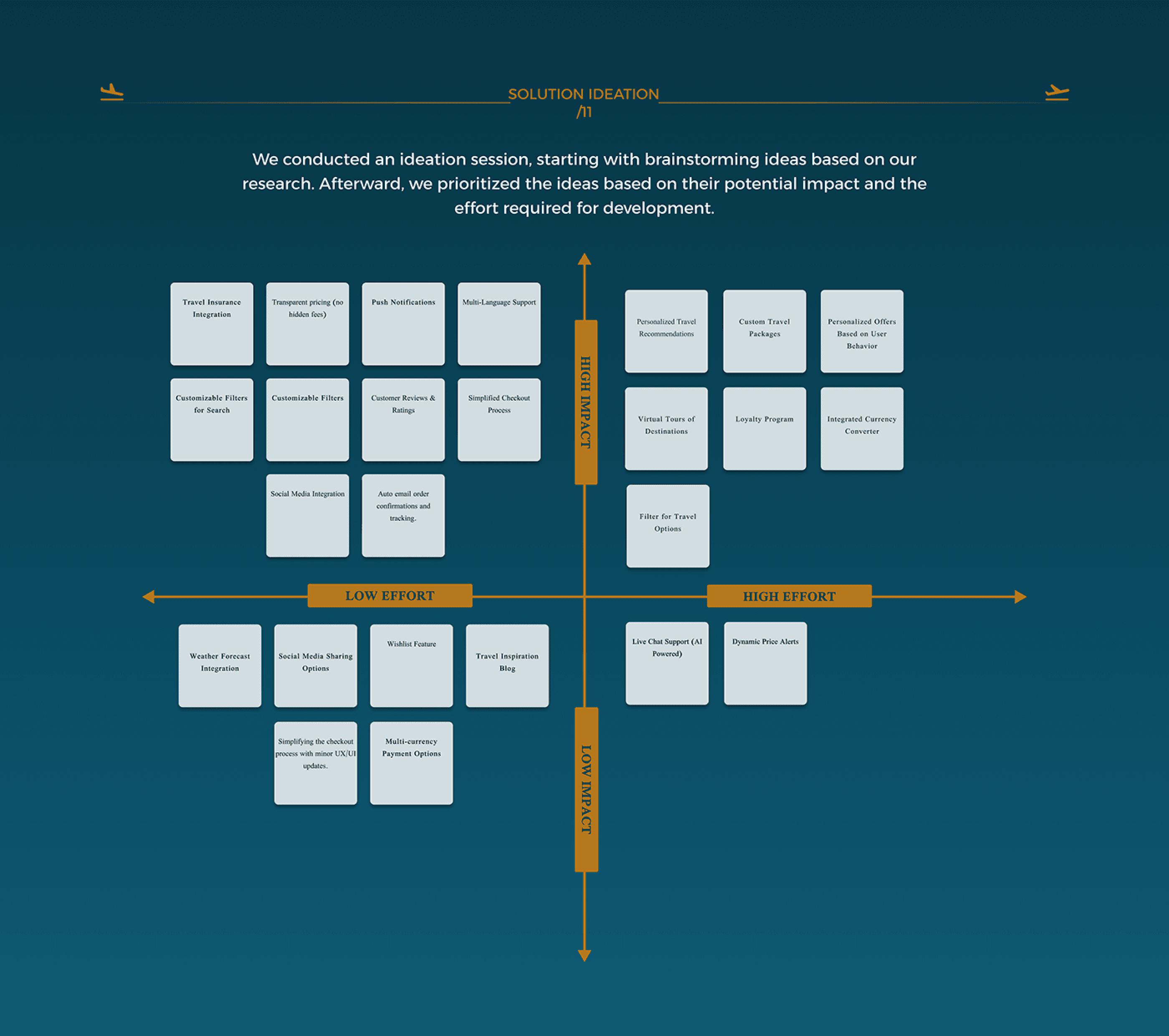
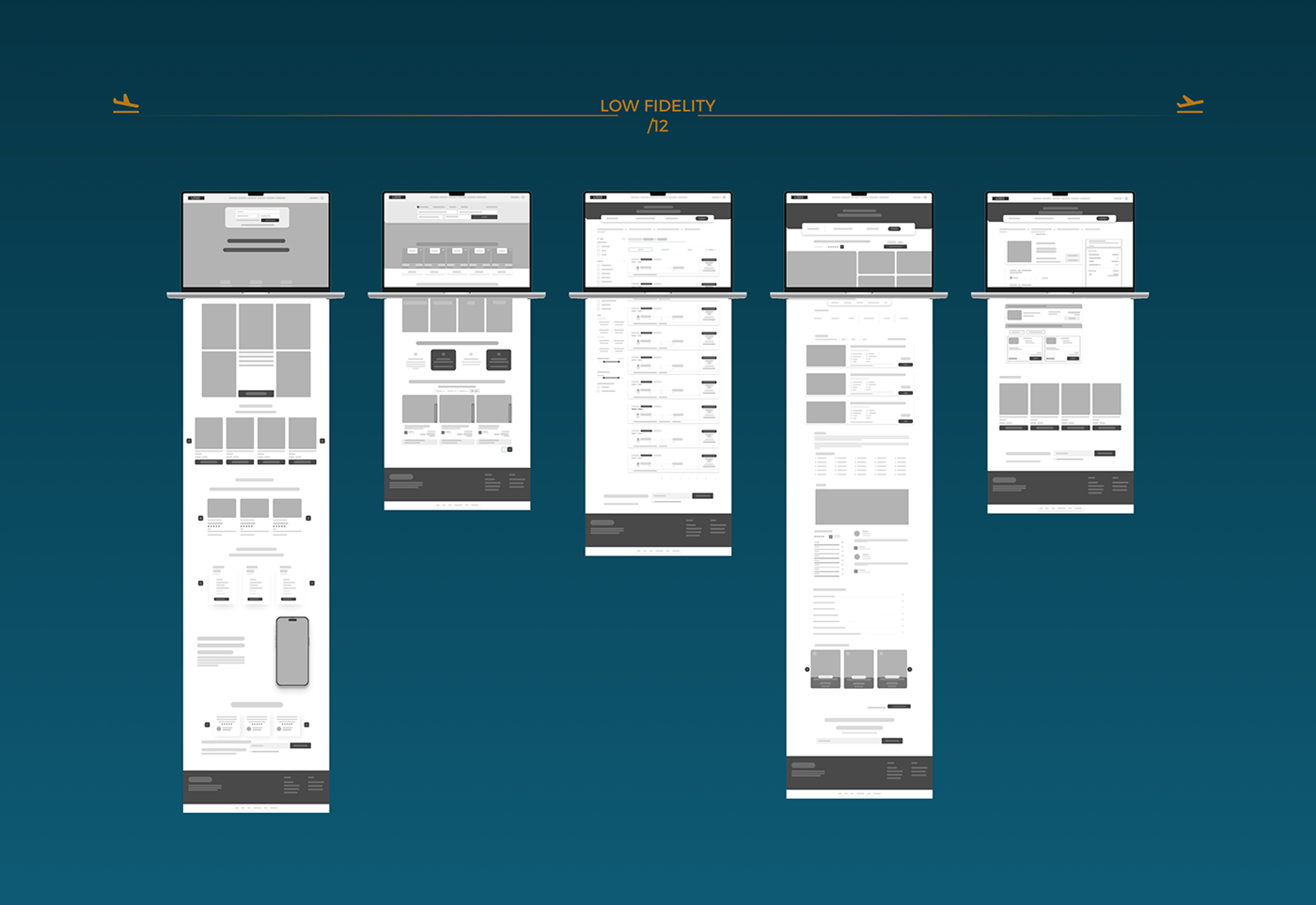
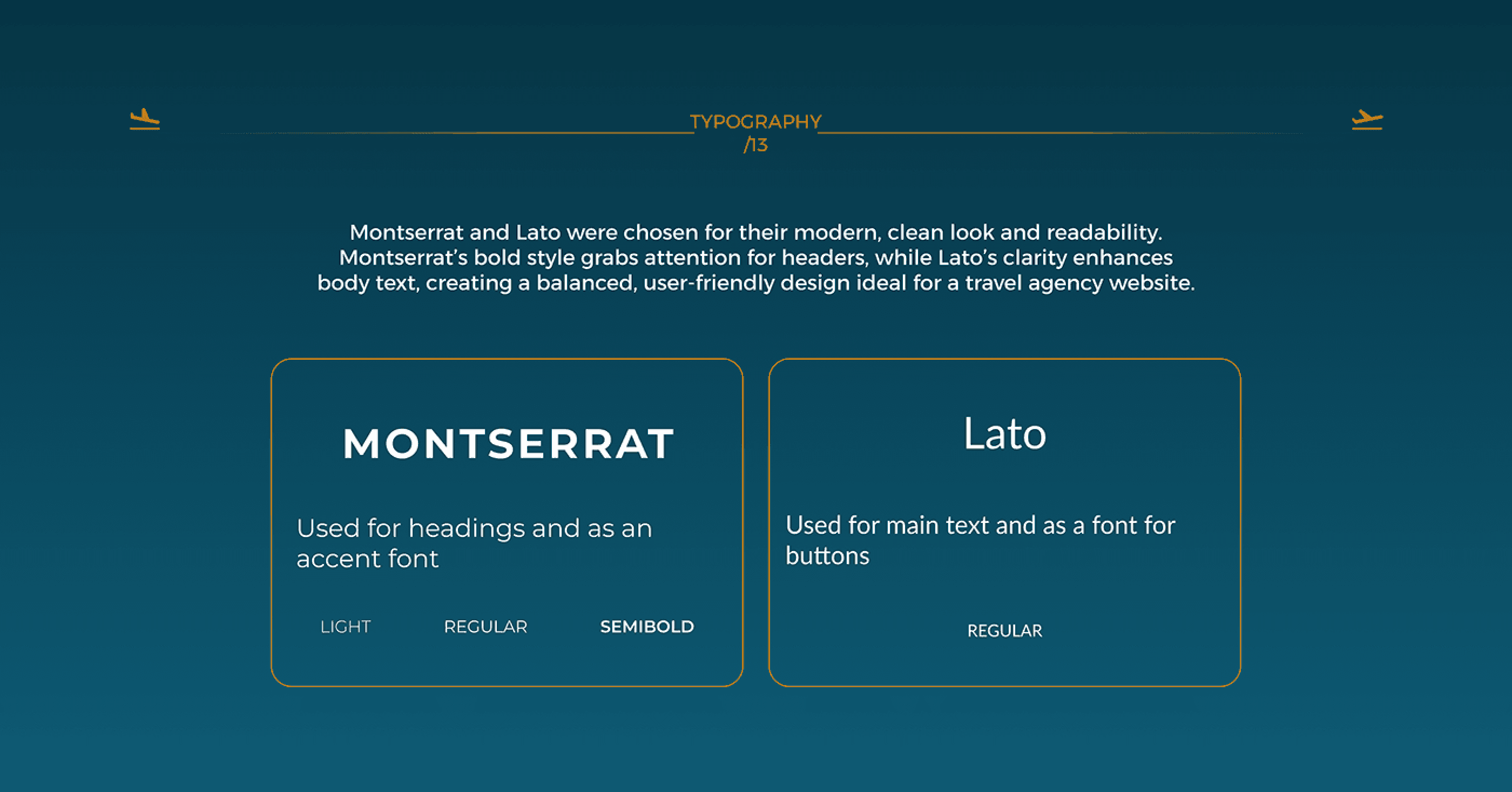
Thank You For Watching!
Maryam
maryamrezaierad@gmail.com
Travel Agency Website UX/UI Design (Full Pages)
4
34
0
Published: October 31st 2024
Maryam Rezaierad
Follow
Sign up to join the conversation
Add your feedback for Maryam Rezaierad’s project by signing in or signing up.
Sign Up With Email
or
Owner
Follow
Arlington, VA, USA
Maryam Rezaierad
Hire
Travel Agency Website UX/UI Design (Ful…
4
34
0
Published: October 31st 2024
Tools


Photoshop


Illustrator
Figma
,
Figjam
Creative Fields

Product Design

UI/UX

Interaction Design
travel agency
UX design
full website design
hotel booking
landing page design
Figma
ux/ui
User research
Interaction design
Report
© All Rights Reserved
Tools
Save
Share
Follow

Hire

Appreciate
Skip to Main Content
Skip to Footer
Navigate to behance.net
Explore
Assets
Jobs
Behance
Pro
Hire Freelancers
Search…
1
Log In
Sign Up
Navigate to adobe.com
a
a
a
a
a
a
a
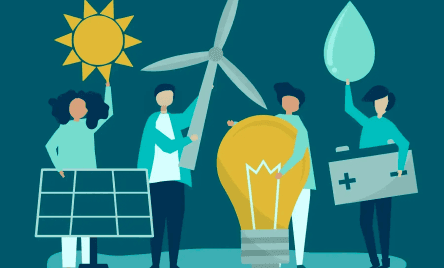
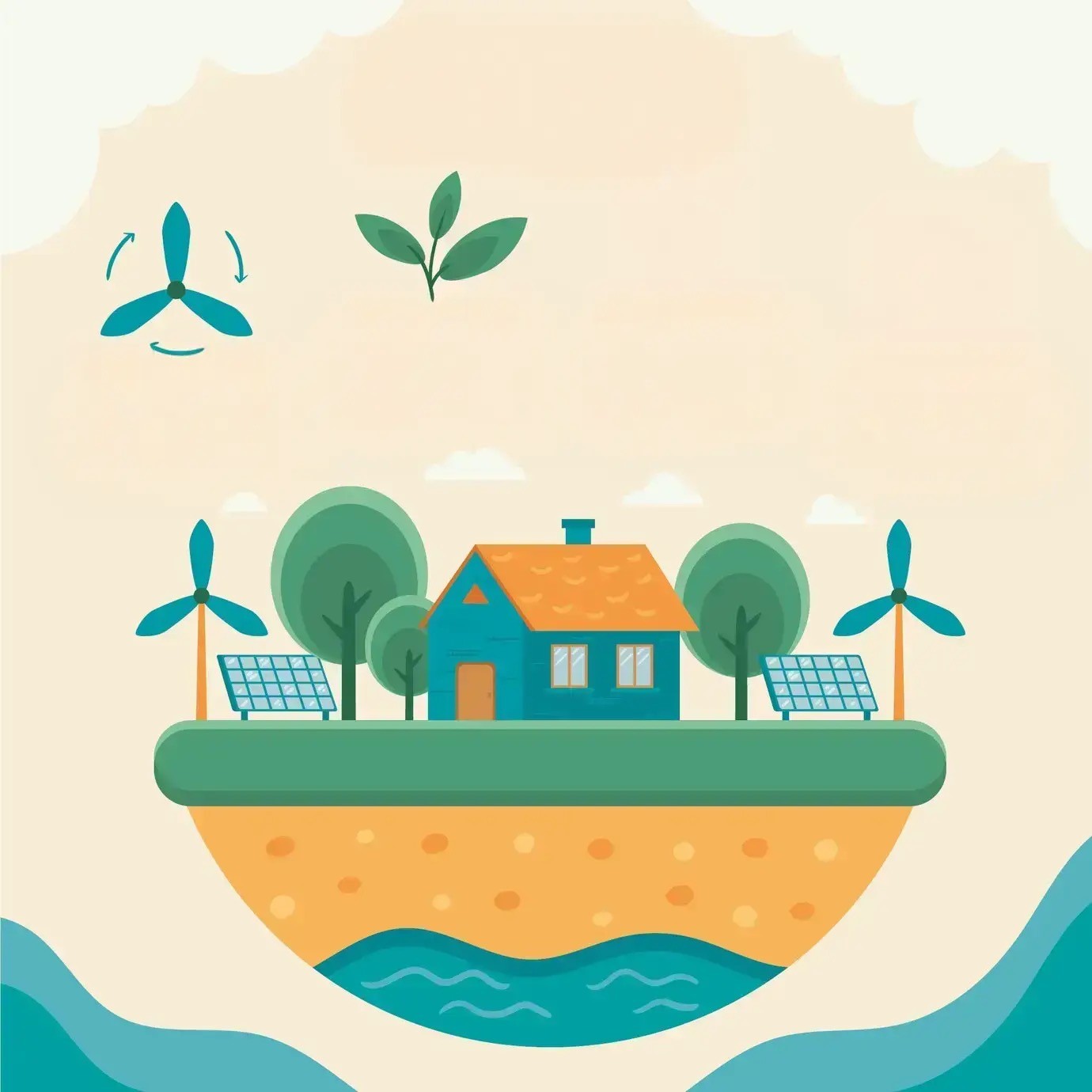
The platform’s color palette reflects its environmental theme and engages young audiences:
Green, with bluish and darker tones, symbolizes nature, growth, and sustainability, reinforcing the eco-conscious mission.
Orange adds vibrancy and energy, inspiring action and enthusiasm.
Purple, used sparingly, introduces a touch of creativity, supporting innovative thinking.
Together, these colors create a balanced focus on education, action, and inspiration.

#0E5A74
#1E7F85
#00AEAD
#F98C0C
#F3EDE1

Usability & Iteration
(Phase 3)
Google Classroom Sync Visibility (Desktop & Mobile)
Adding Continue Task Button in Dashboard (Desktop & Mobile)
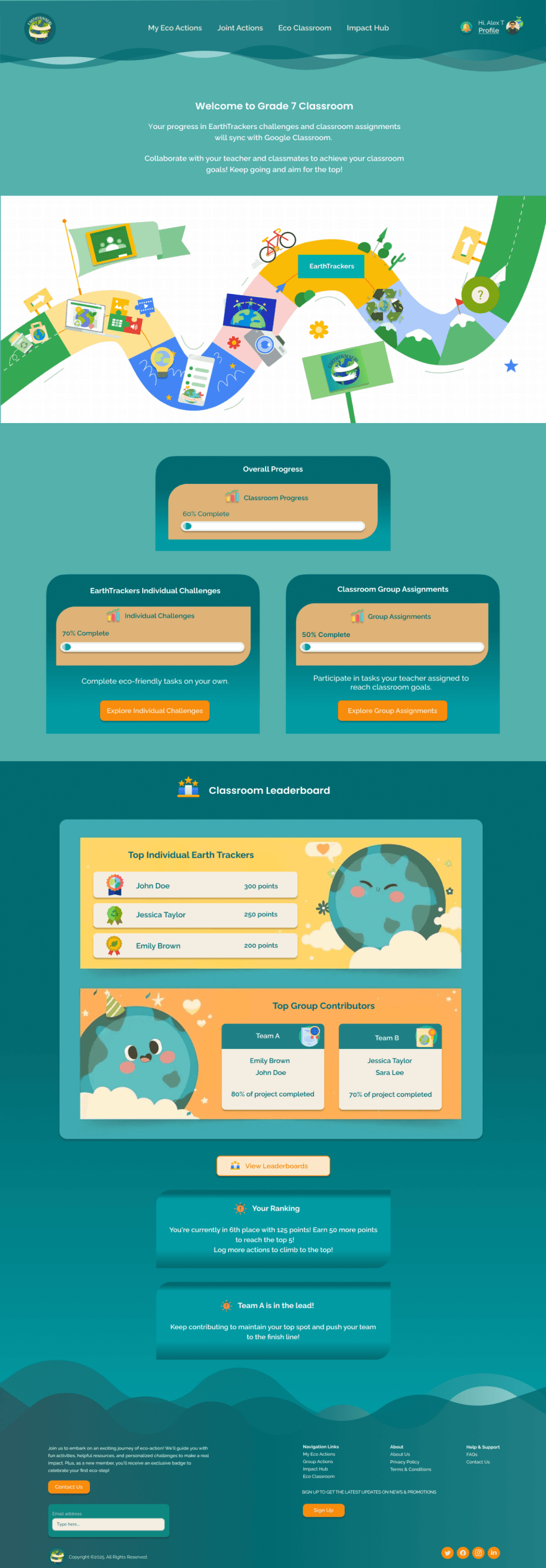
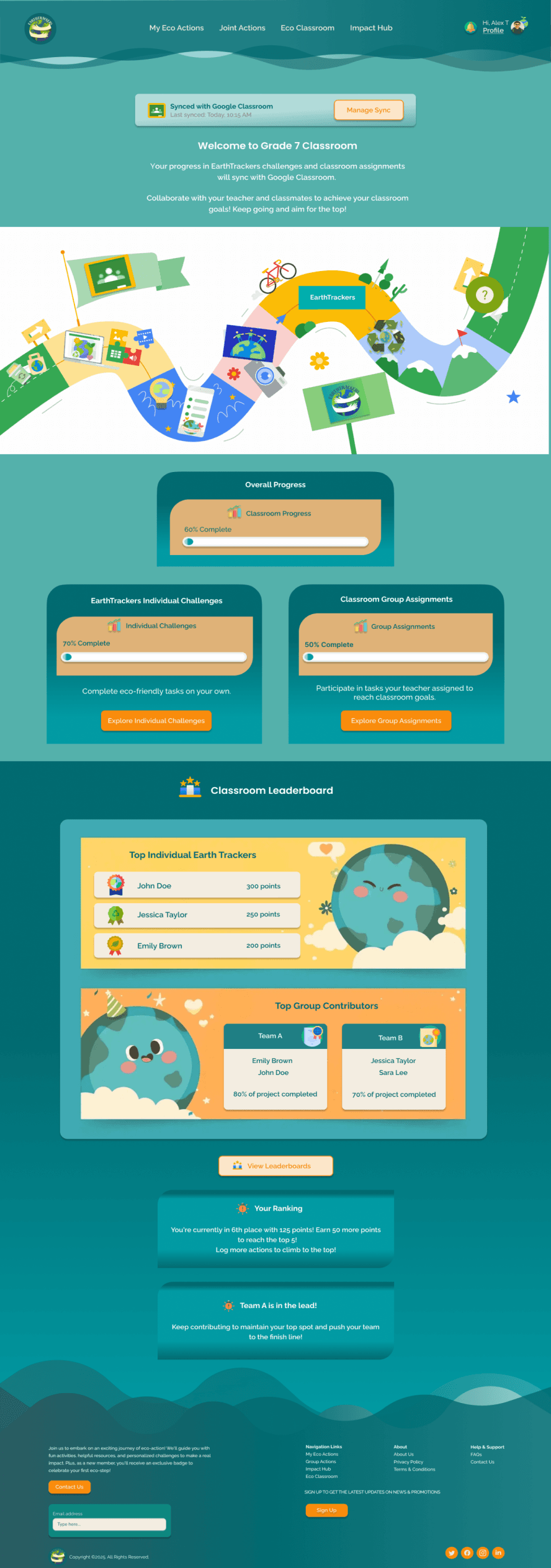
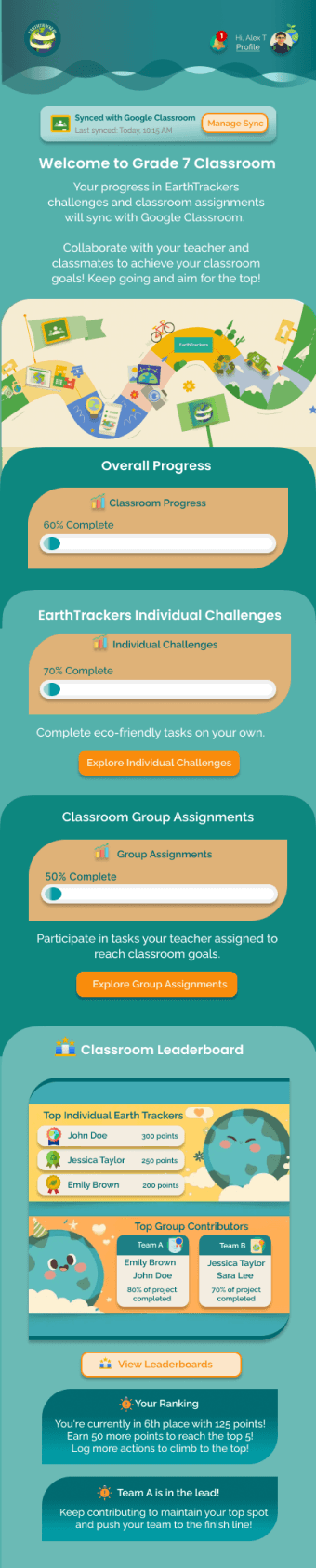
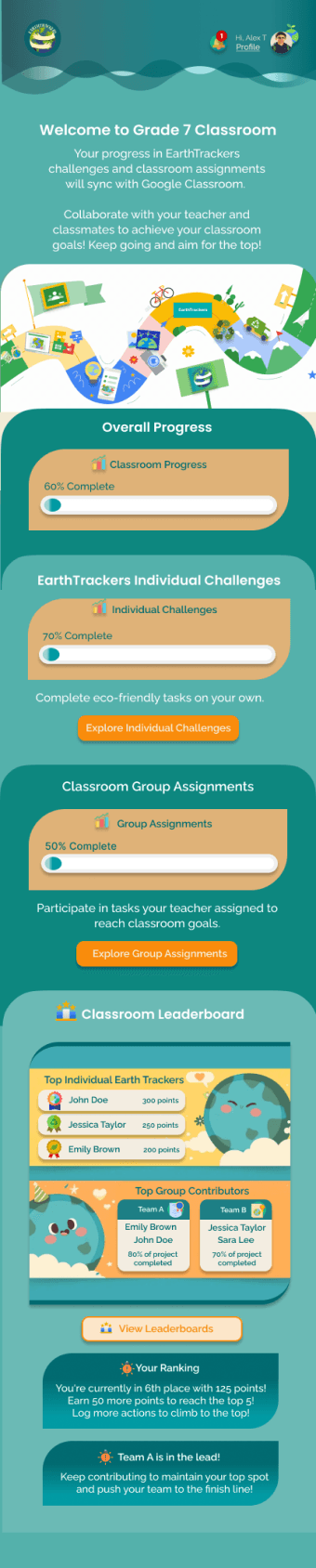
The Google Classroom sync feature existed but was not clearly visible, making it harder for users to track their sync status or manage connections efficiently.
Before Phase 2 Usability:
Before Phase 2 Usability:
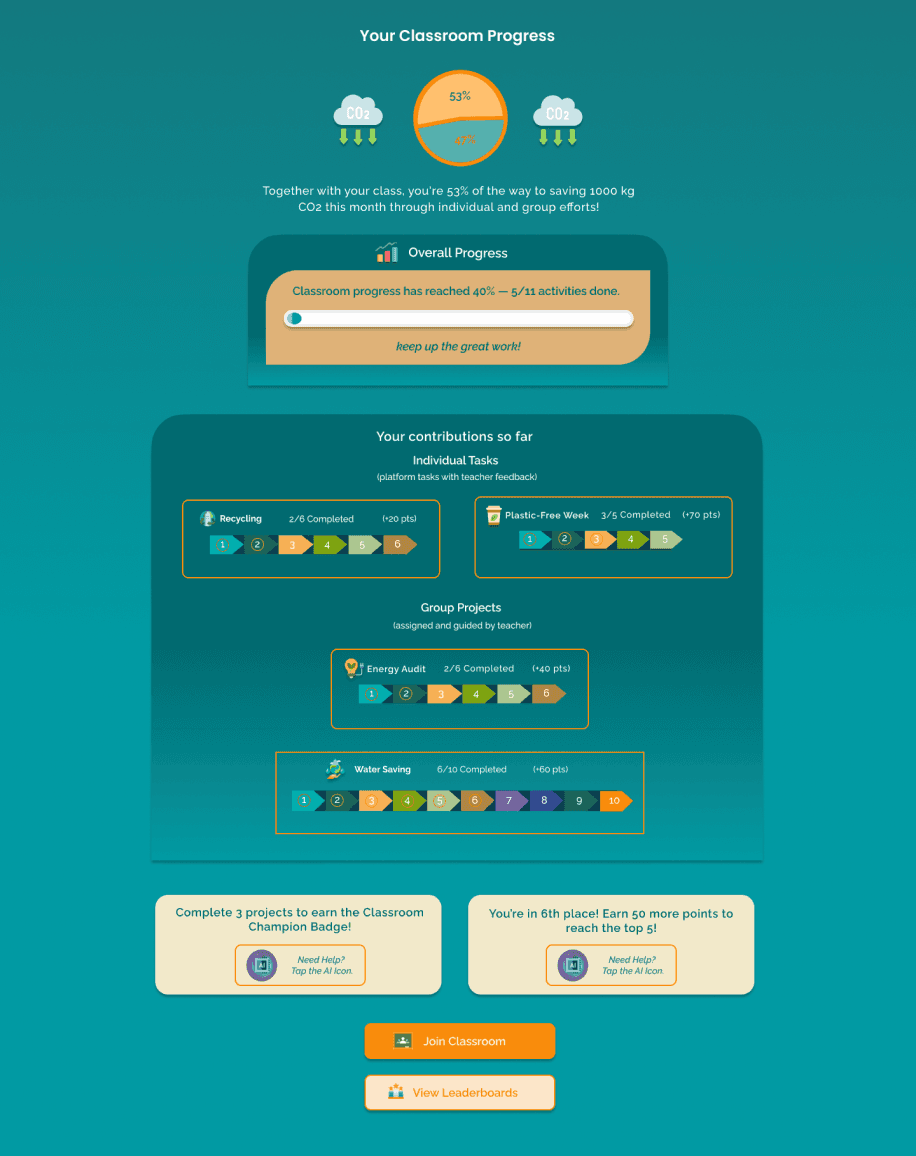
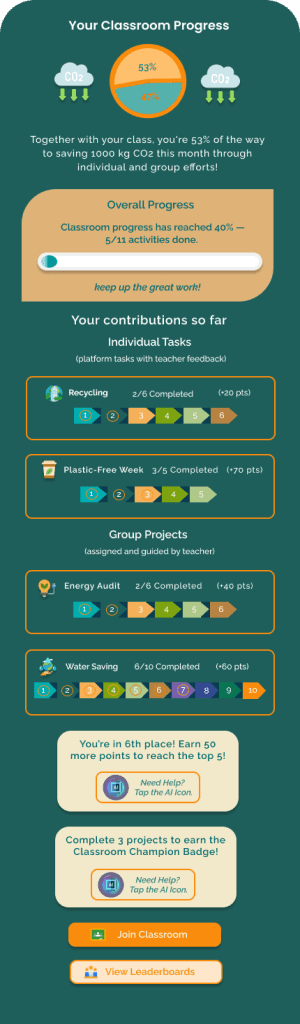
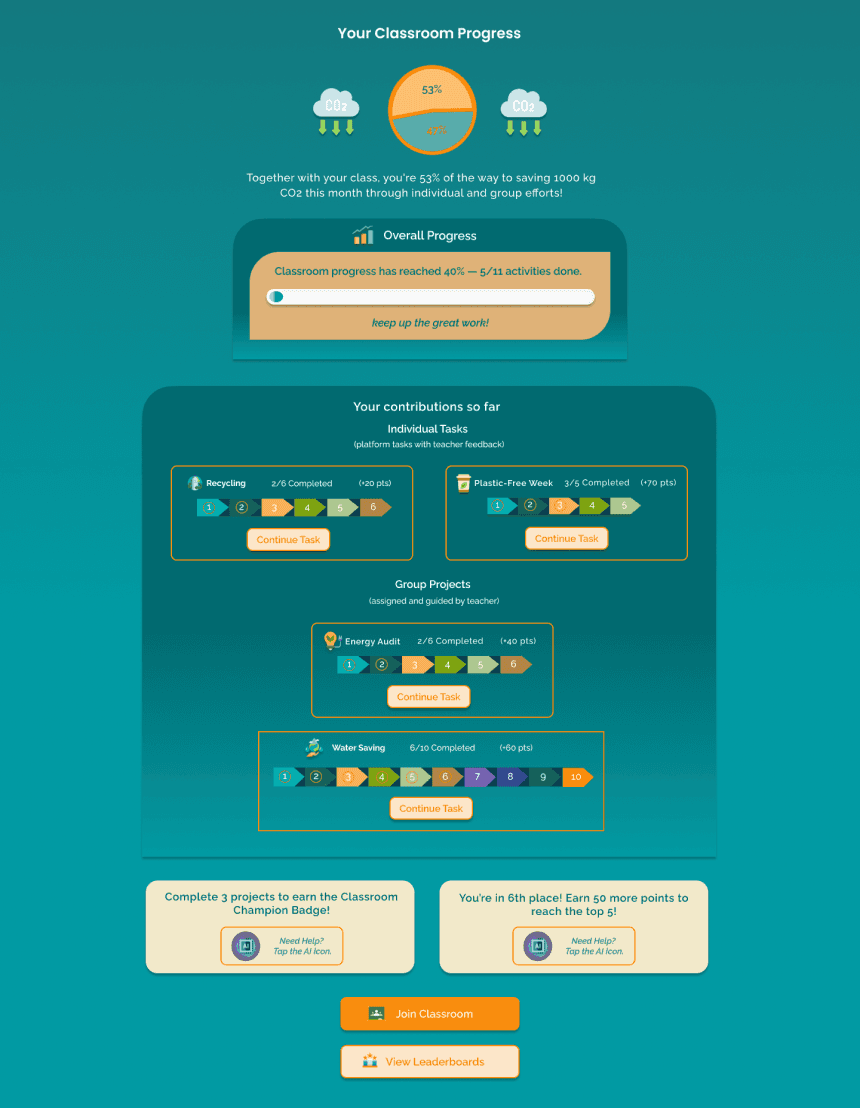
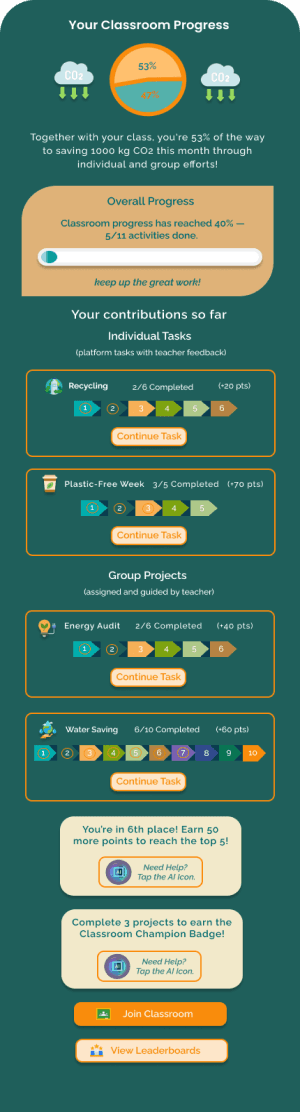
The dashboard displayed user progress across platform and classroom activities, but users had to navigate back to specific sections to continue incomplete tasks.
We refined the Google Classroom sync visibility by adding a persistent sync box at the top of relevant pages, showing "Last Synced" status and a "Manage Sync" button, ensuring quick access and better clarity.
After Phase 2 Usability:
Upon further evaluation, we identified an opportunity to improve task resumption by adding a "Continue Task" button next to each in-progress activity, allowing users to resume tasks directly from the dashboard without extra navigation.
After Phase 2 Usability:
Outcome:
This refinement improved usability and workflow efficiency, allowing users to easily confirm their sync status and manage connections without extra steps.
Outcome:
This improvement made task completion more seamless and efficient, reducing friction and enhancing user engagement.
Usability & Iteration
(Phase 2)
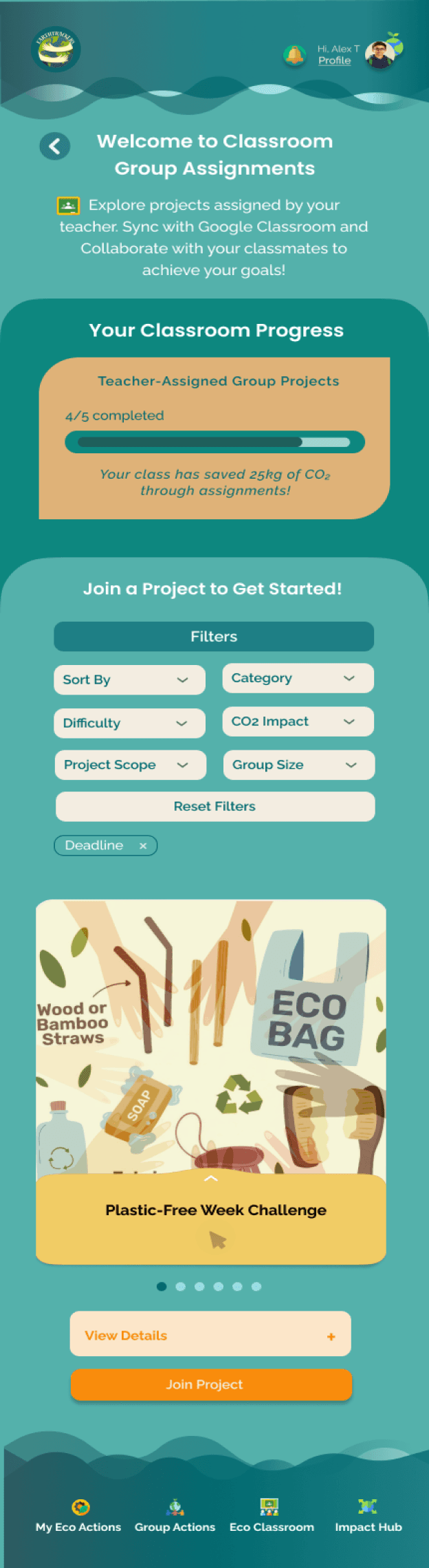
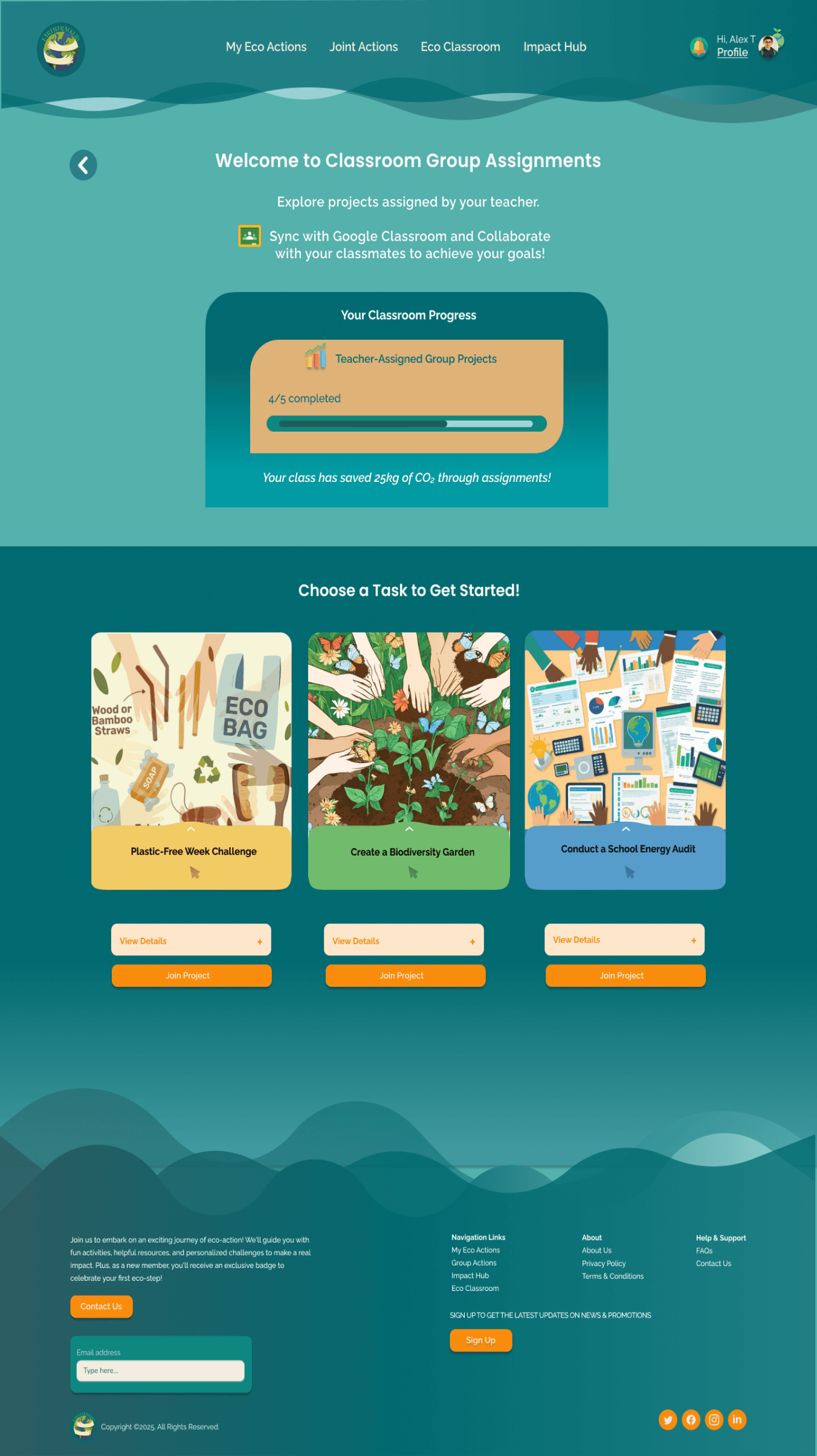
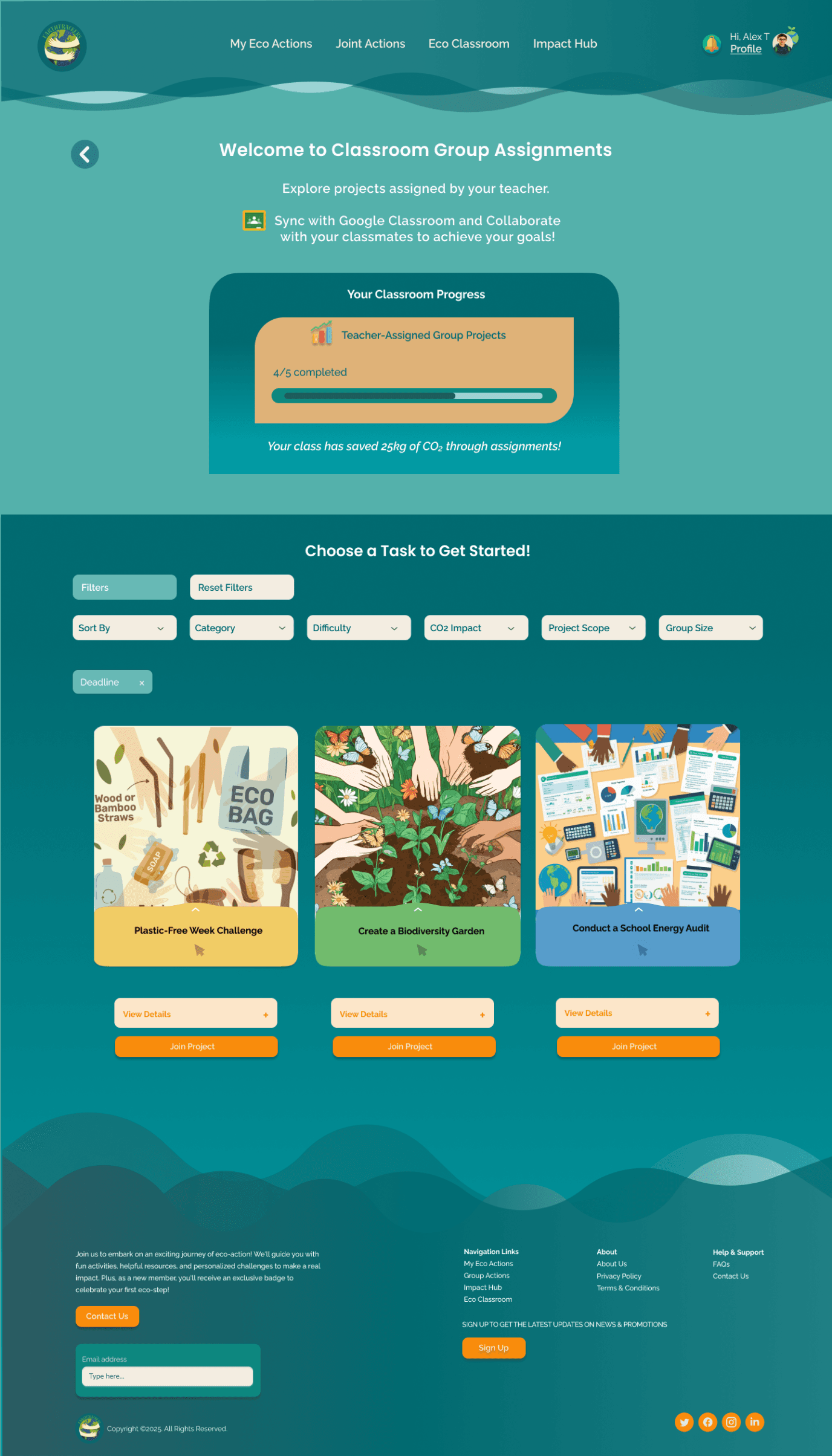
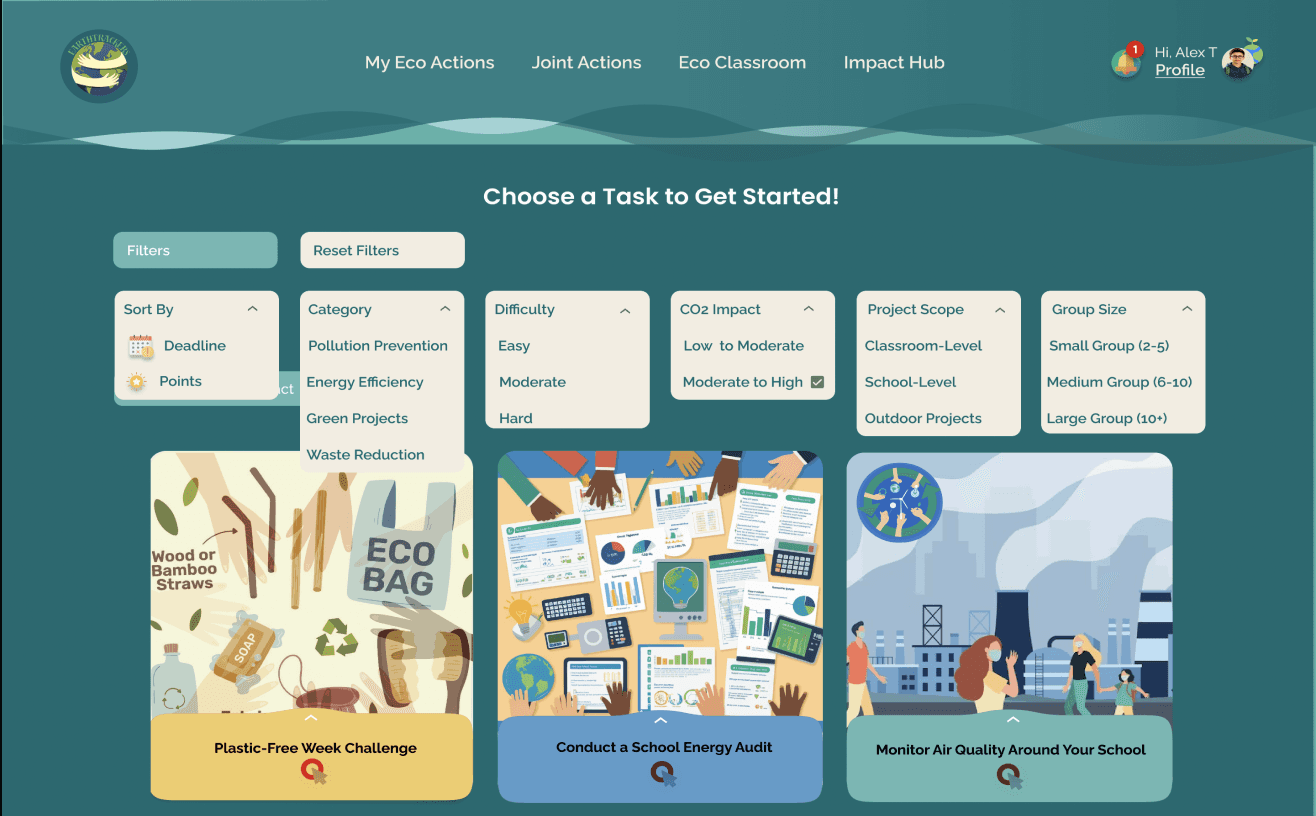
Filtering for Individual Tasks and Group Actions (Desktop & Mobile)
Before Phase 2 Usability:
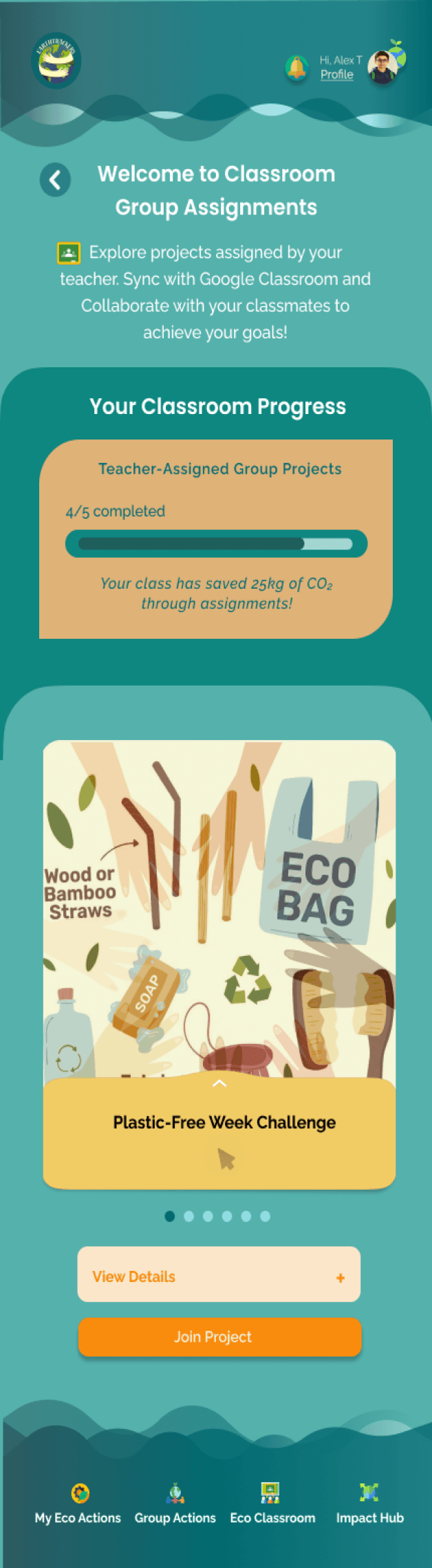
Users struggled to sift through multiple tasks and activities, as View Details screens were cluttered and overwhelming.
After Phase 2 Usability:
A filtering feature was added, allowing users to sort actions and tasks by categories like Difficulty Level, Impact Type or project scope.
Outcome:
Personalized Experience: Personalization through filtering enabled users to quickly identify relevant tasks, improving decision-making and encouraging faster engagement.
Boosted Engagement: Easier navigation reduced overwhelm and increased participation.
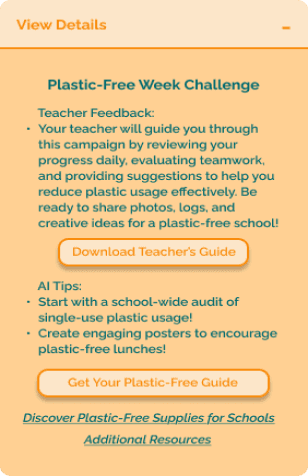
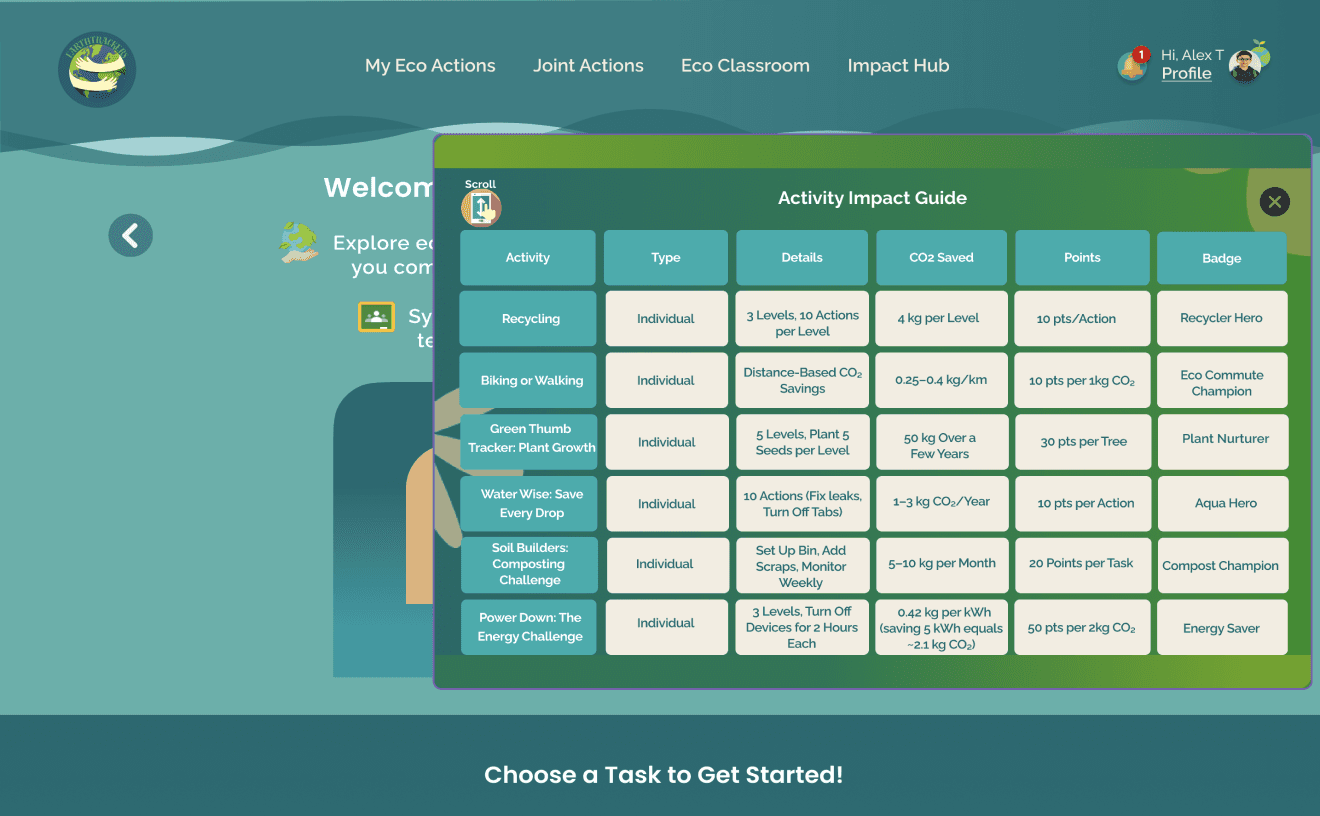
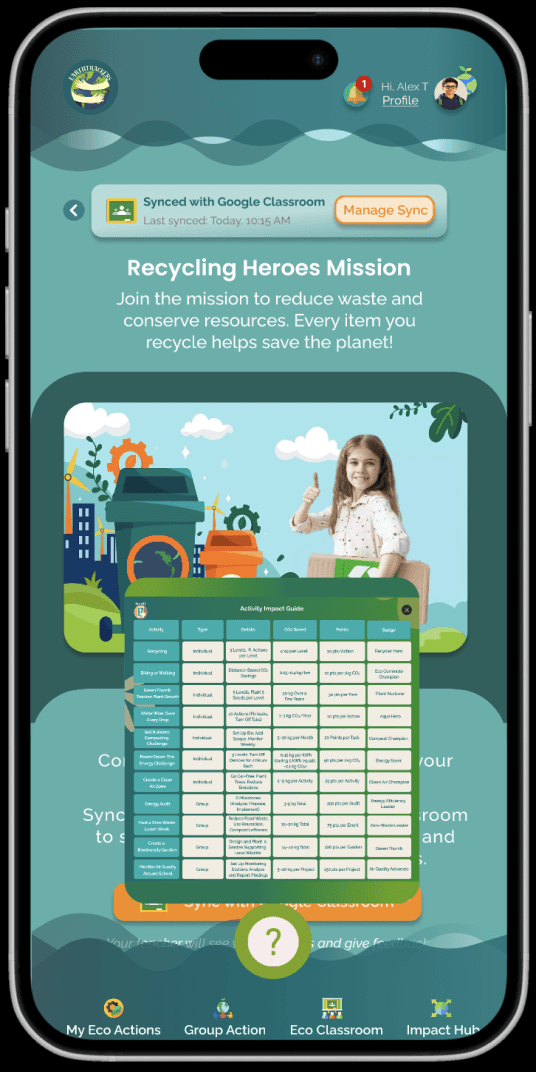
Adding Floating Question Button -Activity Impact Guide (Desktop & Mobile)
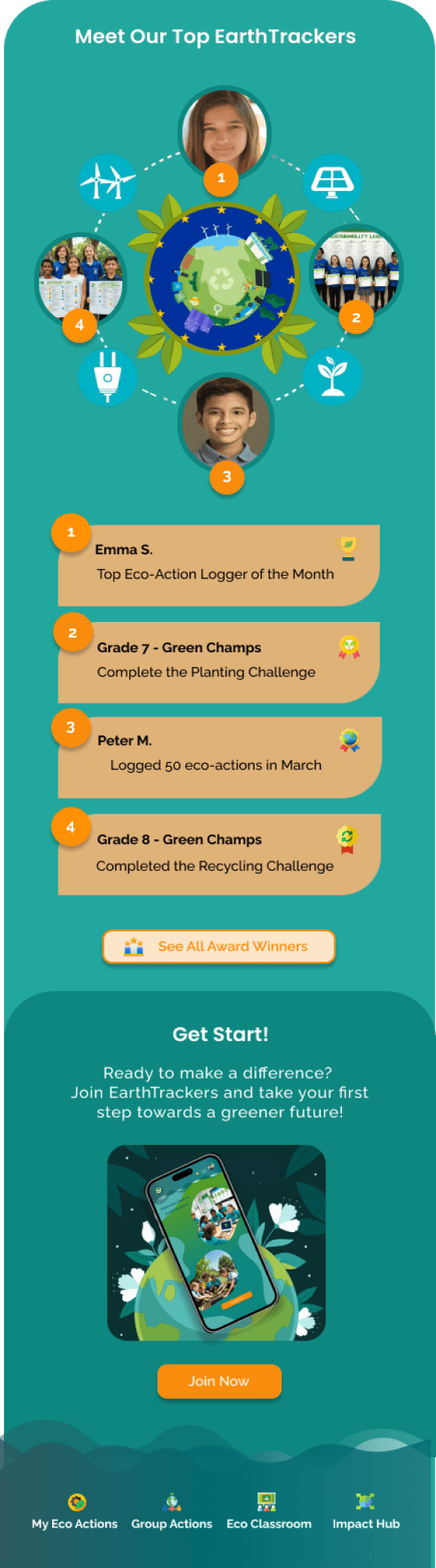
Leaderboard Visibility
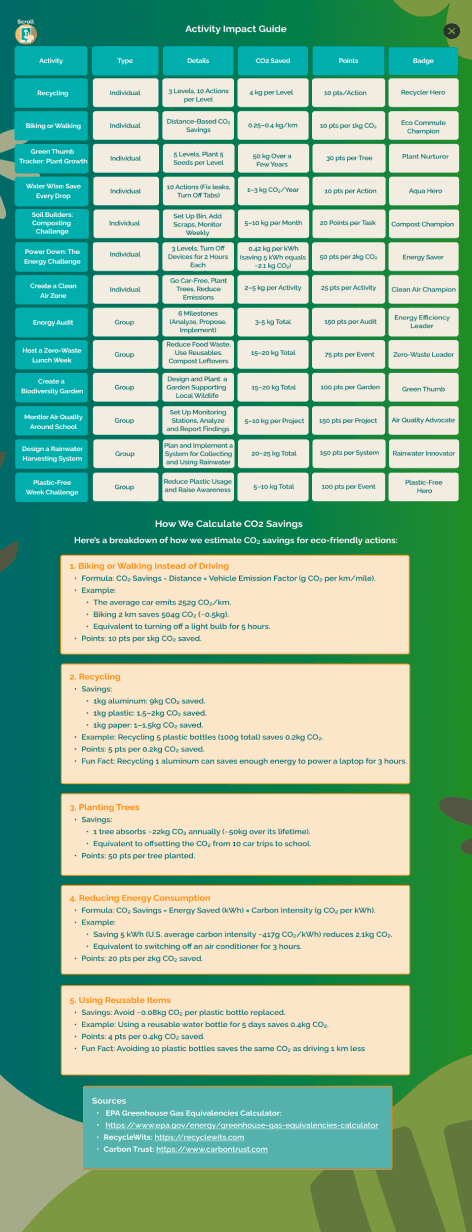

Before Phase 2 Usability:
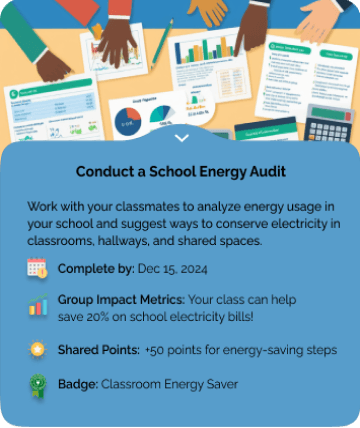
Users frequently needed additional information about tasks (e.g., impact, relevance) but had to search through multiple screens to find it.
Before Phase 2 Usability:
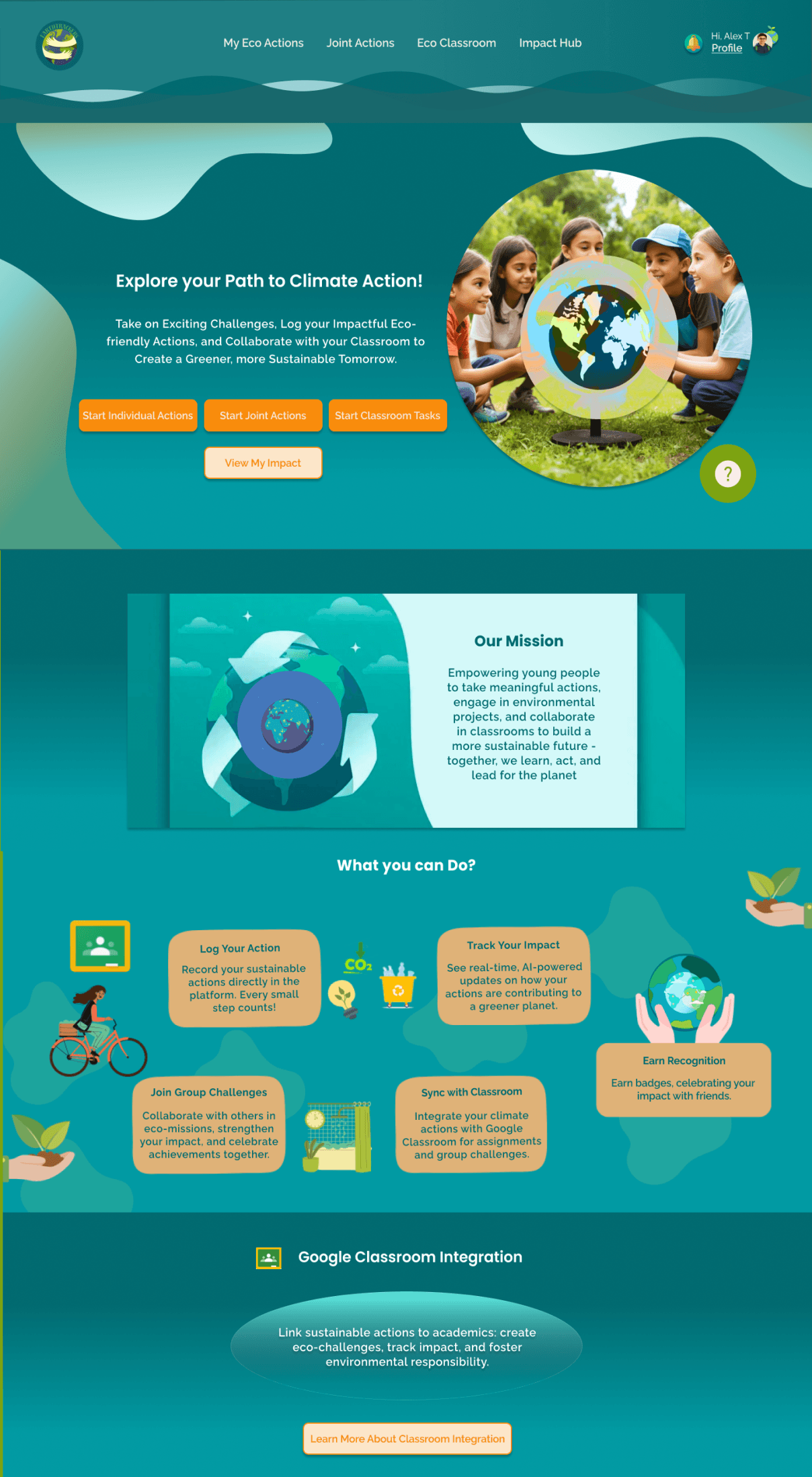
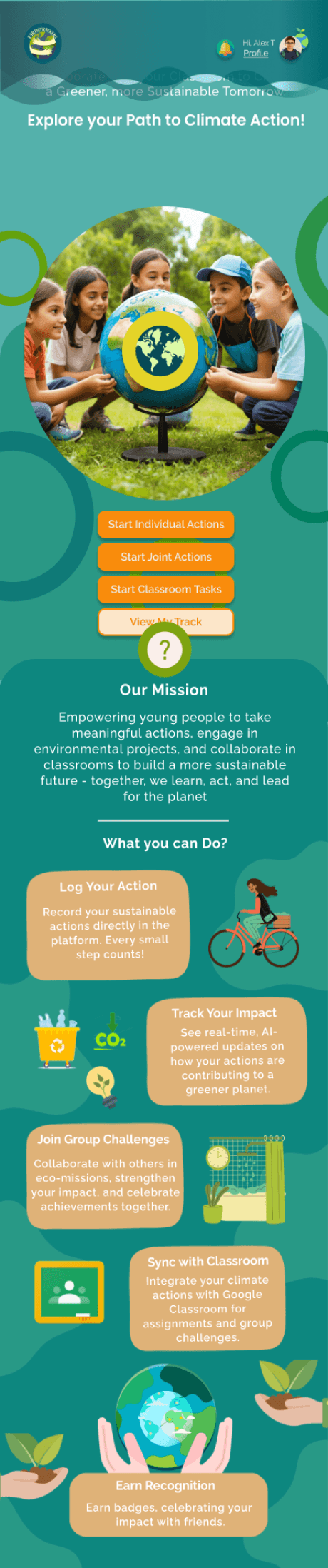
The leaderboard was buried under the "Impact Hub" section in the navigation bar, reducing its visibility.
After Phase 2 Usability:
A floating Question Button was added to all screens. This button acts as an Activity Impact Guide, offering quick access to task details, such as environmental impact, estimated time, and other helpful tips.
After Phase 2 Usability:
Moved the leaderboard to the home screen and added notifications for points earned, ensuring users could easily see and track their progress.
Outcome:
The button made key information more accessible, reducing friction and improving the overall user experience.
Outcome:
Usability testing showed that users rarely navigated to the ”Impact Hub” to check the leaderboard, likely contributing to a lack of motivation to compete or collaborate. This behavior highlighted the need for better visibility to drive engagement.
Increased engagement and fostered a sense of friendly competition among students and teachers.
Activity Impact
Guide
Key Takeaways
UI/UX Growth
Design Consistence
User-Centered Iteration
Collaboration
Responsive Design
Designed cohesive, accessible interfaces tailored for students and educators, ensuring usability in an educational context.
Delivered a seamless user experience through consistent visuals and functionality, enhancing engagement.
Refined designs based on user testing, improving task completion rates by 20% and boosting satisfaction.
Partnered with educators and students to integrate feedback, fostering a user-first approach.
Created adaptive interfaces for desktop and mobile, ensuring accessibility across devices.
Thank You for Taking the Time to Review my Work!
Mohebat



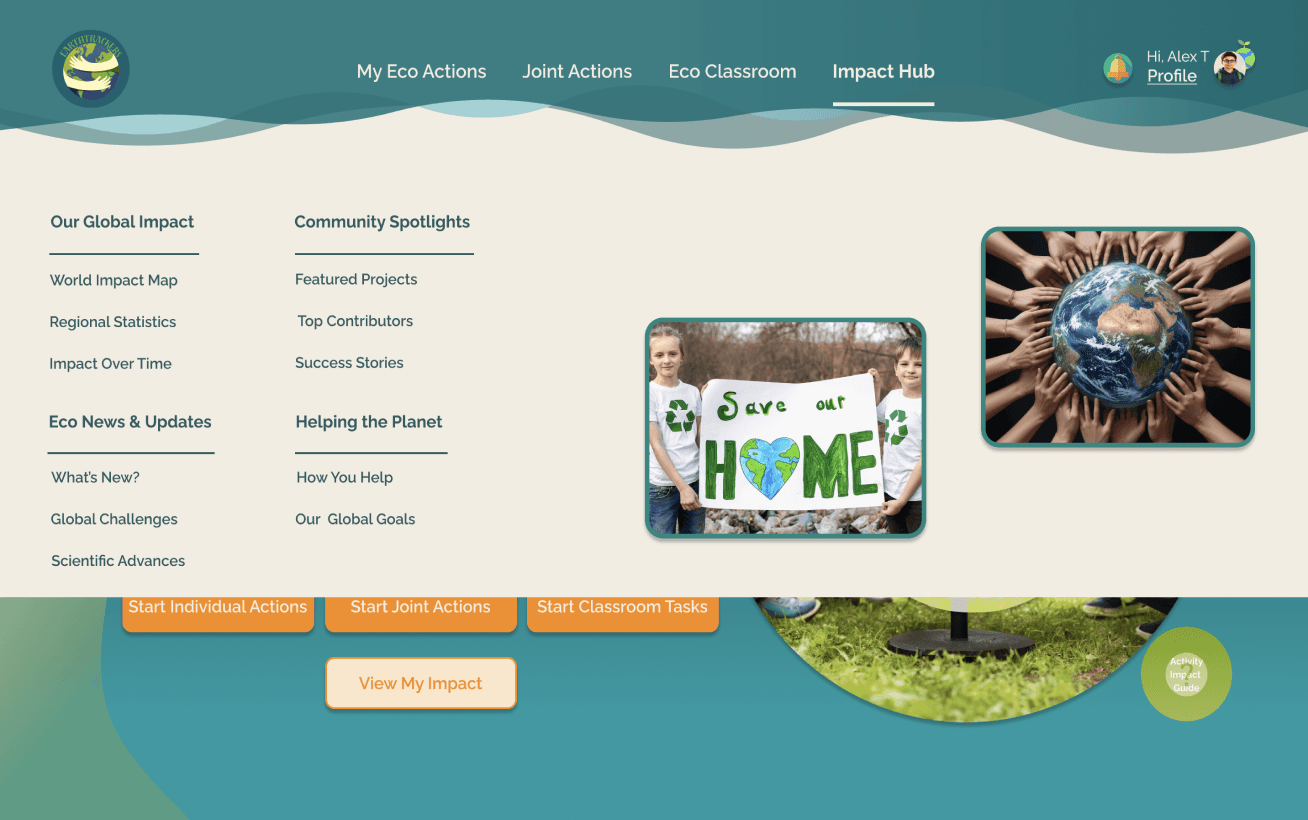
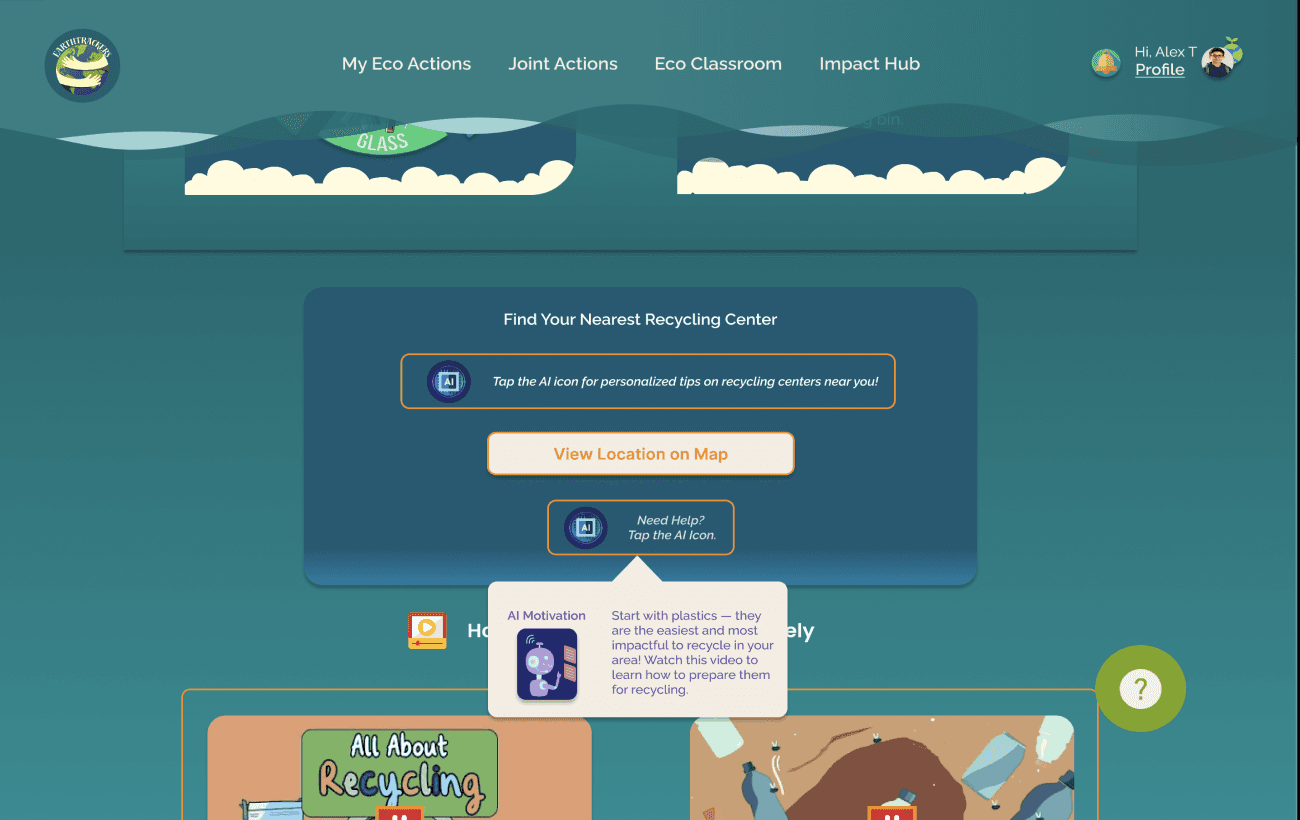
Overlays
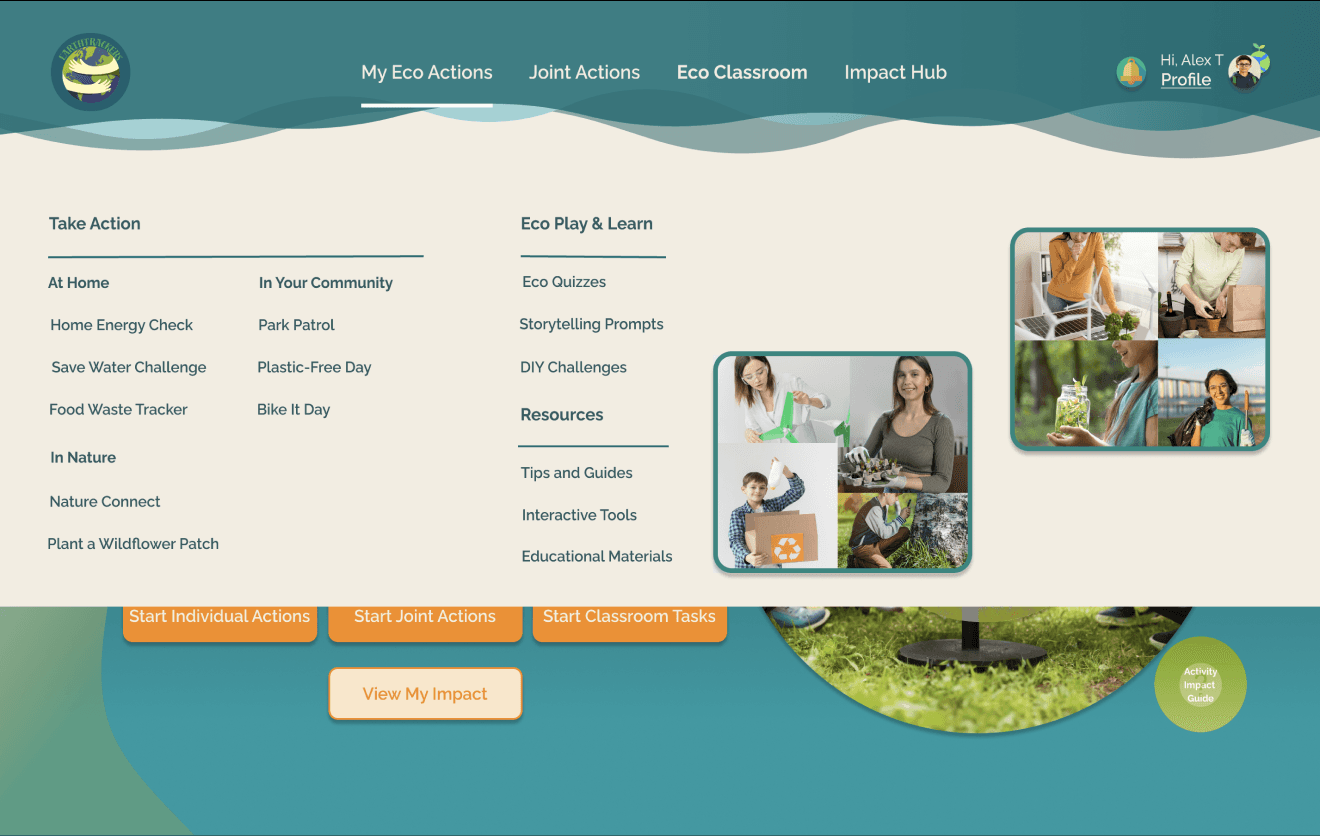
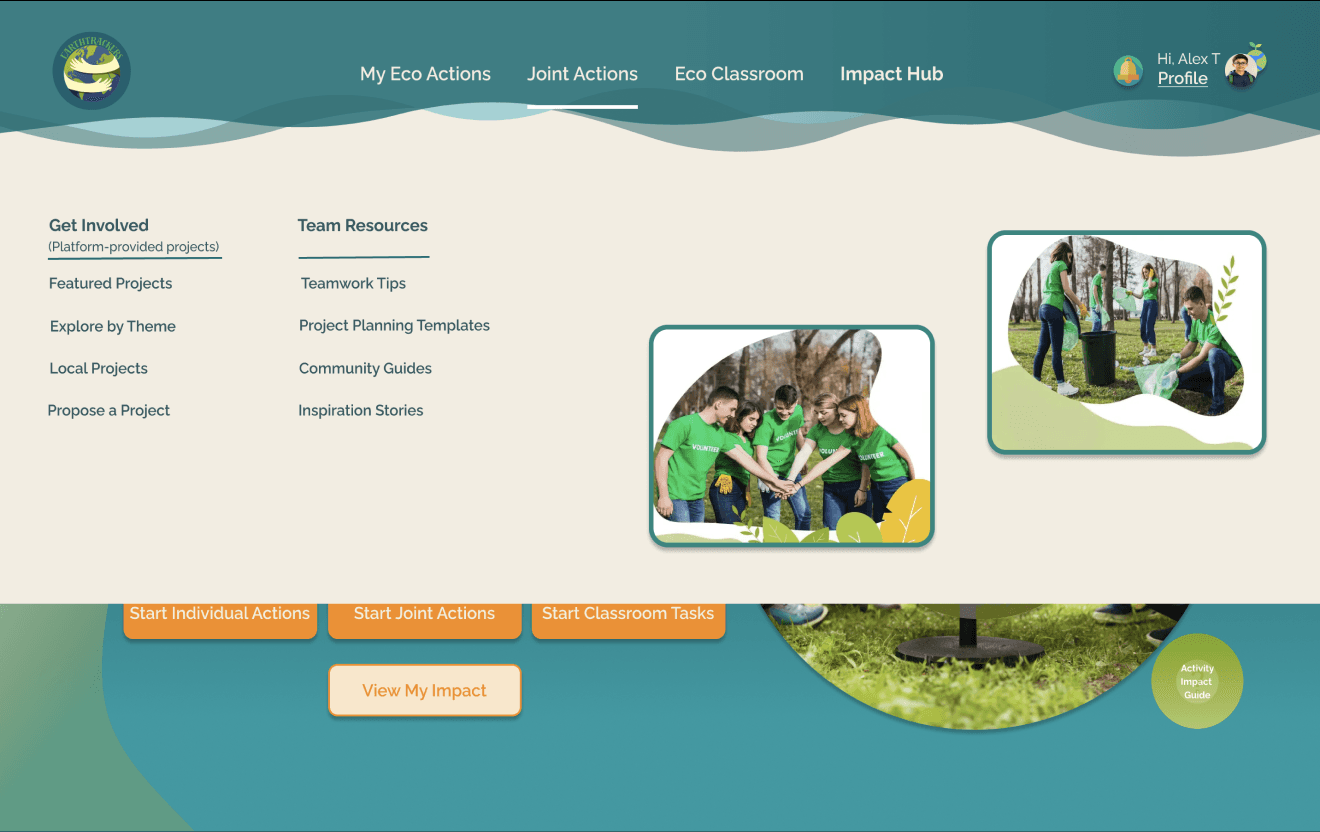
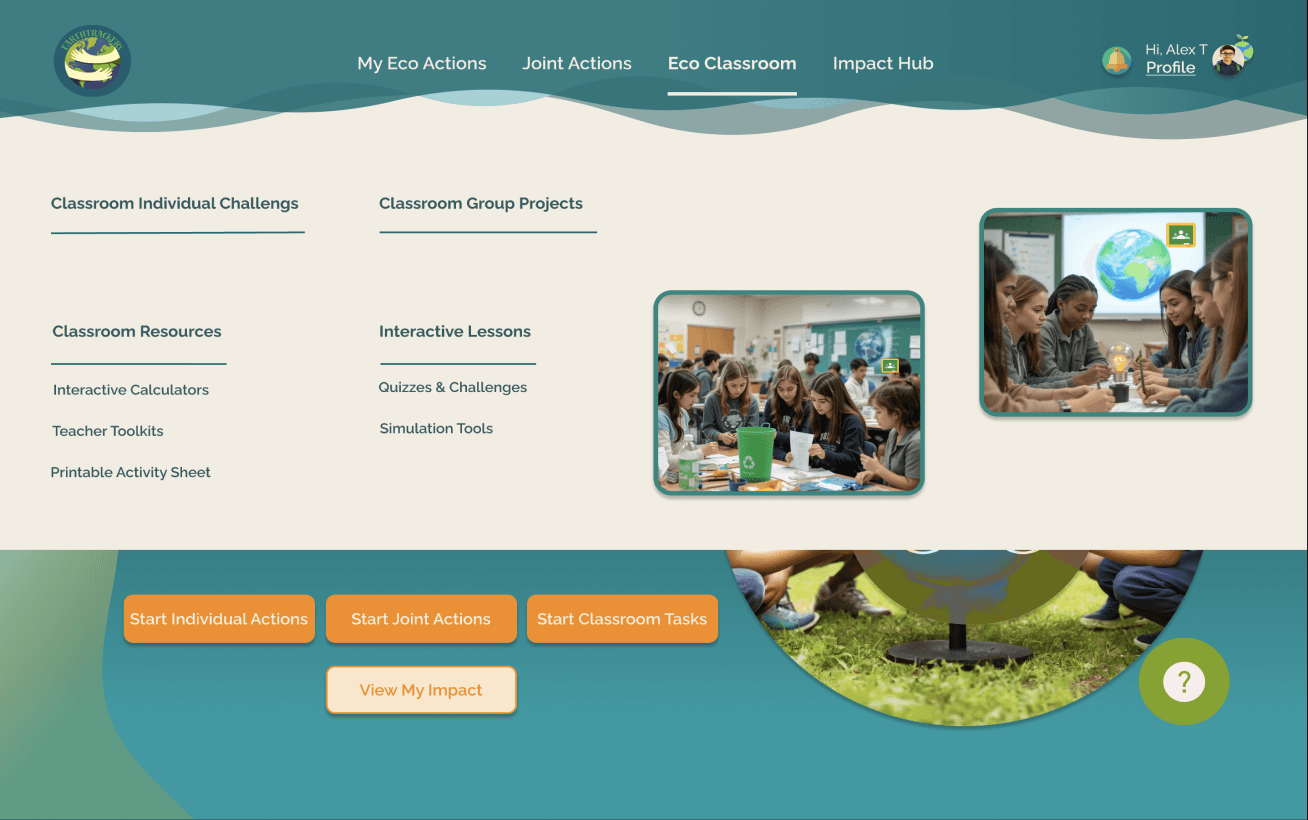
Navigation Bar Overlay
Need Help? Overlay
AI Insights Overlay
Filtering Options’ Overlays
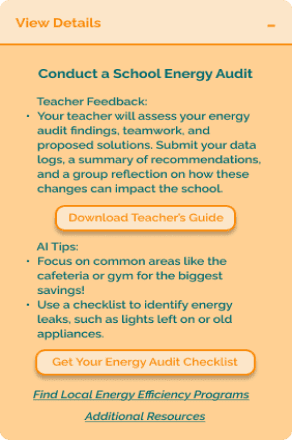
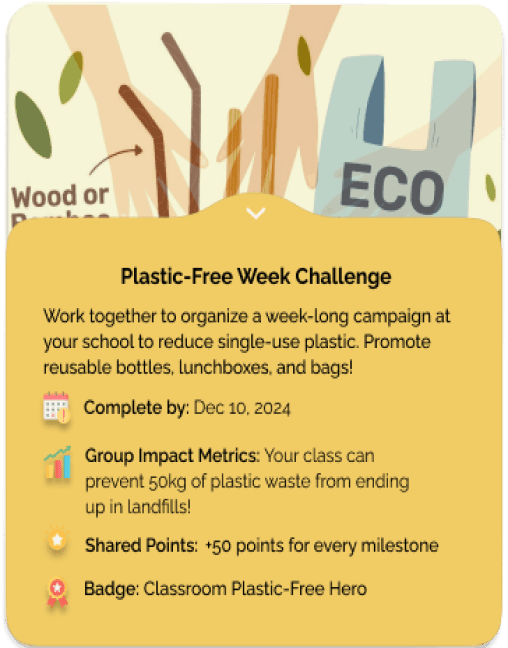
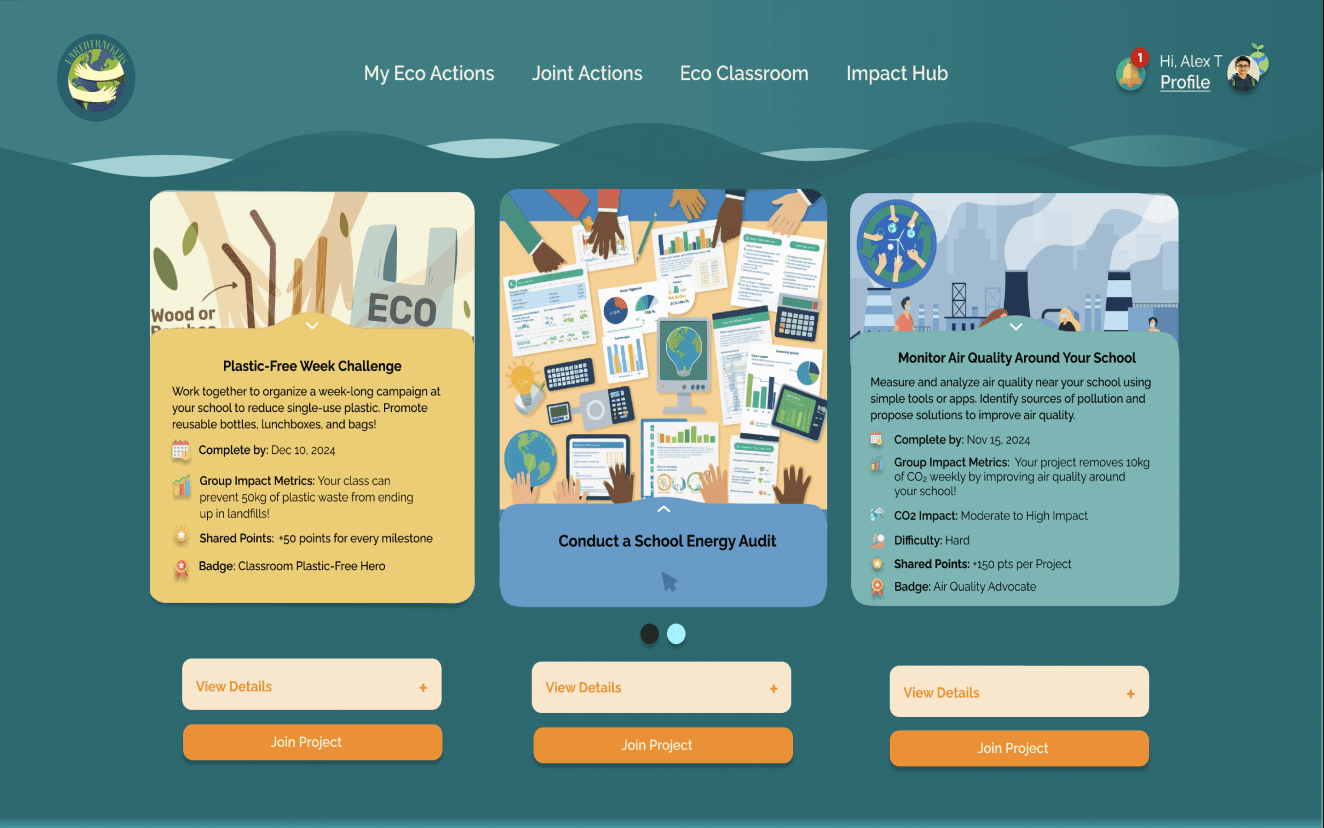
Eco Challenges’ Key Information Overlays
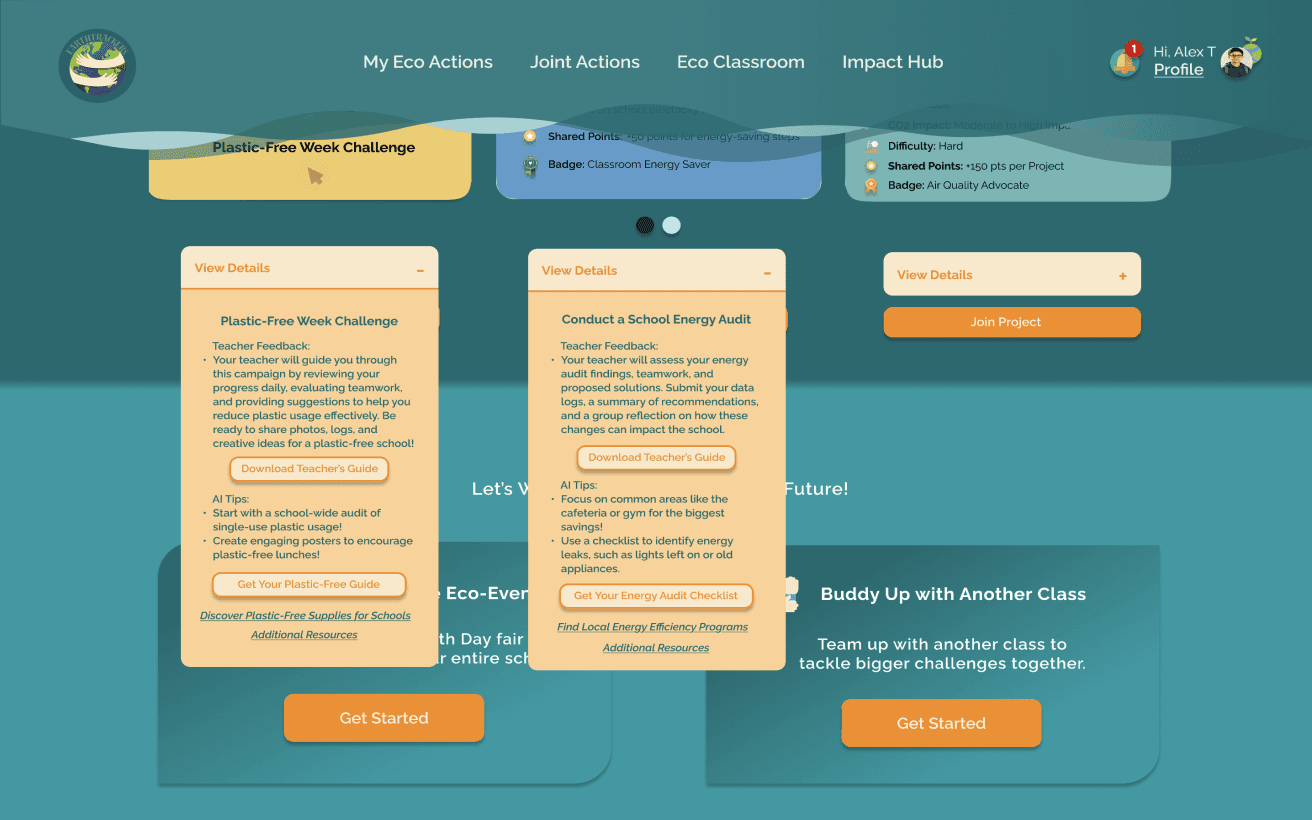
Eco Challenges’ Additional Details Overlays
My Eco Actions
My Eco Actions
Eco Classroom
Impact Hub
Take Action
Eco Play & Learn
Resources
Classroom Individual Challenges
Classroom Group Projects
Classroom Resources
Interactive Lessons
Our Global Impact
Community Spotlights
Eco News & Updates
Helping the Planet
Get Involved
Team Resources


Activity Impact
Guide
Recycling Challenge
Task Overview:
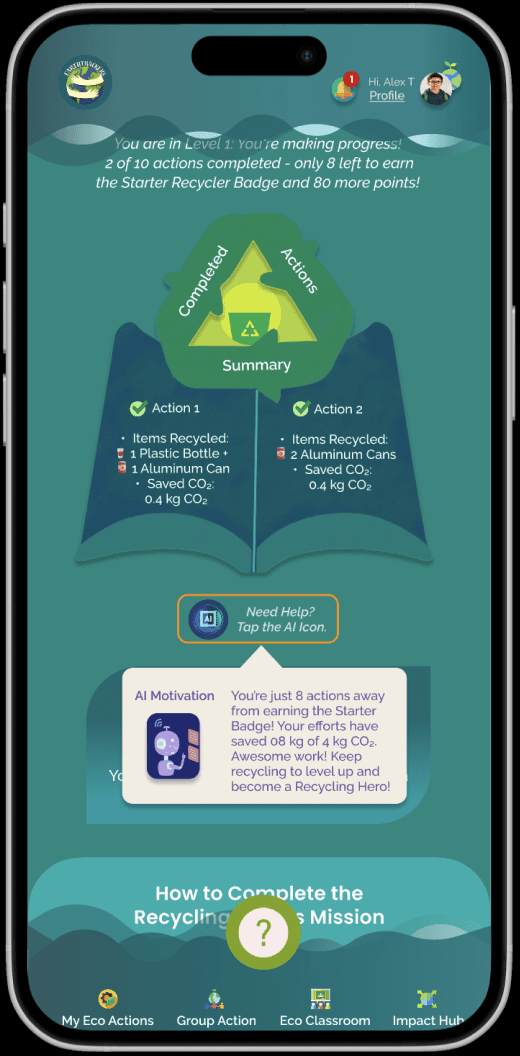
Students were guided to sort recyclable items in their real-world environment, reflect on their actions’ environmental impact, and submit progress for teacher feedback through the platform.
Testing Process:
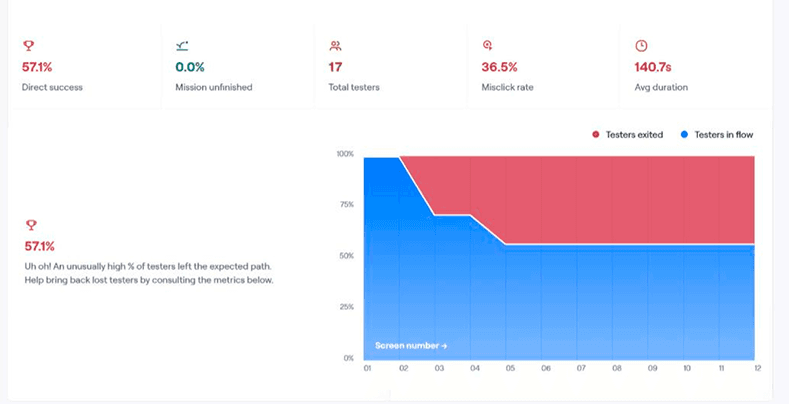
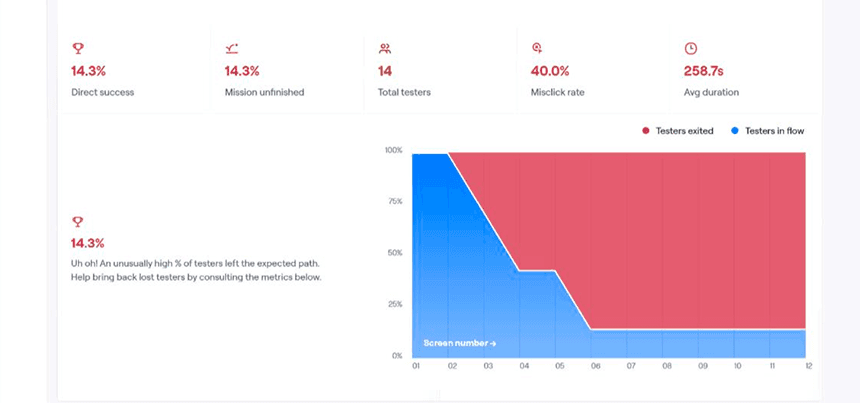
Using Maze, we simulated the student experience by assessing:
Clarity and usability of the instructions provided.
Ease of submitting progress (e.g., uploading photos or marking the task as completed).
Results:
Task Efficiency: Students completed the process 45% faster compared to the initial design, demonstrating streamlined guidance and improved interface clarity.
Energy Audit
Task Overview:
Students worked collaboratively on a classroom project to assess their school’s energy usage and propose actionable solutions. The platform provided detailed guidance, submission tools, and progress tracking.
Testing Process:
Using Maze, we evaluated:
Accessibility and usability of project instructions for group members.
Navigation ease for uploading findings and progress.
Results:
Task Efficiency: Project completion time improved by 40%, reflecting better workflow management and collaboration support on the platform.
How Do We Evaluate Success?
To measure the usability and effectiveness of the Earth Trackers platform, we conducted tests focusing on two core activities:feedback) and the Energy Audit (a classroom group project).
Maze Report
Test 1
Test 2