EarthTrackers: Engaging Young People in Climate Action Through Interactive Experiences

Navigation Structure
Participants
10 students aged 11–14.
Objective
To validate the navigation structure, ensuring 11–14-year-old students could complete tasks intuitively.
To aligns with the Define and Test stages of design thinking, prioritizing usability and clarity in real-world contexts.
Tree Testing
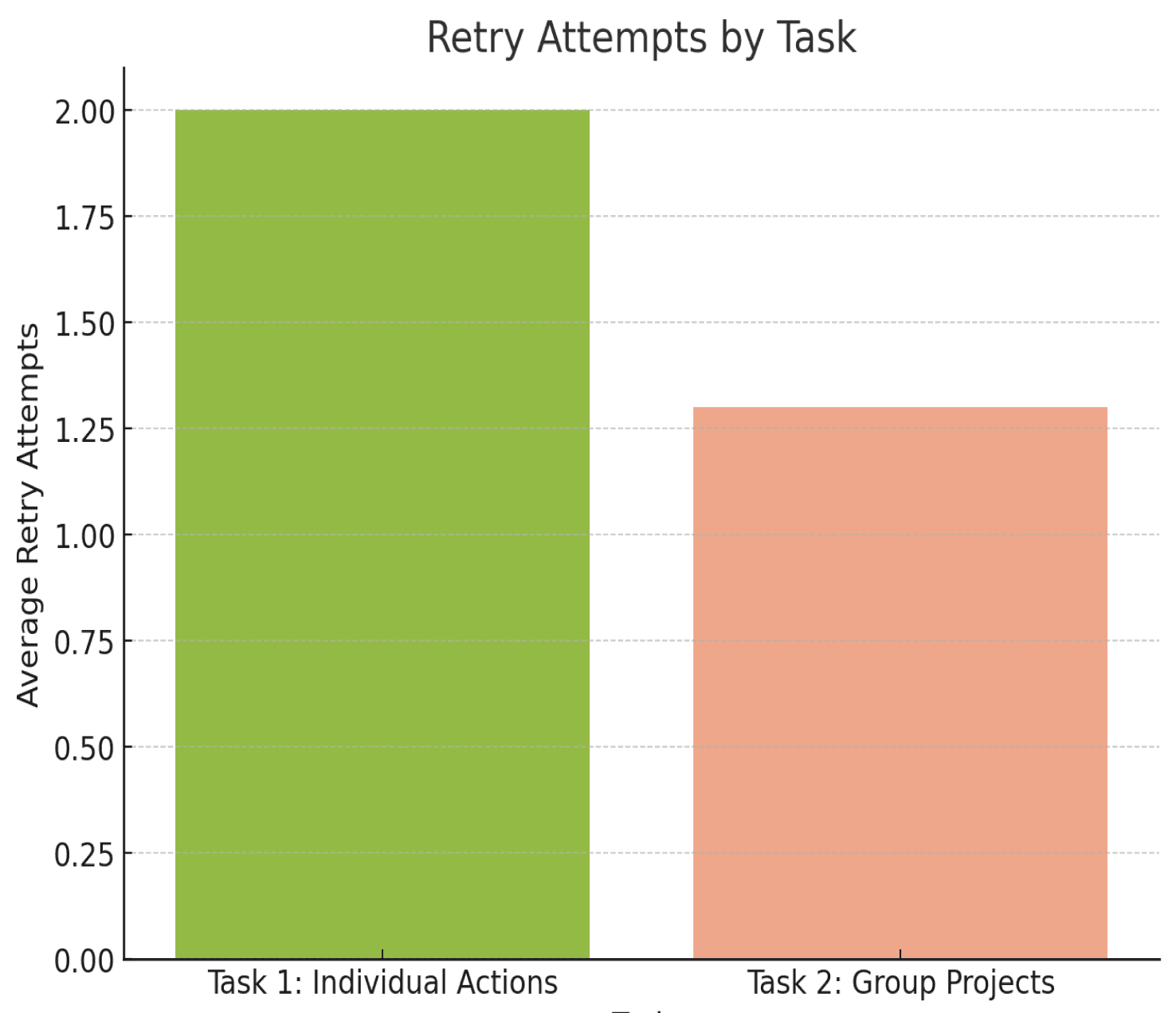
Successful Attempts: 25 seconds.
Failed Attempts: 40 seconds due to navigation confusion
Successful Attempts: 18 seconds.
Failed Attempts: 30 seconds due to navigation confusion.
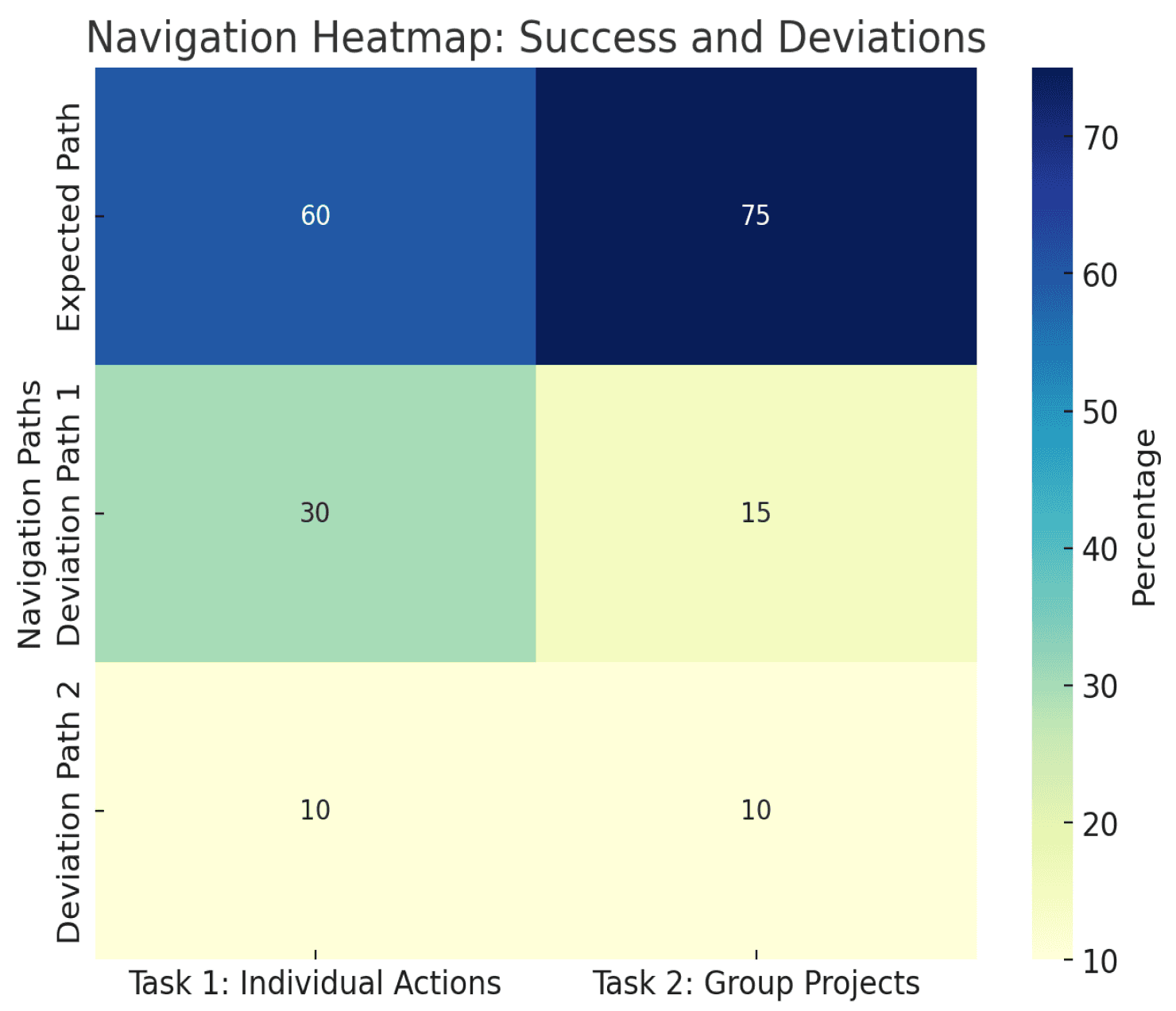
Navigating to My Actions: 30% mistakenly searched here.
Searching Other Categories: 10% checked unrelated sections.
Overlooking in Classroom: Some missed tasks due to unclear labels.
Group Actions: Some participants mistook Group Actions for the correct path.
Eco Classroom Overlap: A few explored Eco Classroom due to unclear distinctions between categories.
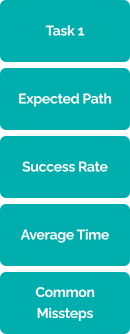
Complete two actions and submit a reflection for the individual task, Recycling Challenge.
Navigate to My Eco Actions > Select individual tasks (teacher feedback) >
Locate the Recycling Challenge > Complete actions and submit the reflection
60%
75%
Landing Page
My Eco Actions
Individual Challenges
Recycling Challenge
Save Water Challenge
Action Tracker
Eco Tips & Resources
Submit Your Actions
Group Actions
Join a Project
Beach Cleanup
Team Collaboration Tools
Project Gallery
Group Challenges
Eco Classroom
Classroom Group Projects
Energy Audit
Resources
Teacher Toolkit
Interactive Calculators
Impact Hub
Global Impact Map
Regional Impact Visualization
Community Spotlights
Eco News & Updates
Inter-School Challenges
Profile
User Dashboard
Achievements & Badges
Account Settings
Progress Summary
Key Insights:
Task 1 (Recycling Challenge):
Participants found the placement under Individual Platform-Assigned Tasks somewhat intuitive but often confused it with My Actions.
Task 2 (Energy Audit Project):
Placement in Group Teacher-Assigned Projects was clear for most participants, though some mistook Group Actions for the correct path due to overlapping category labels.
Solutions:
Improve Category Labels:
Rename Group Teacher-Assigned Projects to Classroom Group Projects for better alignment with classroom tasks.
Rename Individual Platform-Assigned Tasks to Classroom Individual Tasks to reduce confusion with My Actions.
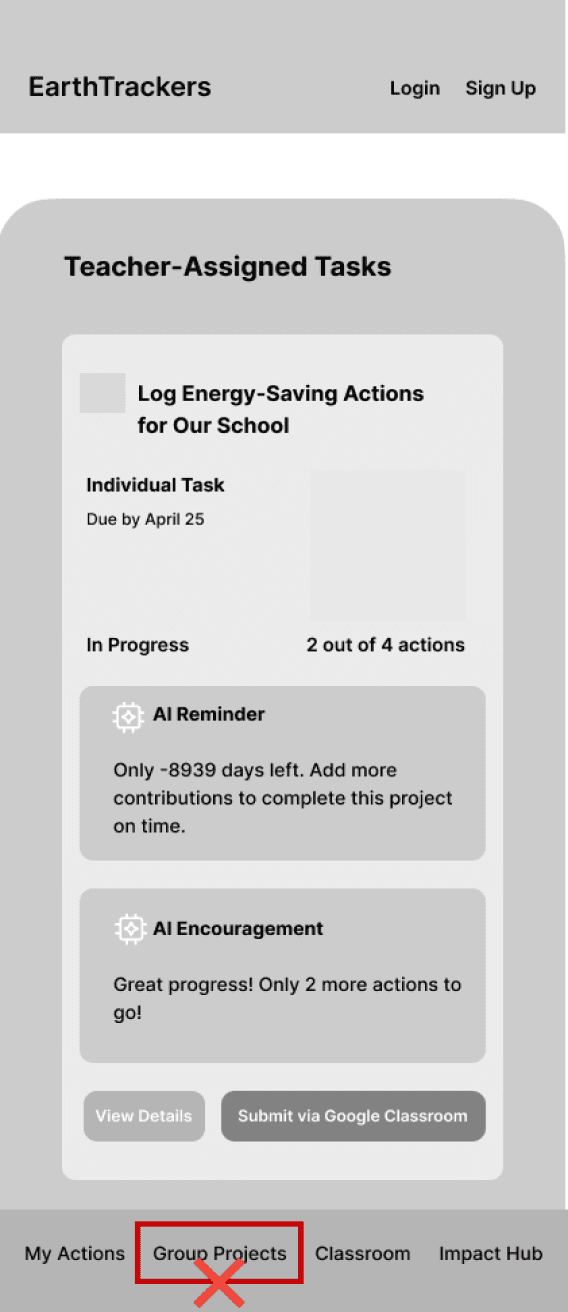
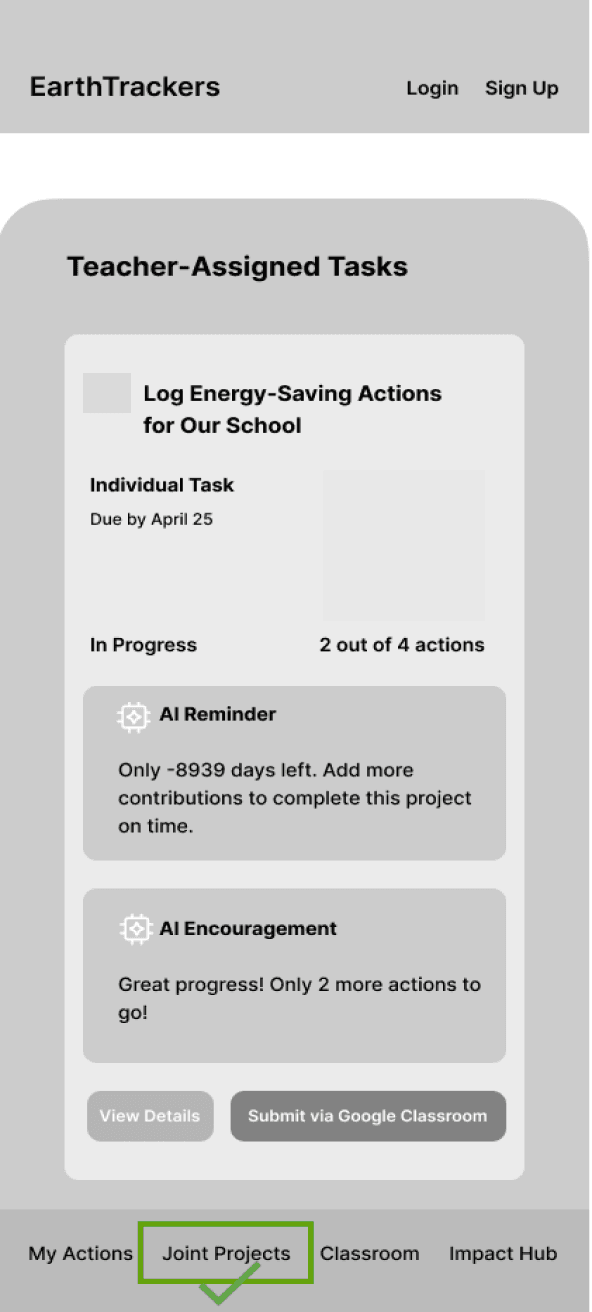
Rename Group Actions to Joint Actions to emphasize platform-driven, community-based collaborations outside the classroom environment.
Relocate Tasks:
Move Individual Platform-Assigned Tasks from the My Actions category to the Eco Classroom category to align teacher-guided tasks with classroom-related activities.
Refine Categories & Subcategories:
Simplify and clarify overlapping labels between Eco Classroom and Group Actions (now Joint Actions).
Ensure distinctions between platform-driven collaborations and classroom-specific tasks are clear.
Enhance Navigation Path:
Add tooltips or brief descriptions for categories like Eco Classroom and Joint Actions to better define their purposes and reduce navigation errors.
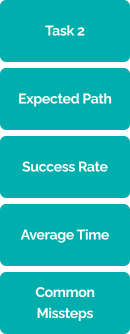
Complete the Energy Audit project as a group
Navigate to Classroom > Select Group Projects > Locate the Energy Audit
task > Complete the group project activities
Site Map
Navigation Links
Call-to-Action
Help & Support
Terms & Conditions
Social Media Links
Privacy Policy
About Us
The User’s Dashboard
Based on the findings from tree testing, the navigation structure was refined to address user confusion and improve clarity. The revised site map below incorporates these changes.
Impact Over Time
World Impact Map
Regional Statistics
Featured Projects
What’s New?
Global Challenges
Our Global Goals
How You Help
Scientific Advances
Success Stories
Our Global Impacts
Community Spotlights
Eco News & Updates
Helping the Planet
Top Contributors
Take Action
At Home Activities
In Nature Activities
In Your Community Activities
Eco Play & Learn
Eco Quizzes
Storytelling Prompts
DIY Challenges
Tips & Guides
Interactive Tools
Educational Materials
Resources
(Platform-provided projects)
Get Involved
Explore by Theme
Local Projects
Propose a Project
Teamwork Tips
Project Planning Templates
Inspiration Stories
Team Resources
Featured Projects
Community Guides
Interactive Calculators
Teacher Toolkits
Quizzes & Challenges
Printable Activity Sheets
Classroom Individual Tasks (Teacher-guided platform tasks)
Classroom Resources
Interactive Lessons
Simulation Tools
Classroom Group Projects (Teacher-assigned tasks,
Joint Actions
My Eco Actions
Eco Classroom
Impact Hub
Profile
Welcome Banner
Navigation Bar
Landing Page
Mission Statement
Quick Access Links & Buttons
Suggested Activities
Classroom Integration
Top Challenges
Testimonials
Leaderboard
Footer
Key Features for Students & Teachers
Solution Ideation
Methods:
Brainstorming, sketching, and mind mapping.
Key Ideas Generated:
Platform as a Medium: Facilitating classroom-based environmental activities where students engage in platform-provided individual challenges and teacher-assigned group projects, seamlessly integrated with Google Classroom.
Gamified Encouragement: Rewarding students with points, badges, and visualizing their contributions (e.g., CO₂ savings) to boost engagement and create a sense of achievement.
Teacher Guidance: Combining the platform’s motivational features with teacher feedback to provide personalized guidance, fostering deeper learning and accountability in both individual and group tasks.
AI-Powered Guidance for Meaningful Action: Offers AI-driven tips and insights to support students with personalized guidance, helping them make meaningful climate actions.
Step 1: Ideation Session and Brainstorming
Step 2: Feature Placement in the Prioritization Matrix
LOW EFFORT
HIGH IMPACT
LOW IMPACT
HIGH EFFORT
Points and Badges System: Students earn points and badges for tasks.
Google Classroom Integration: Teachers assign and monitor activities via Google Classroom.
Fun Facts of the Day: A daily eco-fact displayed on the dashboard to spark curiosity and encourage small, sustainable actions.
Feedback with Reflection Questions: Teachers give feedback with prompts that help students reflect on their actions.
Leaderboard: Shows top students and teams for friendly competition.
AI-Driven Suggestions for Students: Personalized action recommendations for students.
Static Educational Resources: Library of environmental articles, videos, and infographics.
Advanced Project Customization Options: Teachers customize projects with unique criteria.
Daily Eco-Tips: Quick, daily eco-friendly tips or facts on the dashboard.
Group Projects with Contribution Tracking: Supports group projects with individual contribution tracking.
Basic Task Reminders: Notifications to remind students to log actions and complete tasks.
Interactive Eco-Map: Shows local environmental actions, allowing students to see the geographical reach of their actions.
Eco-Glossary:
A glossary explaining key environmental terms.
Augmented Reality (AR) Visualizations: Uses AR to show environmental impact (e.g., view pollution reduction in real-time).
Detailed Individual Action Insights: Advanced analytics on individual actions, such as tracking CO₂ savings in detail.
Key Must-Have Features (Low Effort, High Impact):
Points & Badges System: Encourages student participation through gamification.
Leaderboard: Fosters friendly competition to motivate users.
Daily Eco-Tips: Provides practical and simple learning moments without overwhelming students.
Basic Task Reminders: Keeps students on track with their actions.
Feedback with Reflection Questions: Teachers give feedback with prompts that help students reflect on their actions.
Key Enhancements for Engagement & Learning:
Google Classroom Integration: By integrating Google Classroom Integration, EarthTrackers bridges the gap between structured classroom learning and interactive, student-driven climate action. This ensures that students not only complete challenges but also receive structured feedback and guidance from their teachers, making it a high-impact, essential element of EarthTrackers.
AI-Driven Insights: Enhance engagement by providing personalized guidance and impact tracking.
Students receive relevant action suggestions and see their real-world impact, such as CO₂ savings. By supporting rather than overwhelming, AI makes sustainability education more interactive and motivating.
Task Placement and Clarity (Desktop)
Outcome:
Actions tied to teacher feedback feel naturally connected to the "Classroom" category.
It keeps the "My Actions" category strictly for independent, self-directed tasks.
Reduces confusion about the distinction between tasks with and without teacher involvement.
This change aligned tasks with user expectations, improving navigation clarity.
Usability & Iteration
(Phase 1)
Before Phase 1 Usability:
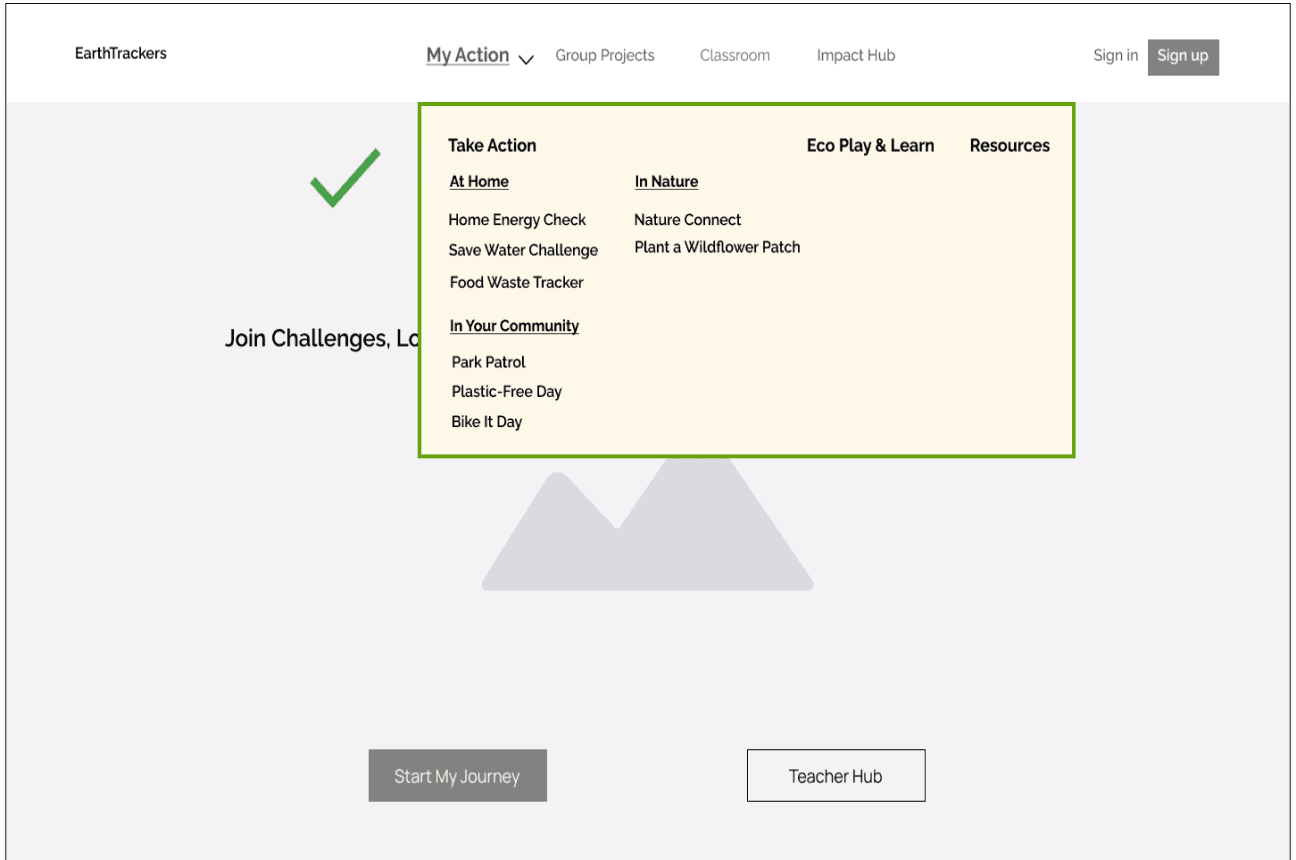
Individual actions (assigned by the platform and with teacher feedback) like Recycling Challenge were placed under ”My Actions”.
Users found this confusing, as they expected teacher-guided tasks to be under ”Classroom”.
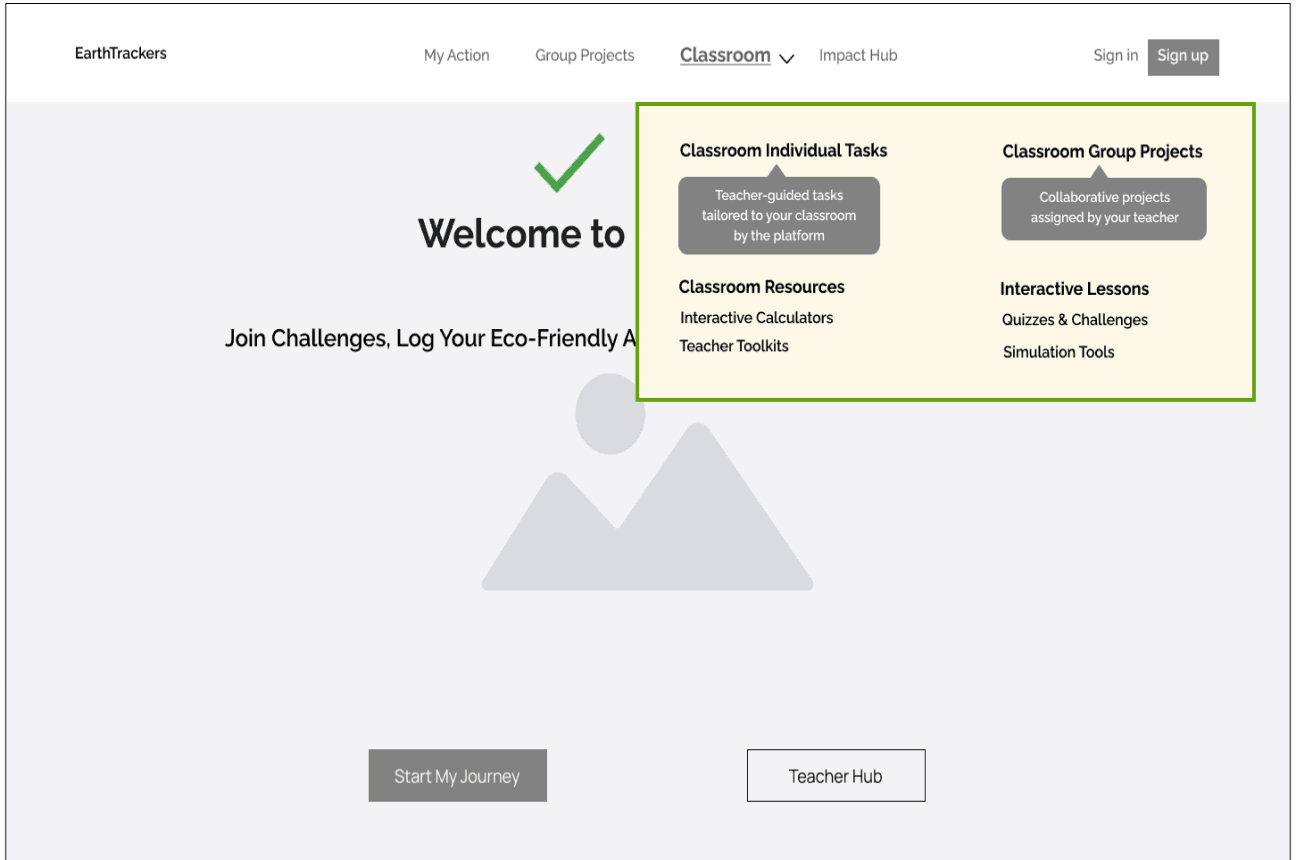
After Phase 1 Usability:
The “My Actions” category keeps all individual actions (No Teacher Feedback and directly related to the platform) centralized.
After Phase 1 Usability:
The individual tasks (with teacher feedback and guidance) were relocated to ”Classroom”, under
a new subcategory called Classroom Individual
Tasks, with tooltips to explain its purpose.
Improve Category Lables (Desktop & Mobile)
Before Phase 1 Usability:
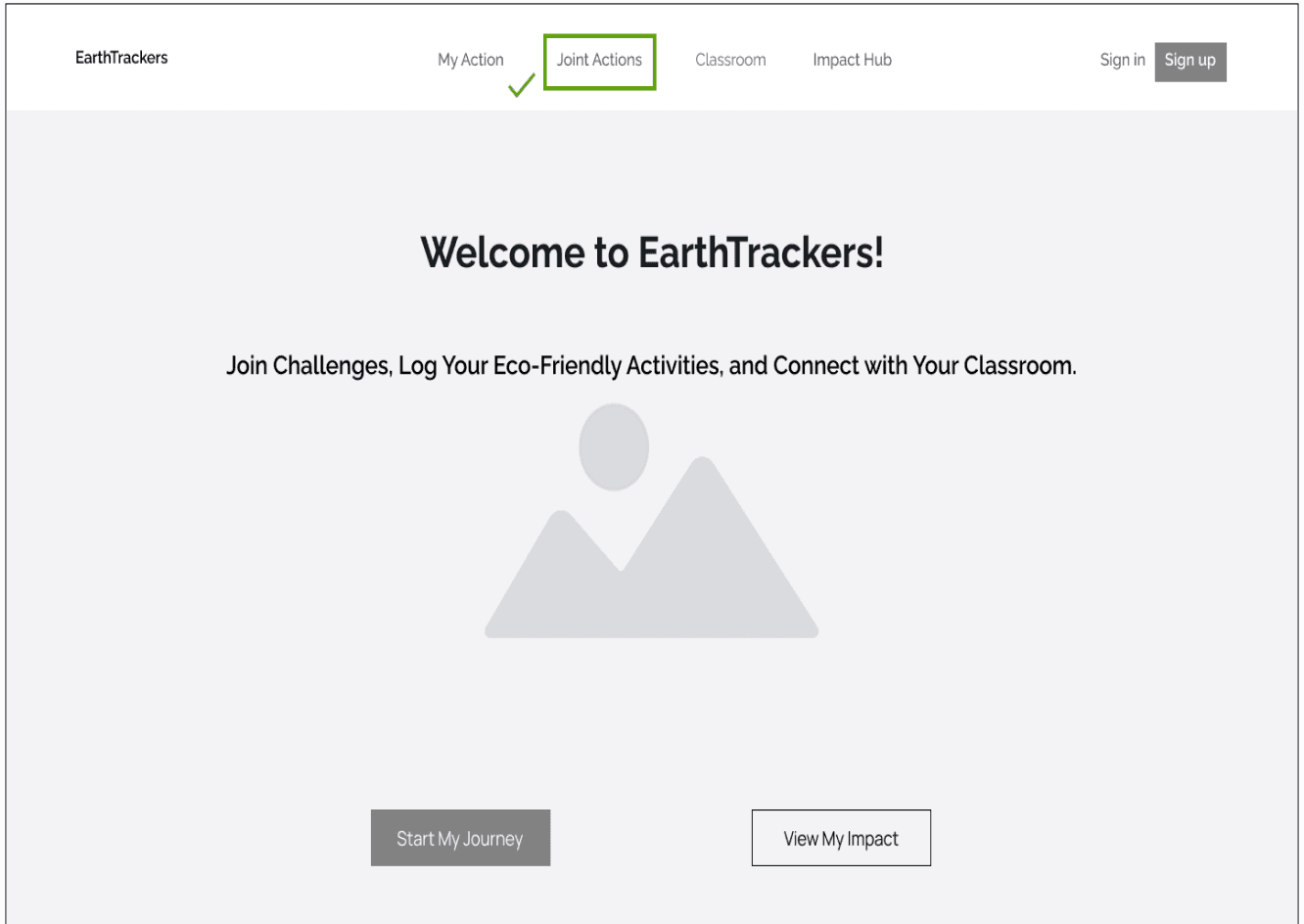
Navigation labels like Group Actions lacked clarity and often overlapped with classroom-related tasks, causing confusion.
After Phase 1 Usability:
Labels were updated (Group Actions → Joint Actions).
Outcome:
Streamlined Workflow: Users could immediately view all tasks in one place, improving efficiency and reducing friction. The extra buttons added visual clutter and required users to make an additional decision, disrupting workflow.
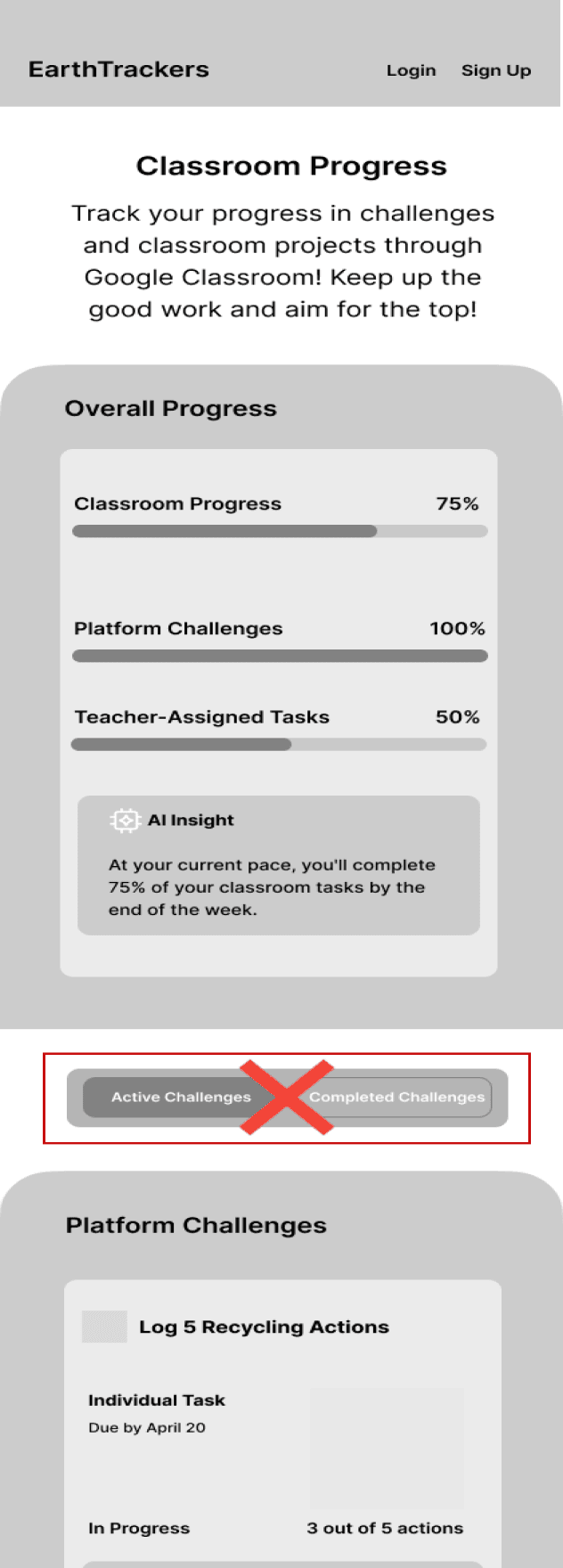
Removal of Active and Completed Challenges Buttons (Mobile)
4. Improving Hero Section Navigation (Desktop & Mobile)
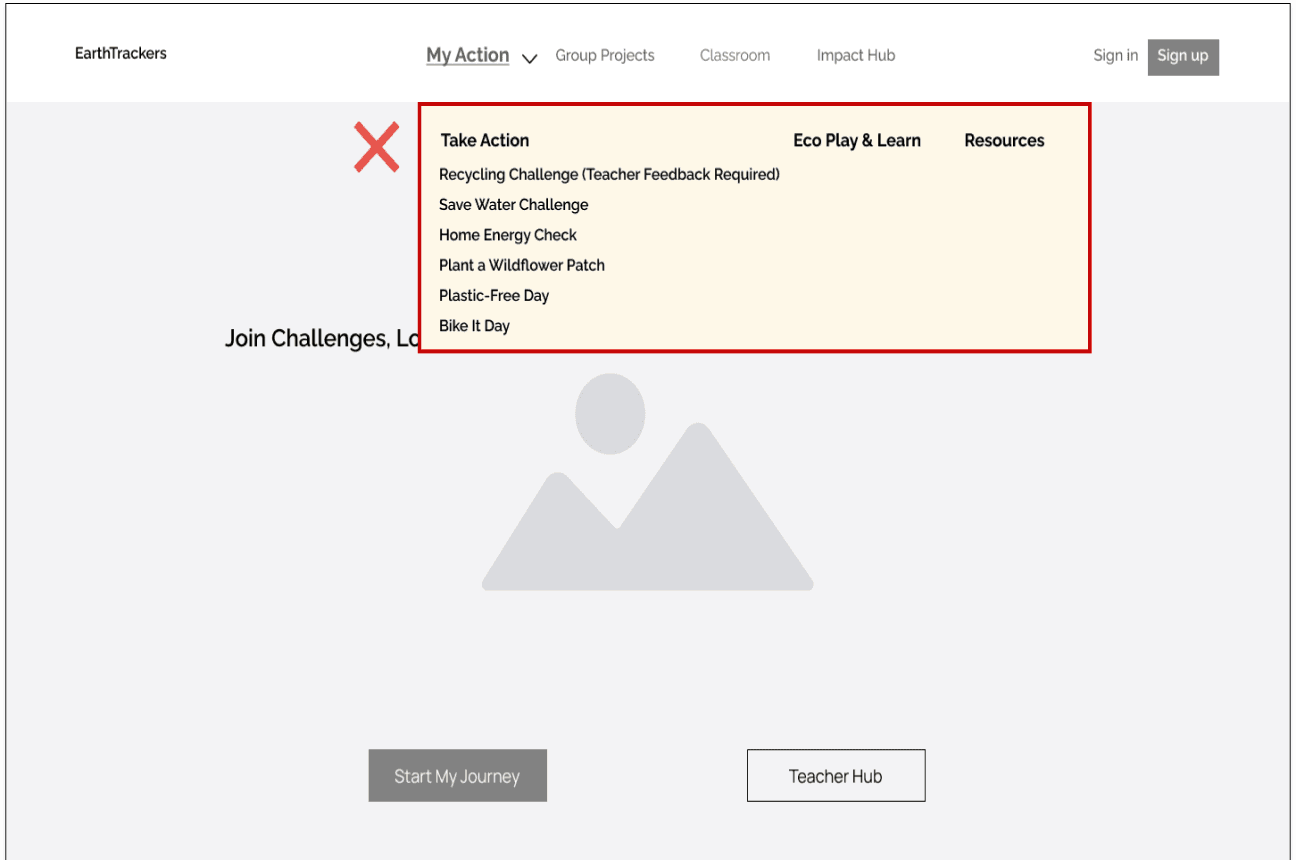
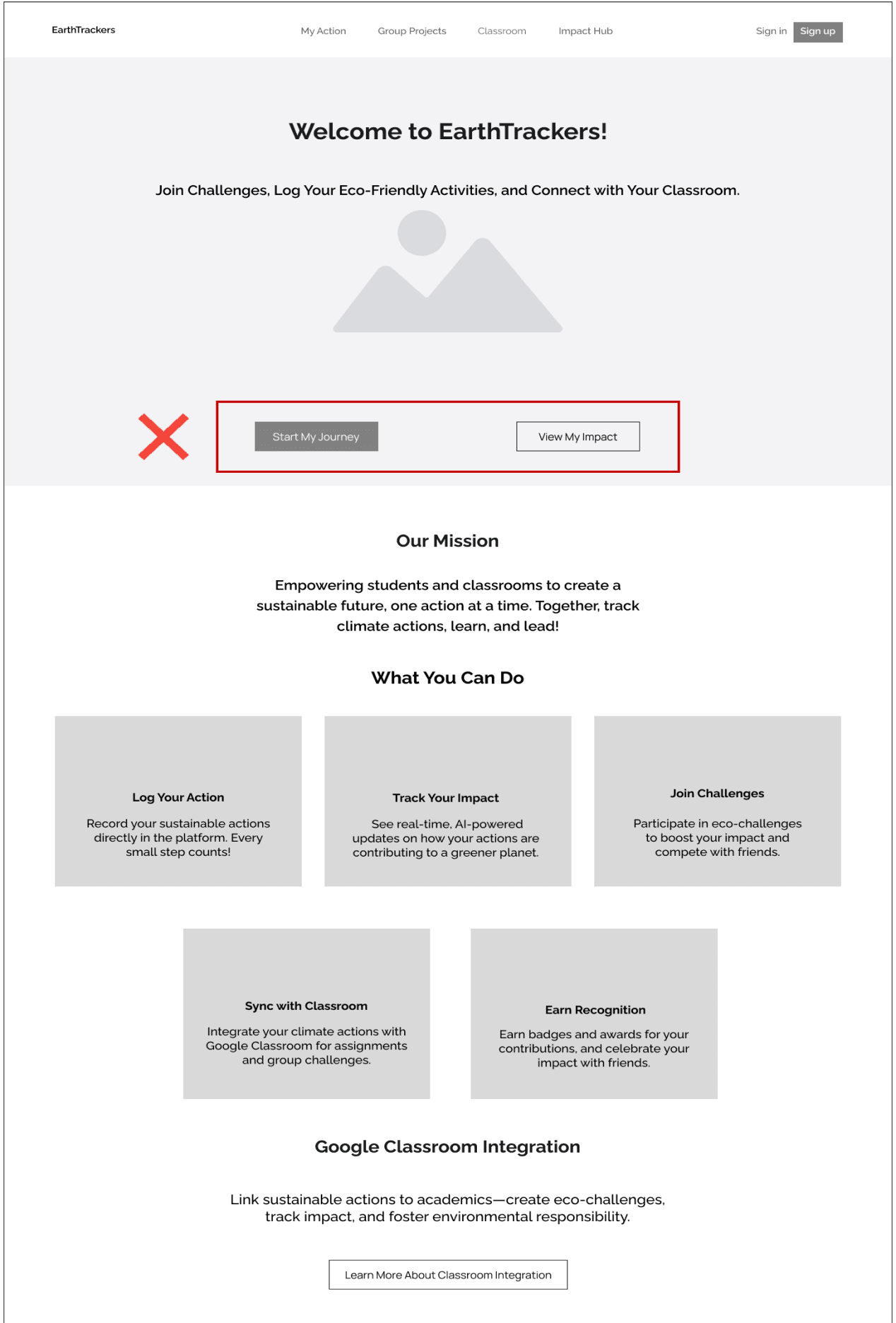
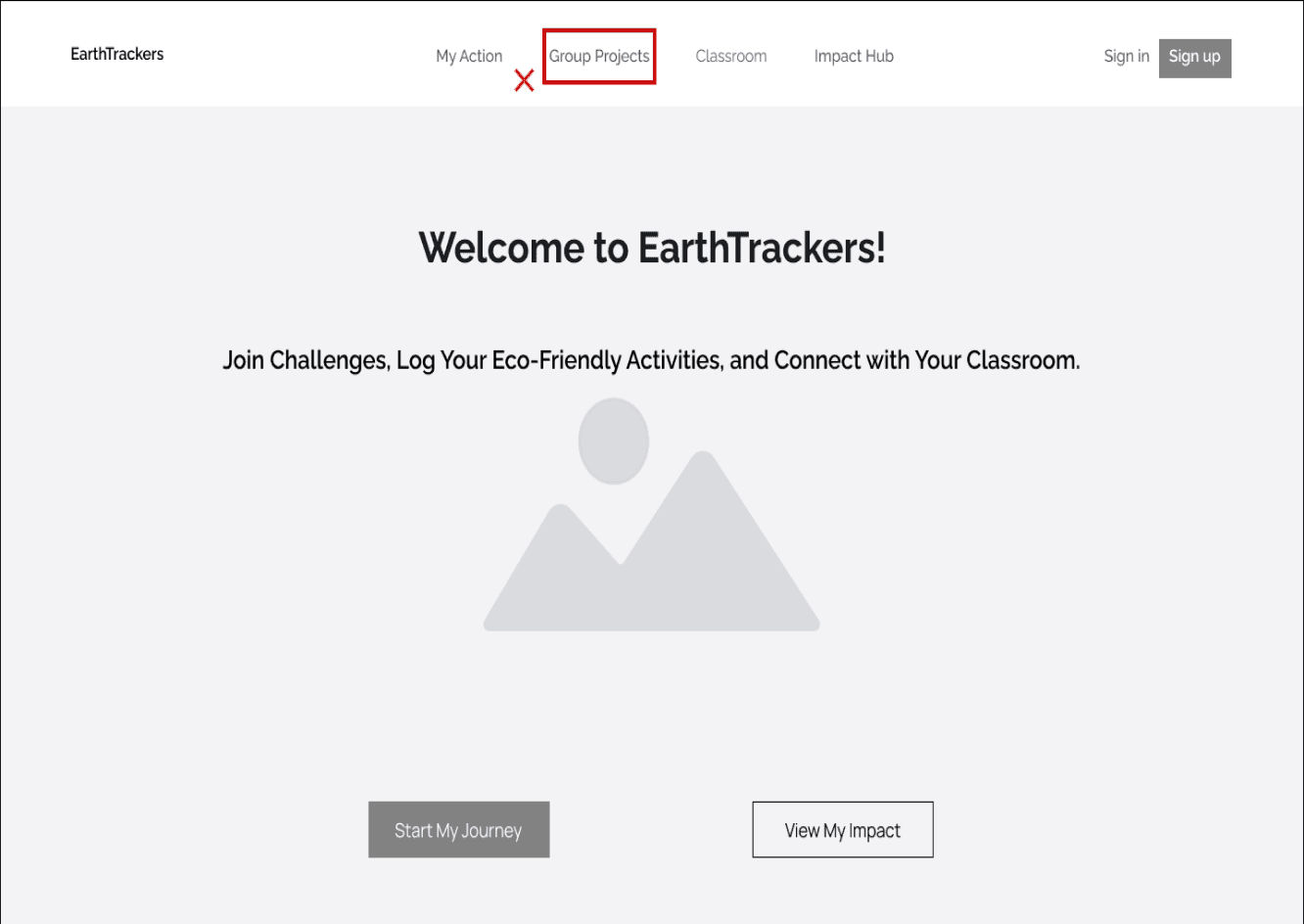
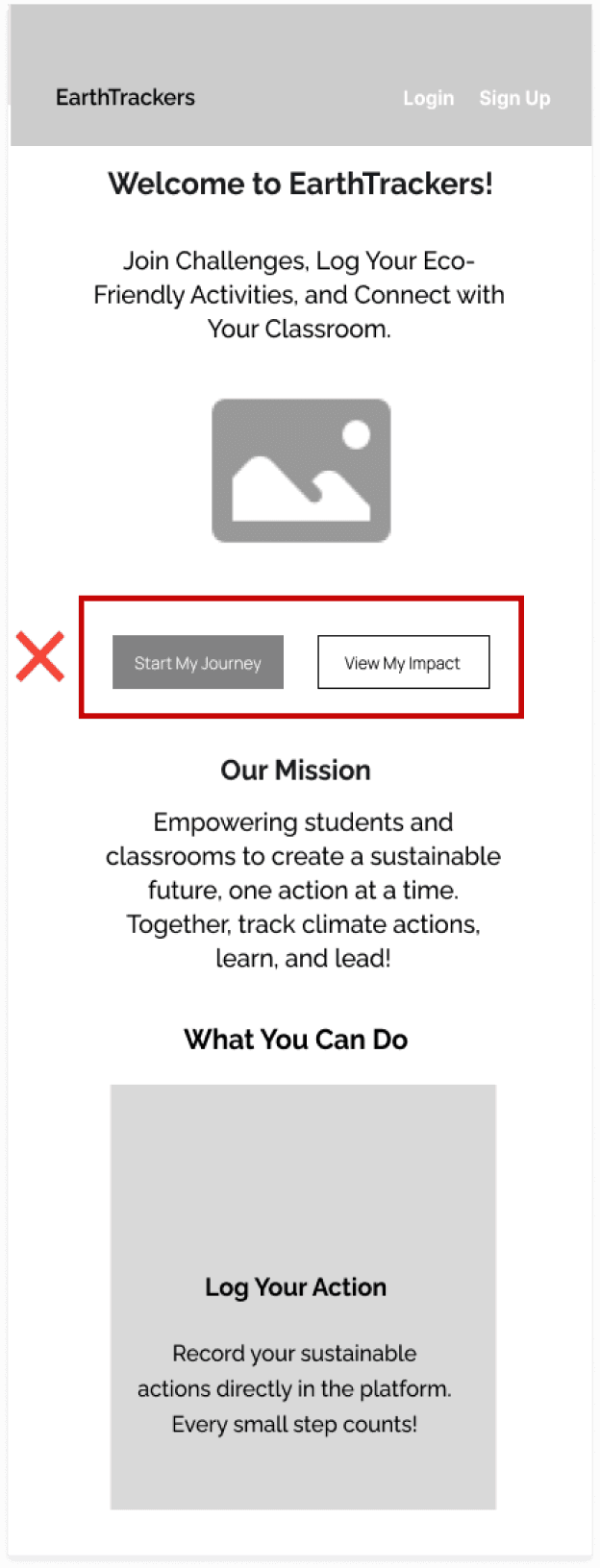
Before Phase 1 Usability:
The hero section had a single button, Start Your Eco Journey, which lacked clarity about its purpose and destination.
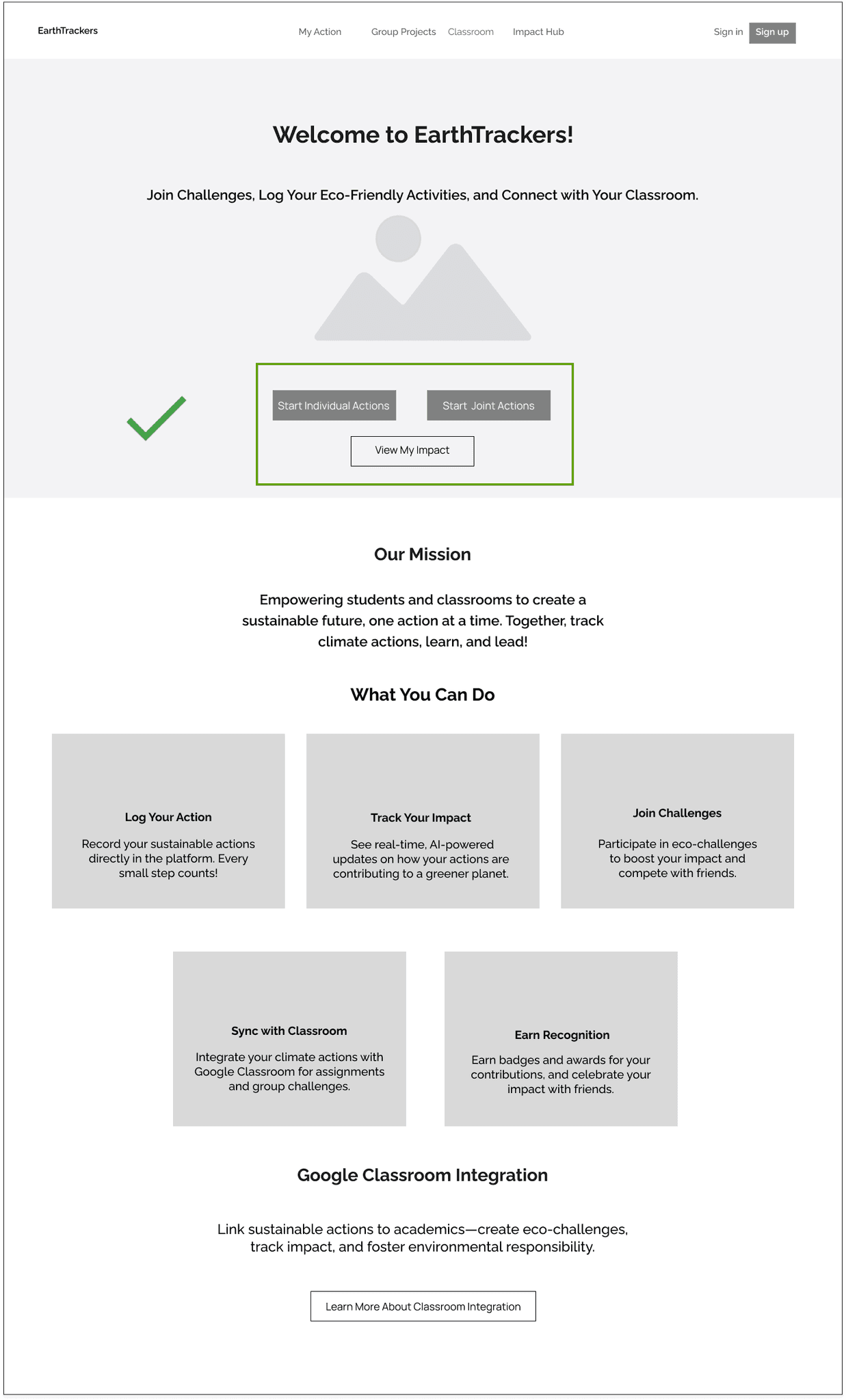
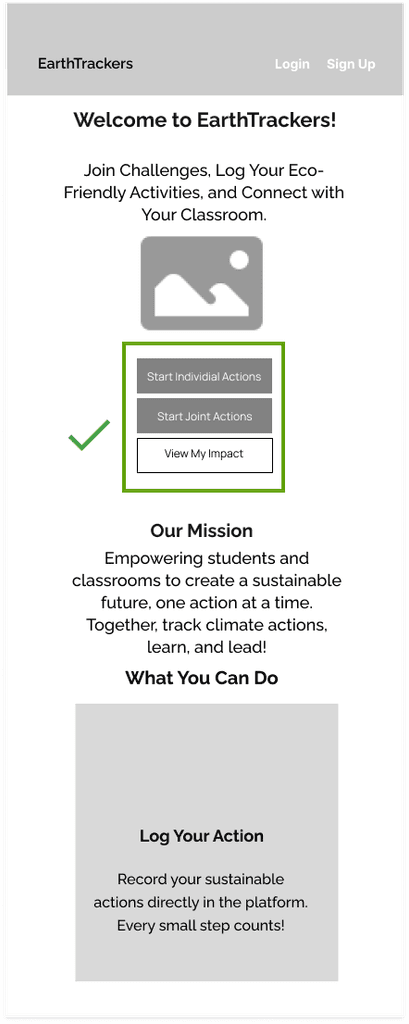
After Phase 1 Usability:
Replaced Start Your Eco Journey with three primary buttons (Start Individual Actions and Start Joint Actions) and a secondary button (Track My Impact).
After Phase 1 Usability:
Task statuses were already displayed within the task list using labels (e.g., "Active," "Completed") and visual indicators (e.g., progress bars), making the buttons unnecessary.
Outcome:
Users were unsure about the purpose of Start Your Eco Journey and what they would find after clicking it.
It didn’t align with the platform’s action-oriented focus, where users expect clear pathways to tasks and projects.
Users gained clarity and easy access to tasks, improving engagement and streamlining navigation.
Before Phase 1 Usability:
Two buttons, Active Challenges and Completed Challenges, were placed above the task list to categorize tasks by status
Outcome:
These updates reduced navigation errors and helped users differentiate between platform-driven and classroom-specific tasks.
User Flow
Takeaways from User Flow Design
Streamlined Student Experience: Optimized pathways ensure an intuitive structure, reducing unnecessary complexity and keeping students engaged.
Motivation & Progress Tracking: Students can log individual actions or join community projects, reinforcing sustainable habits and making their impact visible.
Seamless Teacher Support: Enables teachers to monitor student progress effortlessly, integrating sustainability without disrupting classroom routines.
Integrated Feedback System: AI insights and teacher feedback provide real-time, relevant guidance, keeping students motivated.
Balancing Education & Usability: Prioritizes both educational depth and user-friendly design, making learning impactful and enjoyable.
Future Refinements: Further user testing could refine decision points, especially in balancing individual vs. group actions, to enhance the student-teacher experience.
Student Logs in
End Action/ Log Out
Yes
Yes
Yes
No
No
No
Choose Assignment Type
Request Teacher Feedback
Proceed to Next Task?
Welcome Back /
Log Action
Review Dashboard
Select Assignment Type
Choose Next Step
View Assignment Overview
Group Assignment
Classroom Assignment
Group Project Contribution
Leaderboard Notification
End of Assignment
Individual Assignment
Individual Assignment
Complete Action
Submission Confirmation
Achievement & Progress Notifications
Impact Dashboard
Assessment of Points & Progress
Log Action
Join Project
View Classroom
Yes
No
No
Summary Screen

Alex Reed
Age: 12
Occupation: 7th Grade Student
Bio
Alex is a curious and active 7th grader who has a growing interest in environmental issues, though he hasn’t found a structured way to engage with them. He enjoys interactive, team-based activities, especially those with an element of fun competition.
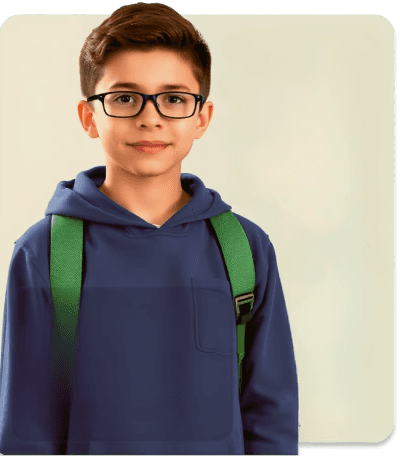
“I want to make a difference, but it’s hard to know
if small actions really matter.”
Location: Suburban middle school
Persona
Motivators
Enjoys earning badges, points, and recognition through fun activities.
Feels proud when participating in projects that involve teamwork and shared responsibility.
Current Feelings
Eager: Excited to participate in environmental challenges and projects.
Curious: Wants to learn how his actions contribute to bigger goals.
Uncertain: Sometimes questions if small efforts can make a real impact.
Motivated: Feels driven when progress and achievements are recognized.
Hopeful: Looking for a platform that connects his actions to tangible results and fosters a sense of teamwork.
Pain Points
Finds traditional educational tools unengaging and struggles to stay motivated without immediate rewards.
Has difficulty understanding how small actions contribute to larger environmental goals.
Goals
To learn about climate change and make a positive impact through manageable actions.
To see progress and earn recognition (badges, points) for his environmental contributions.
User Journey Map

Student: Logs in, sees “Welcome back, Jamie!” with recent achievements.
Student: Reviews progress, badges, and upcoming tasks.
Student: Browses challenges and group projects to choose next steps.
Student: Logs actions, joins projects, and earns rewards.
Student: Checks points, badges, and classroom progress.
Student: Reflects on achievements, shares with classmates,
“Welcome Back” screen, dashboard notification center
Student dashboard, teacher dashboard (support view)
Dashboard, Google Classroom recommendations
Action logging, classroom progress, feedback section, student notifications
Student’s main dashboard, feedback notifications
Reflection screen, classroom discussion, group summary report
“I’m already making a difference!”
"What should I do next?"
"Where should I start? There are so many choices!"
"Look, I earned a badge!"
"I’m making a difference! I can see my impact!"
"I helped make a difference!Proud of my achievements!”
Student: May feel less motivated if little progress has been made.
Student: May feel unclear on next steps.
Student: Faces decision fatigue with too many choices.
Student: May forget to log actions consistently.
Student: Needs more specific feedback for growth.
Student: May lose motivation without a new challenge.
Show motivational prompts if progress is slow.
Add “Recommended Next Step” guidance.
Offer guided starting points or popular challenges.
Add reminders to log actions regularly.
Batch feedback to streamline student engagement.
Reflection prompts for student insight.




Actions
Touchpoints
Thinking & Saying
Painpoints
Opportunities
Mood

User Interview
12 students aged 11-14 and 6 teachers with experience in education, including those interested in integrating sustainability into their curriculum.
Respondents
10 focused questions for each group (students and teachers)
To understand students' motivations for engaging in climate actions and identify teachers' challenges in integrating sustainability into the curriculum.
Questions
Objective
Key Findings from User Research
Based on the affinity map, we generated the following insights by grouping similar notes under similar headings.
Students appreciate real-time feedback on actions like CO2 saved.
Teachers value quick, clear progress indicators, which reduce manual tracking. AI-enhance tracking can highlight individual and group achievements effectively.
Feedback and
Progress Tracking
Students are motivated by points, badges, and rankings, which add fun and a sense of achievement.
Teachers find value in these metrics for measuring engagement without extra tracking.
Students prefer group projects, finding greater satisfaction in shared goals.
Teachers Teachers note that group activities enhance commitment, collaboration, and peer learning, making students more engaged.
Students prefer having environmental activities integrated into their daily routine.
Teachers need seamless Google Classroom integration to fit EarthTrackers into their workflow.
Students need regular updates and achievable goals to stay engaged.
Teachers believe sustained interest depends on fresh, dynamic content and continuous progress tracking.
Curriculum Integration and Ease of Use
Motivation Through Rewards & Gamification
Collaborative Projects and Group Activities
Long-Term Engagement
Competitive Analysis

Strengths
Provides a clear encouragement through awards, motivating young participants to engage in environmental activities.
Offers a variety of resources on environmental actions, inspiring students to start their own projects.
Limitations
Lacks interactive, gamified elements, which can limit engagement for younger users.
Minimal classroom integration, making it challenging for teachers to incorporate Action for Nature into structured lessons.
Strengths
Provides a structured framework for sustainability, which integrates well into school programs.
Emphasizes real-world environmental actions, creating a direct link between students' activities and their local environment.
Limitations
Lacks gamified elements and a points or reward system, which could limit ongoing engagement for younger students.
Limited flexibility in personalizing actions or rewards for students, potentially reducing adaptability.


Strengths
Emphasis on group projects fosters teamwork and shared responsibility.
Strong community focus, providing an inclusive platform for students to connect with broader initiatives.
Limitations
Limited individual progress tracking or reward system, potentially lowering individual motivation.
The platform primarily emphasizes larger, community-led projects, which may not appeal to students seeking smaller, achievable goals.
Integrates a points and badge system, which is largely absent in competitor platforms, to boost motivation.
Gamified Tracking
Classroom Integration
Uses Google Classroom to simplify the teacher experience, making it easy to assign, track, and discuss climate actions in a structured learning environment.
Balance Individual & Group Focus
Offers students a platform where they can both contribute to collective goals and track personal achievements, meeting a broader range of motivations.
Key Findings from Competitive Analysis
This competitive analysis serves as a foundation for our strategic decisions, guiding the development of a unique, highly interactive, and educational tool for climate and environmental engagement.
Personalized AI Insights
Provides AI-driven recommendations and feedback, offering unique support for students and teachers that fosters individual progress and motivation.

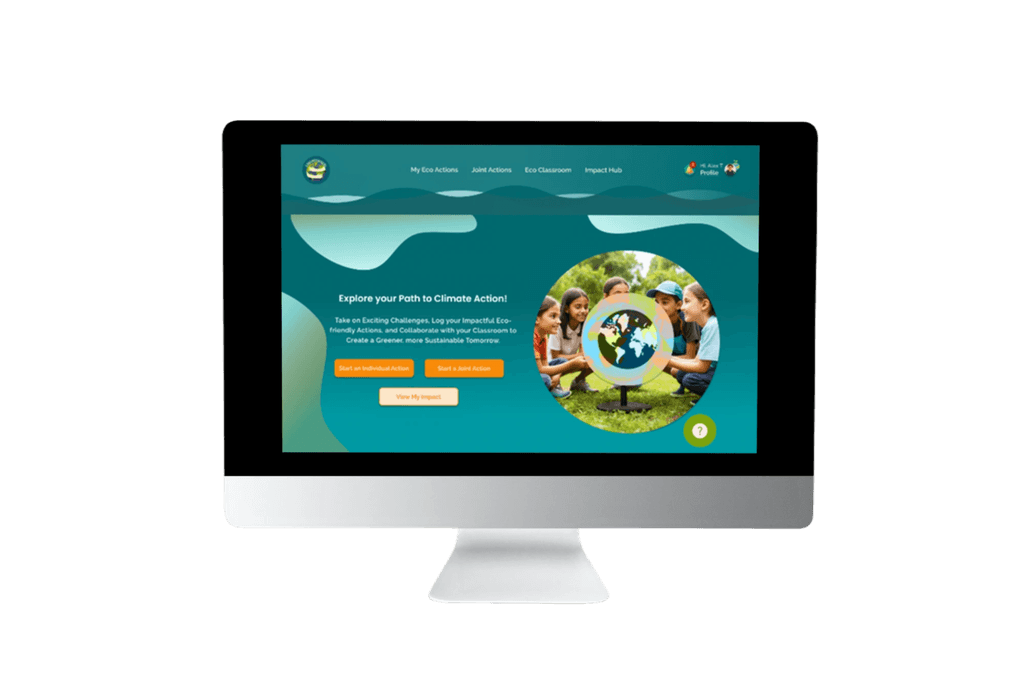
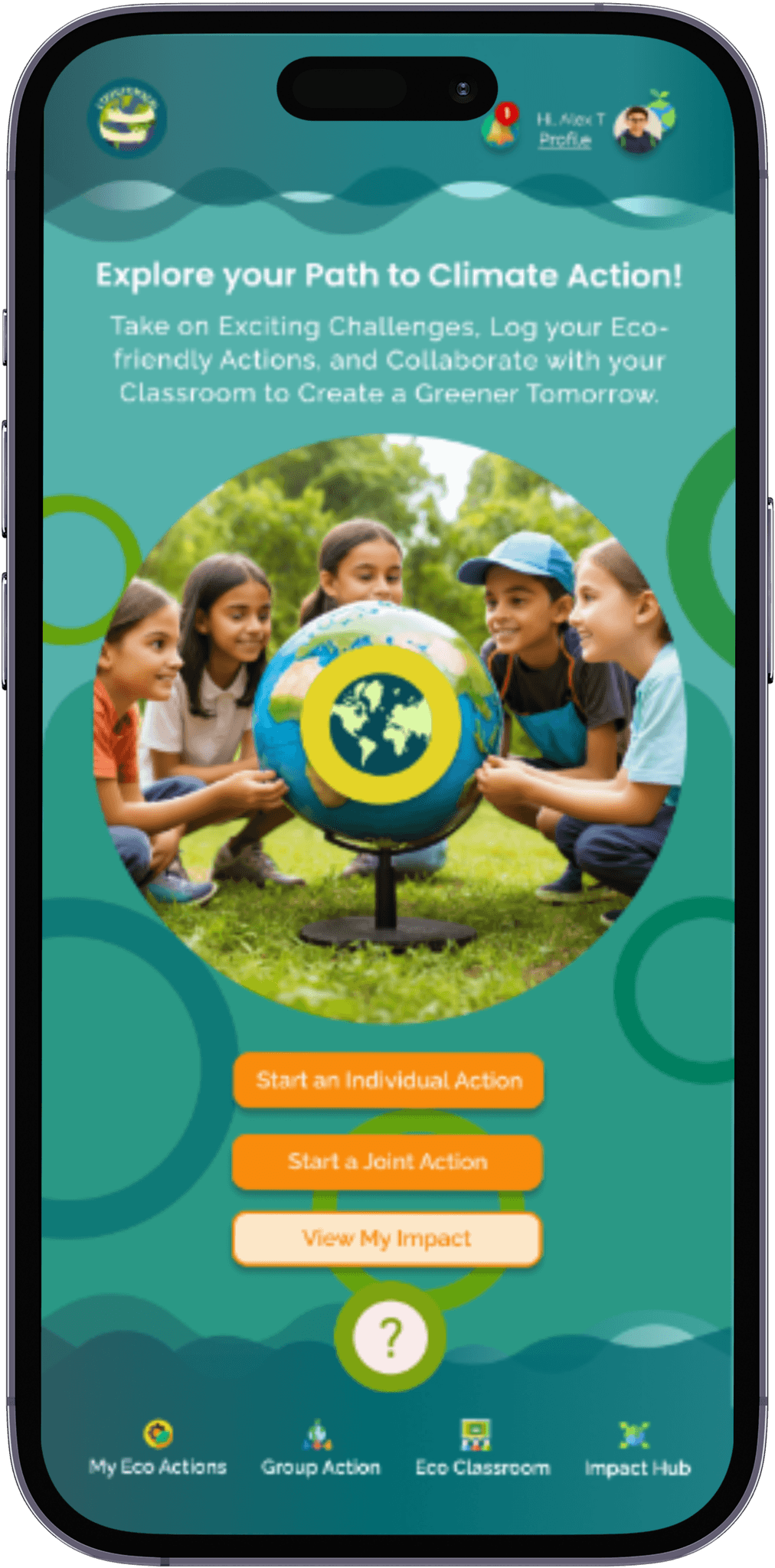
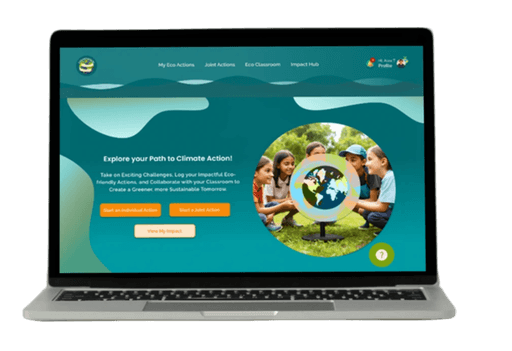
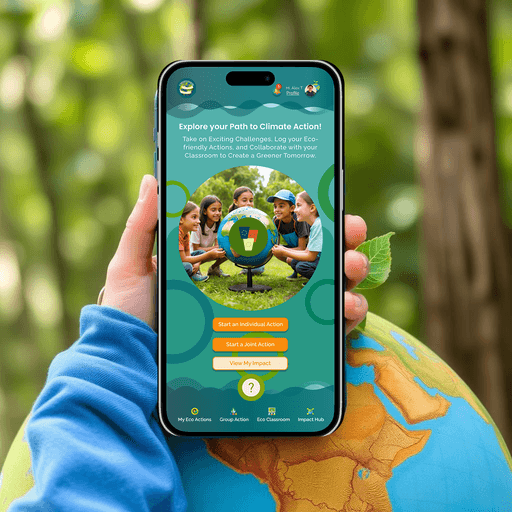
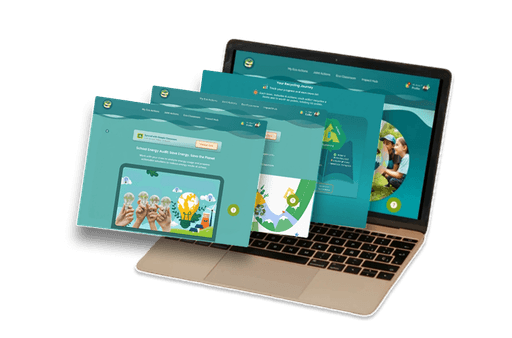
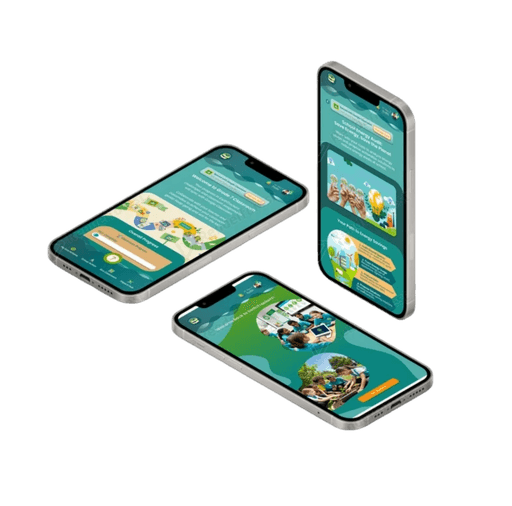
EarthTrackers is a responsive web platform, designed as part of my coursework, optimized for both mobile and desktop.
It engages young people aged 11-14 in eco-friendly activities such as emissions reduction, recycling, and conservation.
The platform transforms sustainability education into an interactive and action-driven experience.
It serves as a bridge between digital learning and real-world action, making sustainability accessible, engaging, and impactful—both inside and outside the classroom.
Overview
Problem Statement
Current educational tools fail to provide the interactivity
needed to engage young students in meaningful climate
and environmental actions. Teachers also struggle to integrate sustainability topics into their curriculum and lack efficient ways to track student engagement.
For Students:
Lack of motivation due to uninspiring climate education and limited personalized feedback.
Existing tools fail to make eco-friendly actions engaging and impactful..
For Teachers:
Difficulty integrating environmental topics within their curriculum using existing tools like Google Classroom.
Lack of structured ways to track engagement and provide individualized encouragement.
My Role
Tools
Timeline
Figma, Figjam, Maze, Lyssna, Sketch
14 Weeks
UX/UI Designer
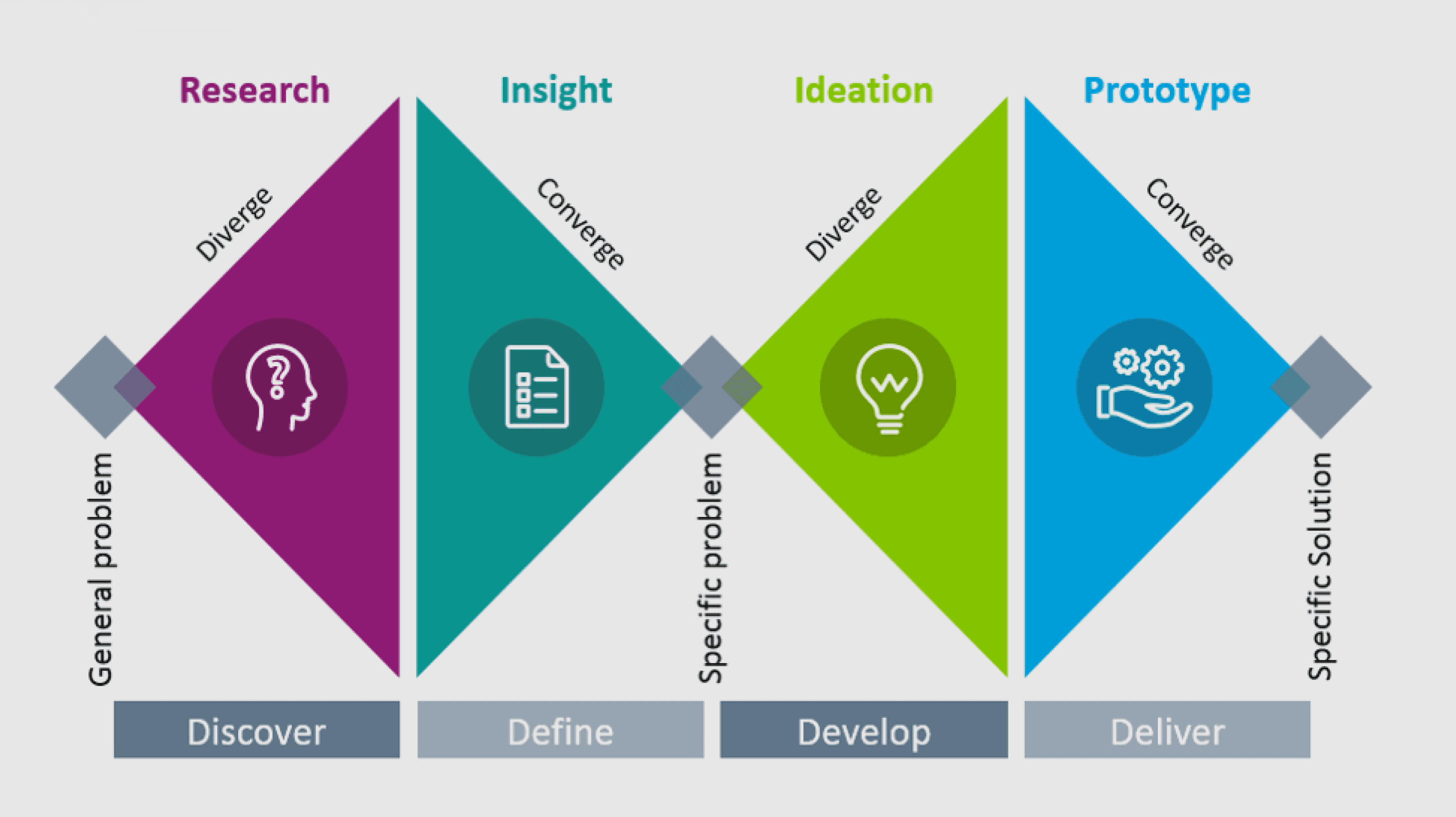
Research Approach
4 Weeks
2 Weeks
3 Weeks
5 Weeks
Personas
User Journey
Map
Impact Effort
Matrix
Information
Architecture
Site map
User Flow
Low-Fidelity
Wireframes
Usability Test
Discovery
Interviews
Competitive Analysis
Affinity Mapping
Usability Testing
Iteration
Mood Board & Style
High-Fidelity
Wireframes
Prototyping
Increase student engagement through interactive climate challenges and meaningful feedback.
Encourage long-term learning through gamification and visible achievement milestones. .
Empower teachers with tools for meaningful feedback, fostering student growth and deeper learning.
Goals